Login / Registrieren
DE EN FR ES IT CZ
Zurück Nach oben

Visionaire 5 released

  • #30, by sebastian 9 years ago Zitieren
    Hey. Cool. But how I can scale down the editor font? The font size is very, very large...


    The scale in the mac version is wrong atm. Simon is looking at it.
  • #31, by sebastian 8 years ago Zitieren
    Found also another bug. Not sure if its related to the scaling issue. Seems different:
    As you can see in the screenshot, the list items get moved to the left with each new item in the list.

    EDIT: seems to get fixed in the latest update for macOS.
  • #32, by bones 8 years ago Zitieren
    For some reason Spine files that worked before no longer work in this version. (Dragonbones exported). No images are displayed anymore.

    A secondary issue with Spine export and Dragonbones is that I found out that I would be breaking Spine's EULA if I'd be using Spine files, generated using Dragonbones, in Visionaire without a Spine license.

    Is there an ETA on when Dragonbones/Spriter support will be ready? I believe that Simon is working on this?
  • #33, by caligarimarte 8 years ago Zitieren
    First off, thank you for the new Version.

    I have noticed that my Texts are still "Unnamed", and I guess it must be, because that is actually their Name when I open my Project-File in Notepad to inspect it. (I know this Problem started before I migrated to Visionaire5.)

    So, here is a (not very revolutionary) Idea for a possible Feature:
    How about a "CleanUp"-Feature where, with the Click of a Button, Visionaire would re-generate all the Texts' Names and IDs, giving them new and fresh ones?
    1. First, all IDs could be re-generated, producing more orderly Numbers (for Example, my Project has 1699 Texts when I export them, but their IDs are numbered beyond 3600 already -- not fatal, but somewhat irritating).
    2. Then Visionaire could scan what each Text is connected to, and a new Text-Name would be generated accordingly, overwriting all the old Names as well as the "Unnamed"-Texts, also giving those proper Names.
    That would be one (possibly rather simple? idk) Solution for two Problems -- killing two Birds with one Stone (even though the Birds are not exactly of equal Importance).

  • #34, by jmbm 8 years ago Zitieren
    Thanks for the free upgrade. I really appreciate it smile
  • #35, by rosina-m- 8 years ago Zitieren
    Erstmal danke für die tollen Neuerungen, ich habe einen Bug entdeckt.(OS:Windows 10) Ich habe, aus Versehen, strg+s gedrückt als ich noch im Action on Leaving Menu meines Interfaces war. Da hat es die Darstellung zerrissen.
  • #36, by SimonS 8 years ago Zitieren
    I have uploaded an update for Mac that fixes the dpi scaling and uses the system setting.

    @rosina-m: Das ist eine Debugansicht für den UI-Designer, kann man mit Strg+Umschalt+D an/aus schalten.
  • #37, by sebastian 8 years ago Zitieren
    I have uploaded an update for Mac that fixes the dpi scaling and uses the system setting.


    tested on a non Retina Mac in 1080p. Bug is fixed on my side smile
    Great work.

    By the way: The console in the player has listed separate stuff like values, conditions, etc since RC whatever...
    Would  be nice to see also the value string in a column for the values area.
  • #38, by wischnik 8 years ago Zitieren
    thanks for the update.

    i believe i found an other bug 'though — at least this started to happen when i made the update. i don't know if it's related:

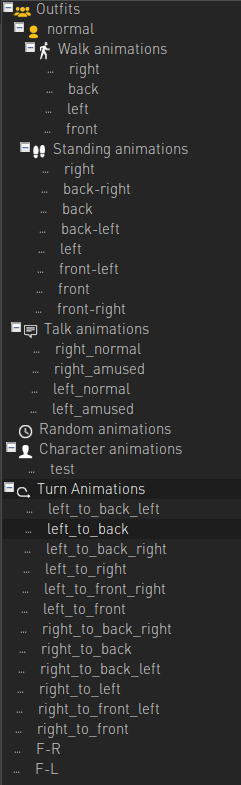
    my characters walk animation won't stop when the character reaches an object. this is very odd. the character walks on its standing point.
  • #39, by sebastian 8 years ago Zitieren
    my characters walk animation won't stop when the character reaches an object. this is very odd. the character walks on its standing point.
    can you give a bit more information on how you setup the character? I cant reproduce it (yet)

  • #40, by wischnik 8 years ago Zitieren
    can you give a bit more information on how you setup the character? I cant reproduce it (yet)
    hej there,
    try out the following:

    let a character walk to an object where the character's supposed to trigger some spoken text at arrival. it seems to me there's a mess-up between arrival, stopping the animation, turning to the object and giving out spoken text. i think so because when the character is finished giving out text the animation finally stops and the character turns towards the object.

    i'm also working on a mac.