
Login / Registrieren
DE EN FR ES IT CZ
Zurück Nach oben

Visionaire RC0 Update

  • #10, by afrlme 9 years ago Zitieren
    It will only check once a day, that gets written in the viseditor.ini. There's no button for manual checking yet.
    Why not just have it check whenever editor is launched?

  • #11, by SimonS 9 years ago Zitieren
    I don't really want to test how much traffic our system can hold.
  • #12, by Paupasia 9 years ago Zitieren
    Thank you so much for the update! The fading is perfect now grin

    You deserve a really nice break to relax!  Happy holidays! grin
  • #13, by afrlme 9 years ago Zitieren
    I don't really want to test how much traffic our system can hold.
    haha haha hahahahahahahahahahahahahahaha! That's funny mate.

    By the way... not sure if it's a bug, but I don't seem to be able to create actions in the global actions tab for interfaces. I can click on the tab & it shows the relevant action list & buttons, but it won't let me create any with the green plus button.
  • #14, by SimonS 9 years ago Zitieren
    Thx @Paupasia.

    @AFRLme: Don't know why that's so funny. This visionaire websites are spread around 4 servers. The website here is on the fastest server, that would take nearly anything. But the other ones frequently have downtimes and are slow... I don't really control them, that's why I don't really want to test it. But I'll probably change it, when I have the data on the traffic.

    There are no global actions in the interfaces, the tab is for buttons, so create a button and the plus is green.
  • #15, by afrlme 9 years ago Zitieren
    Thx @Paupasia.

    @AFRLme: Don't know why that's so funny. This visionaire websites are spread around 4 servers. The website here is on the fastest server, that would take nearly anything. But the other ones frequently have downtimes and are slow... I don't really control them, that's why I don't really want to test it. But I'll probably change it, when I have the data on the traffic.

    There are no global actions in the interfaces, the tab is for buttons, so create a button and the plus is green.
    Yeah I know the websites are spread around. Different servers for the wikis & the website. The current wiki & my own website are on David's server.

    Ah wait, my bad. I meant the characters tab. There seems to be an action tab on the global conditions/values column that's doing absolutely nothing. There's already an actions tab on the main form of the characters section.

    Sorry mate. I think I got a bit muddled up when I posted. I've been messing about with interfaces the day, which is probably why.
  • #16, by sebastian 9 years ago Zitieren
    yeah, i mentioned that actionstab in the nain RC0 thread. These lists actions from dialogs. So if you click on a dialog part which starts an action, you see the action parts there. Kind if unnecceccary because its always visible but the actions are only avaulable by dialog part context
  • #17, by afrlme 9 years ago Zitieren
    @ Simon: would it be possible to put the properties button thing as a little cog or spanner/wrench icon to the right of selected visobj in the scene list, etc - or maybe one for each so can edit properties of each without it having to be selected. I think it would be much more intuitive. Looks a bit weird as centered text underneath the left hand column. Also if we click outside of the properties popup box it should automatically be closed if it's open rather than having to click the properties button or there should be a X button icon on it somewhere to close it or an ok button or something.
  • #18, by giuliobider 9 years ago Zitieren
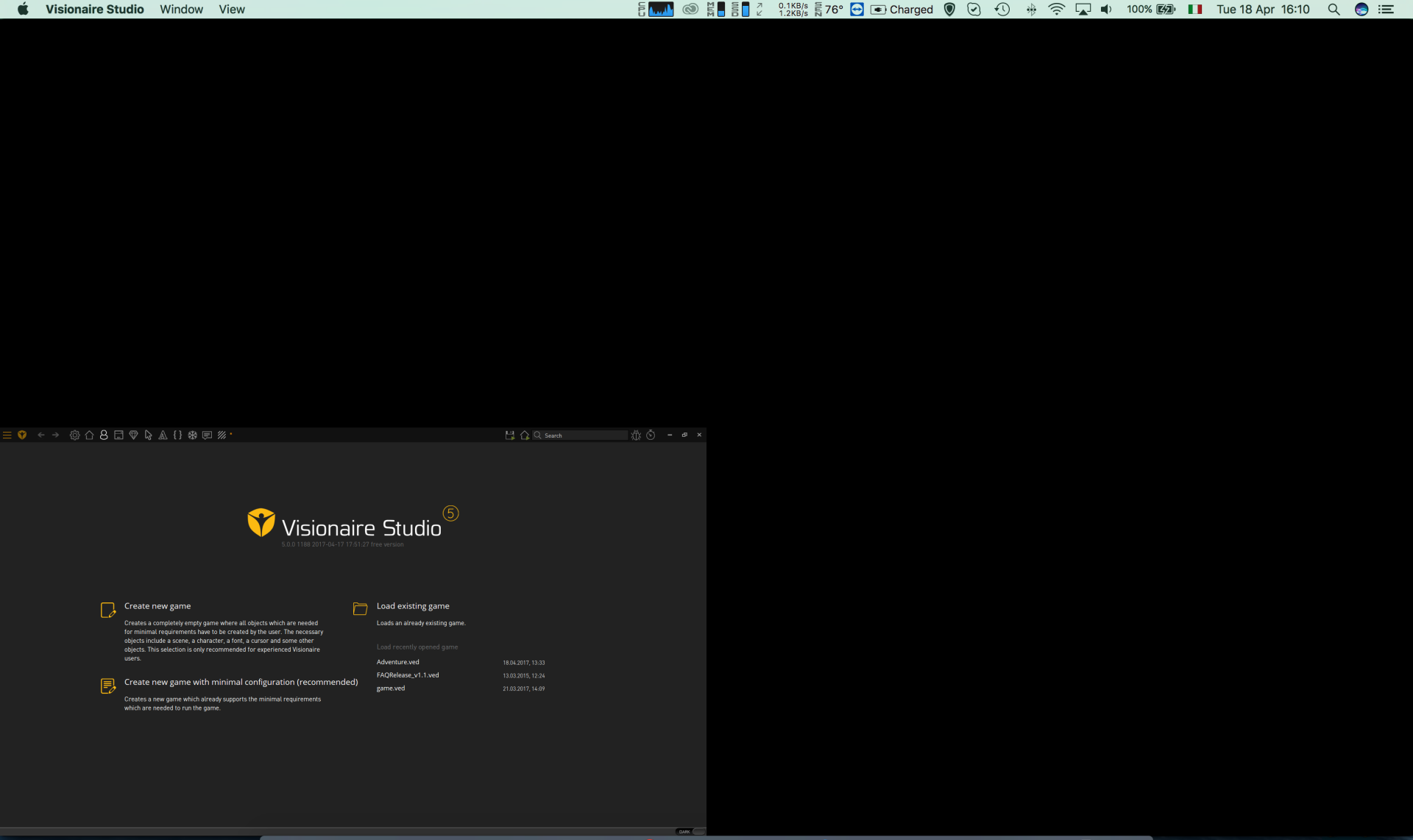
    Hi guys,

    just a quick question to know if I'm the only one that have the following issue:
    when I launch VS RC0 I get the effect in the image below.

    I supposed it's my fault due to no one else report this bug grin

    Thanks
    Best

    Giulio
  • #19, by SimonS 9 years ago Zitieren
    I haven't fixed that yet, because I have no retina display. These guys here fixed it manually: http://www.visionaire-studio.net/forum/thread/visionaire-5-r...!/6/#56
  • #20, by giuliobider 9 years ago Zitieren
    I haven't fixed that yet, because I have no retina display. These guys here fixed it manually: http://www.visionaire-studio.net/forum/thread/visionaire-5-r...!/6/#56
    Oh...sorry...I didn't see it!

    Thanks a lot, it works! wink
