

3. Planning puzzles with a dependency chart
Planning puzzles with a dependency chart
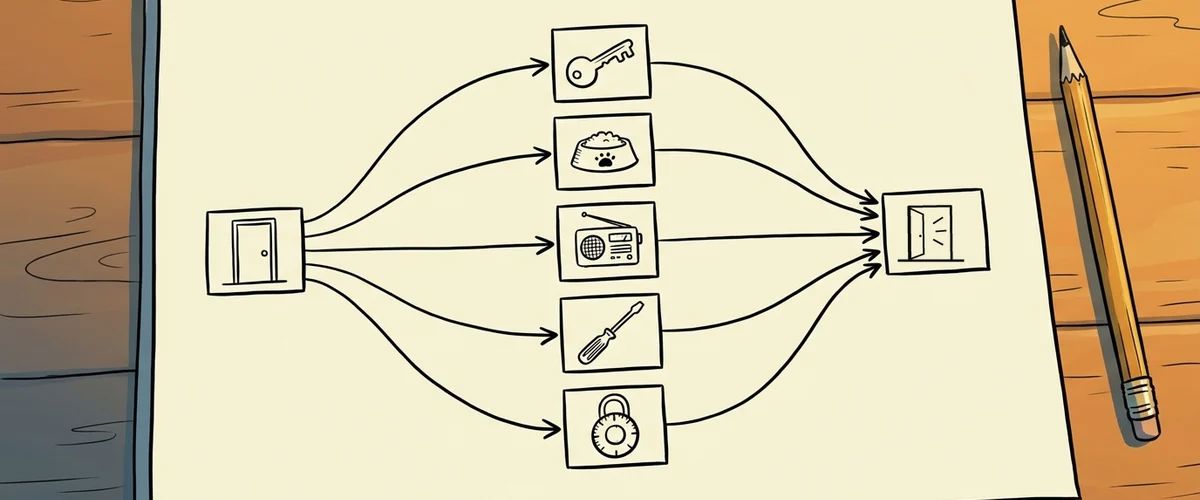
From three or four puzzles on, you lose track in your head. Ron Gilbert used the Puzzle Dependency Chart for this and described it on his blog in 2014. It doesn't show the order in which the player experiences things, but what depends on what.
How to draw it
- Every box is a puzzle step: "find key", "open door".
- A line connects a step with what it requires.
- Steps that are not connected to each other can be solved in any order.
- Start at the goal and work backwards. That way you don't hide keys for puzzles that don't exist yet.
The right shape: bushy, with bottlenecks
Gilbert's rule of thumb: a solved puzzle should open two or three new ones that later come together again into one solution. Then the game opens up again. At the end of every act there is a bottleneck, a puzzle all paths have to go through. That gives a sense of closure, and the player can clear out their inventory before moving on.
Goal: get out of the house
   needs  front door open
      needs  key  (from the caretaker)
         needs  caretaker distracted
            needs  radio repaired       ← path A
            needs  cat fed             ← path B
      needs  alarm off
         needs  code from the note in the cellar
In this example the player works on several threads at the same time. If they get stuck on one, they can carry on with the other.
Tools
- Paper and sticky notes are completely enough to start with.
- yEd or diagrams.net are free diagram programs.
- Graphviz draws the chart automatically from a text list. Gilbert recommends programs with automatic layout, because otherwise you spend more time moving boxes around than designing.
digraph puzzles {
  "door open" -> "key";
  "key" -> "grate open";
  "grate open" -> "screwdriver";
}
From the chart to Visionaire
Every box that describes a state becomes a condition in Visionaire (for example grate_open) or an item in the inventory. Every line becomes a check: the "If condition" or "If character has item" action part checks whether the requirement is met. That way every chart can be built step by step. Details in the wiki under Conditions and values.
Rule to remember
Plan backwards, branch out like a bush, bundle at the end of each act.
Your task
Draw the chart for your first act. Is there a point where only a single puzzle is open? Add a second path there.



