

How to make a point and click game
A free step by step guide: from your first scene to a finished adventure, no programming needed. Plus tutorials, templates and a community that helps.

Step by step
Your first adventure in 7 steps
This is how a point and click adventure comes together in Visionaire Studio. Every step links to the matching wiki page when you want to go deeper.
Start from a template
Open the editor and pick a template on the home screen, or download one of our templates such as Fantasy Quest. Templates contain everything a game needs to run: menus, a playable character and an inventory. Changing a working game teaches you faster than starting from zero.
Create your first scene
In the Scenes section, add a scene and give it a background image. Keep all graphics inside your project folder, because Visionaire stores relative paths. Then set it as First scene in the Game properties.
Add objects and interactions
Place objects like a door or a note and draw their object areas, the clickable hotspots. With the action system you decide what happens when the player looks at, uses or takes them, for example a line of text or a scene change. No code needed.
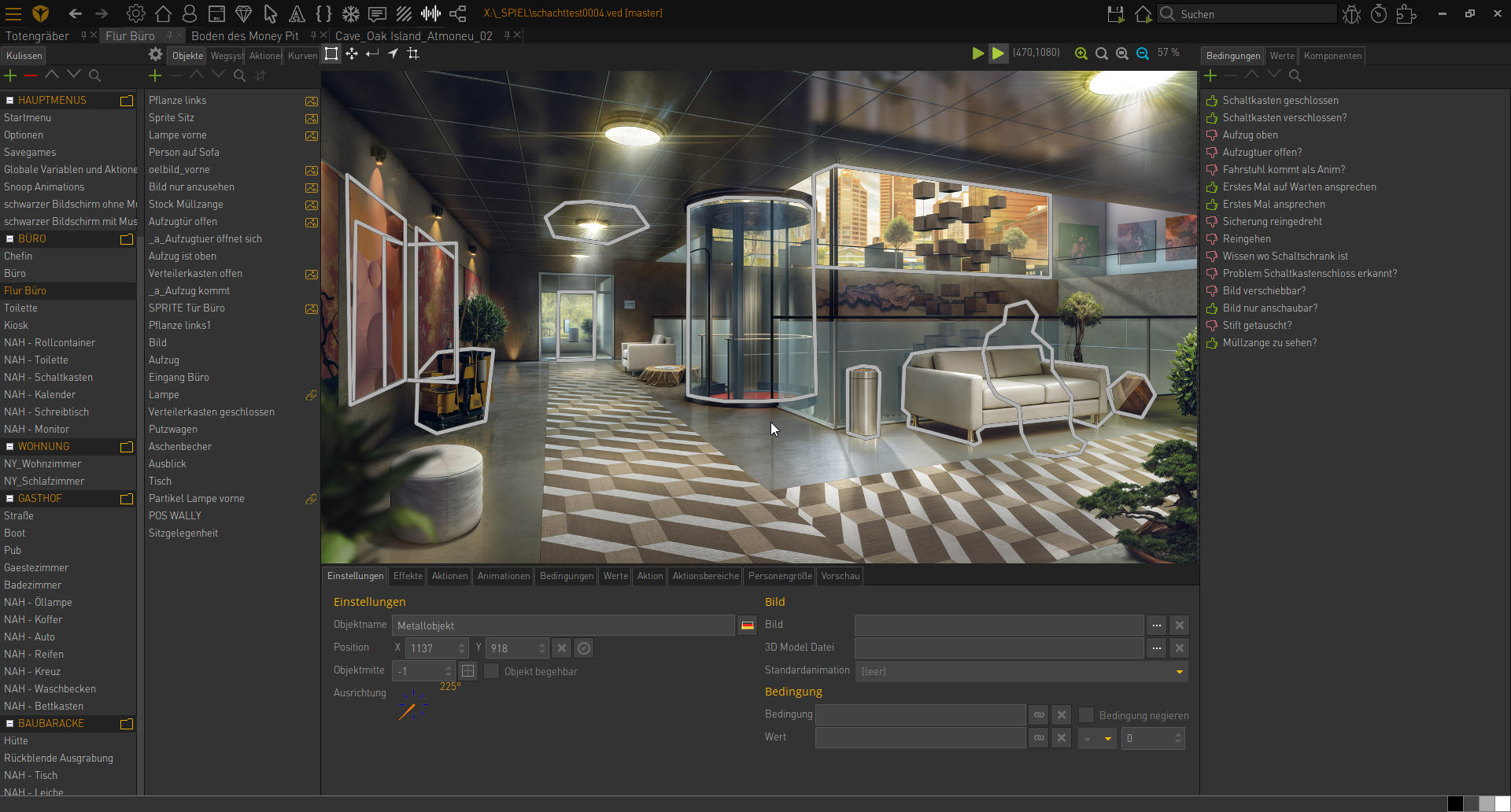
Scenes and objects in the editor, here during development of The Mystery of Oak Island. Build a puzzle with items
Create an item in the Items section, let the character pick it up and use it on an object. Conditions and values remember what has already happened, so the door only opens once the key has been found.
Bring your character to life
In Characters you set up outfits with walking, standing and talking animations. Then draw the walkable area of your scene: on the scene's Way systems tab, add way borders and way points so the character moves through it naturally.

Outfits and animations of a character. Write a dialogue
Open the character the player talks to and add a dialog with answer options on its Dialogs tab. Every answer can trigger actions, so a conversation can unlock a hint or an item. Voice recordings can be added later.
Test, then release
Press F9 to run your game from the editor at any time and test it. The free version allows up to 25 scenes per project. For more scenes or to earn money with your game (sales, in game ads, crowdfunding or donations), you need a license. The Indie Bundle covers one commercial game on Windows, macOS and Linux. Web (HTML5), mobile and console need a different license.
Ready for your first adventure?
Download the free version and start from a template. When you want to earn money with your game or need more than 25 scenes, choose a license.
Keep going: our guides
Short, practical guides for your next steps, with examples from a small adventure.
Tools and tutorials
Organize the production in Lyria.
Creating an adventure game means more than building scenes. Story ideas, puzzles, characters, assets, feedback, bugs, milestones and team tasks all need a clear place. Lyria helps you organize your production workflow around Visionaire Studio — from the first idea to release preparation.

| Keep an overview of open issues, completed work and the next steps toward release. |




