Login / Registrieren
DE EN FR ES IT CZ
Zurück Nach oben

Visionaire RC2 Released

  • #30, by Lebostein 9 years ago Zitieren
    Thanks for the news and the good work!

    On Mac OS Visionaire rc2 remains very unstable (crashes often while changing the editor tabs, from character to scene for example). A little thing: why the zoomed animation sprites in the editor are scaled up with blur? The zooming inside the editor (200, 400, 800 %) should be pixelated.
  • #31, by SimonS 9 years ago Zitieren
    Unstable ? Give me reports. I don't get them from Mac. I can't magicly guess that it's crashing if I'm not told.

    If you don't want blurry scale up set the game settings to nearest neighbour.
  • #32, by Lebostein 9 years ago Zitieren
    If you don't want blurry scale up set the game settings to nearest neighbour.

    In the editor (!), not in the game... If I zoom the sprite preview in the animation editor to place the object centre for example, then the sprites inside the editor are blurry...
  • #33, by SimonS 9 years ago Zitieren
    Yes, in the editor, you may need to reload the game after setting this.
  • #34, by matskyyr246 9 years ago Zitieren
    Hi, my first post here. Thank you very much for the great tool, love to work with Visionaire.

    That said, I'm secoding that latest update / RC2 (happened last night, right?) has been much more unstable than the previous version. I have had 3-4 crashes since the update, mostly when just doing regular work in the editor. I've sent dumps from all but one crash.

    This is coming from Windows 10, RC0 updated through the in-app update prompt. Hope you guys can look into this.

    Edit: It seems I can consistently cause a crash by changing the origin of a character animation. The crash gives a popup saying "Purecall error" and then closes the program. See attached picture.
  • #35, by SimonS 9 years ago Zitieren
    Okay, found that, will do an update later this day.
  • #36, by Lebostein 9 years ago Zitieren
    Yes, in the editor, you may need to reload the game after setting this.
    In the game I need a smooth scaling of sprites (for the better look), but in the editor I am interested in a pixel-accurate positioning of object centers and so on... In my eyes there is no need to scale sprites with blury in the animation frame editor...
  • #37, by AkcayKaraazmak 9 years ago Zitieren
    Thank you so much Simon! . Are you gonna also fix the rotation script for the 3d characters while using keyboard navigation? Please mate smile
  • #38, by matskyyr246 9 years ago Zitieren
    Thank you, very prompt!

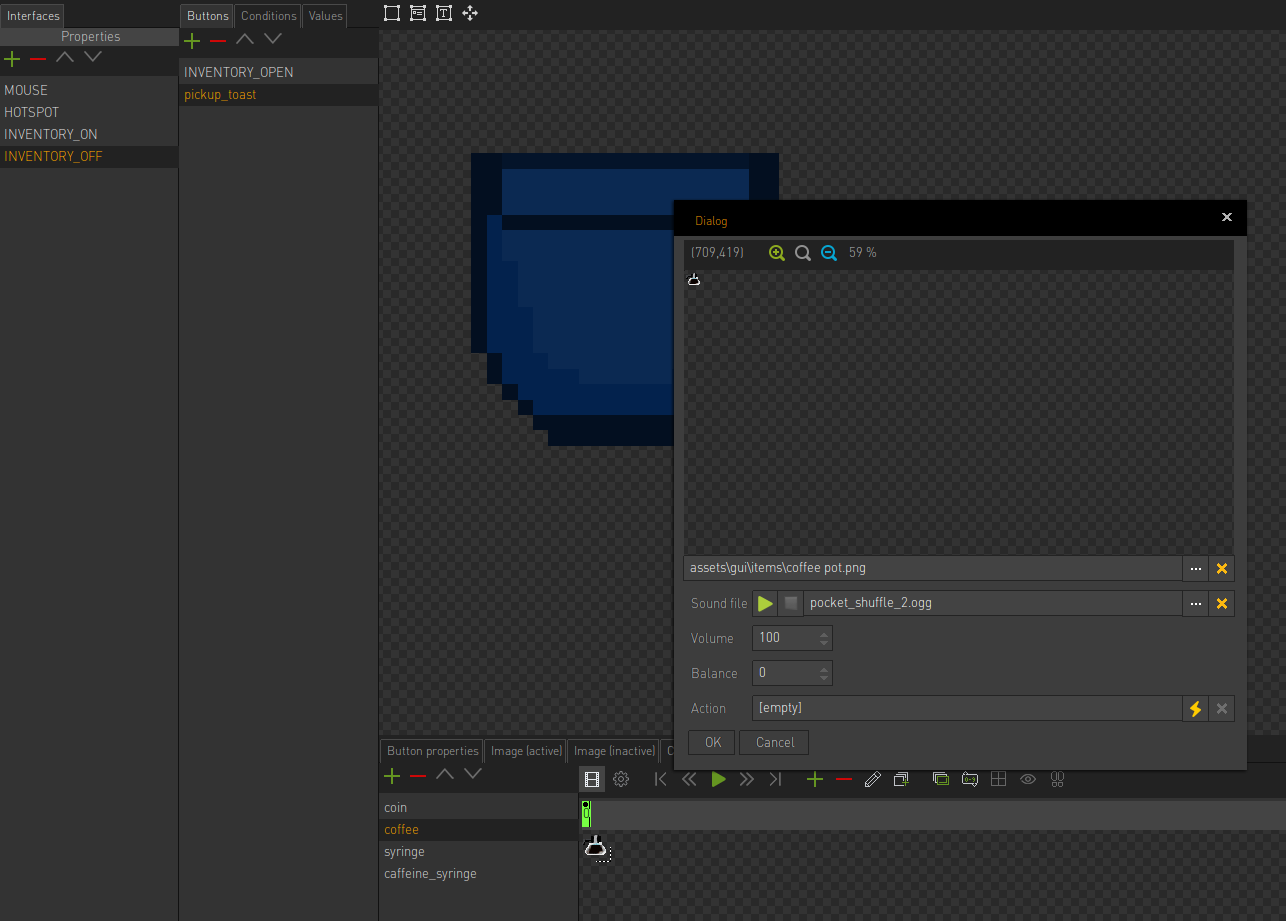
    Another bug: When I replace animation frames in the Interfaces tab (Right-click frame, edit, change image location and save) the editor instantly pops up another edit window and reverts my changes.

    Edit: Meant Interfaces tab, not Items. Attached screenshot.

    Edit: I just figured out why it happens. Clicking "edit" opens two dialogs on top of each other smile
  • #39, by Simon_ASA 9 years ago Zitieren
    Thank you so much for your hard work SimonS!

    I will try this new version asap, and will let you know if I find problems.

    Thanks again smile
  • #40, by sebastian 9 years ago Zitieren
    Hey Simon,

    no stability issues for me on my macOS Sierra system so far. But i dont have a "big" project if that matters...

    Could you correct the display of waypoints being nearly unseeable if I zoom in a scene? They should be always the same size i guess.

    Great work so far =)