Menu
Login
Language
DE EN FR ES IT CZ
Back

VS4: interfaces bug? [Solved]

  • #1, by andy-rinaldi Tuesday, 22. July 2014, 00:24 12 years ago Quote
    Hi all,
    I don't know if my trouble is a bug of VS4 but I have tried many times.
    Well, I create a new interface and I select "show interface" in at the beginning action of the scene but I'm not able to show it (!).
    There are known bug on the interfaces?

    Thanks.

    Forum Fan

    160 Posts

  • #2, by afrlme Tuesday, 22. July 2014, 01:56 12 years ago Quote
    interfaces should be linked to a character. by default they should be visible unless hidden on game/scene start.

    Imperator

    7290 Posts

  • #3, by andy-rinaldi Tuesday, 22. July 2014, 11:46 12 years ago Quote
    Thank you.
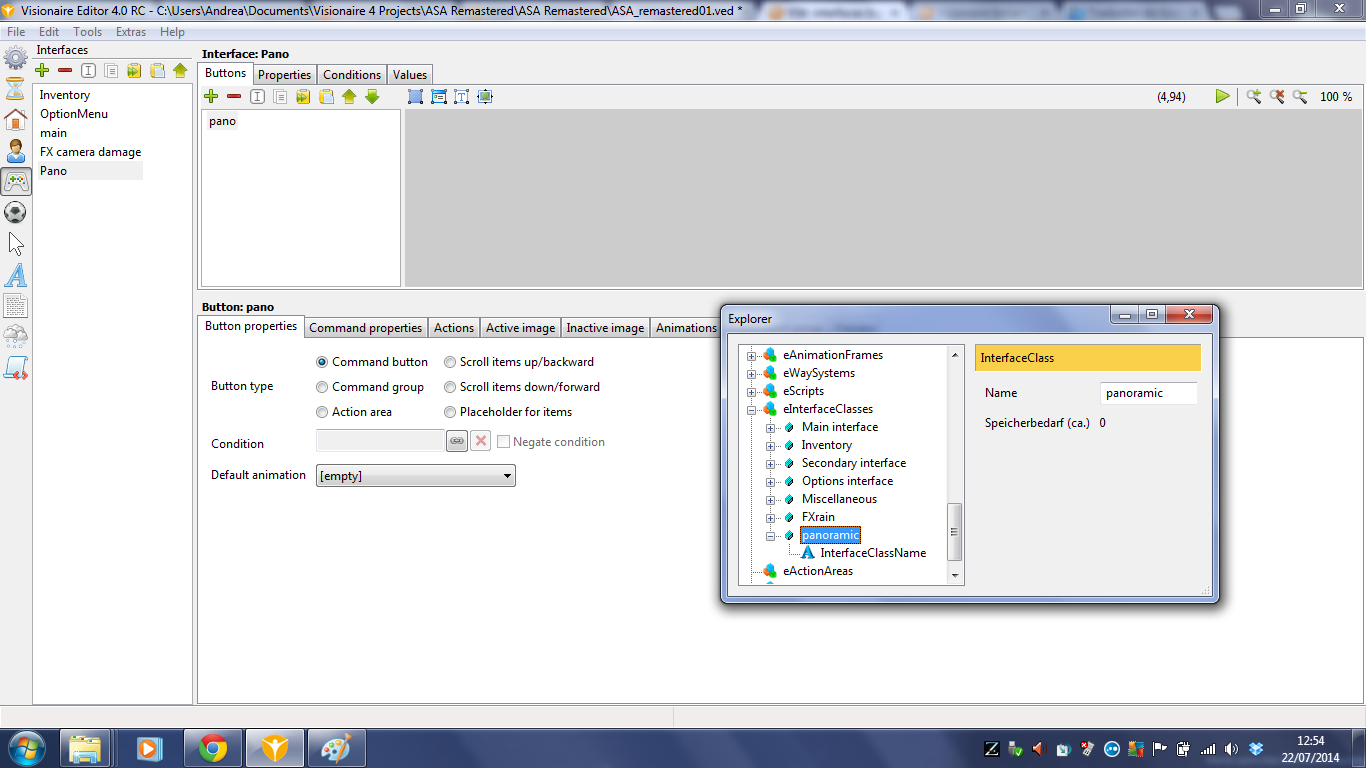
    I create a new class interface from Tools -> Explorer, then a new interface (from interface menu on the left) that I assign to same class interface.
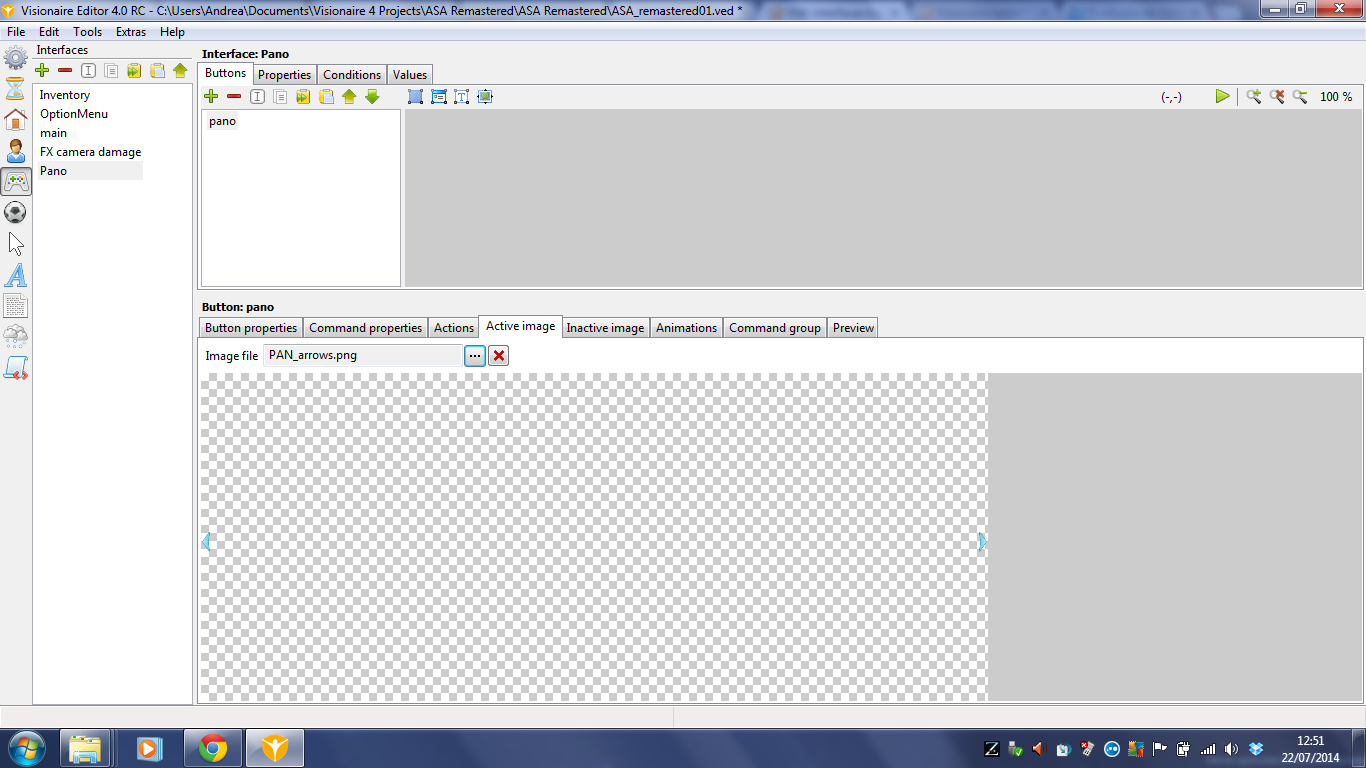
    Add the png image to active image tab in the interface and I link the new interface to a character. In "at the beginning" action of my scene, I hide the main interface but the new interface does not appear.
    Why?

    Thanks.

    Forum Fan

    160 Posts

  • #4, by afrlme Tuesday, 22. July 2014, 12:22 12 years ago Quote
    could you post some screenshots please?

    Imperator

    7290 Posts

  • #5, by andy-rinaldi Tuesday, 22. July 2014, 13:00 12 years ago Quote
    ok, thanks. main is a main interface that I hide in my scene.
    Let me know if you need more info.

    Forum Fan

    160 Posts

  • #6, by afrlme Tuesday, 22. July 2014, 13:07 12 years ago Quote
    Not seeing anything based on those screenshots.

    You've assigned the interface to the main character yes? or the active character that needs said interface rather?

    You've defined the interface area?

    Imperator

    7290 Posts

  • #7, by andy-rinaldi Tuesday, 22. July 2014, 14:26 12 years ago Quote
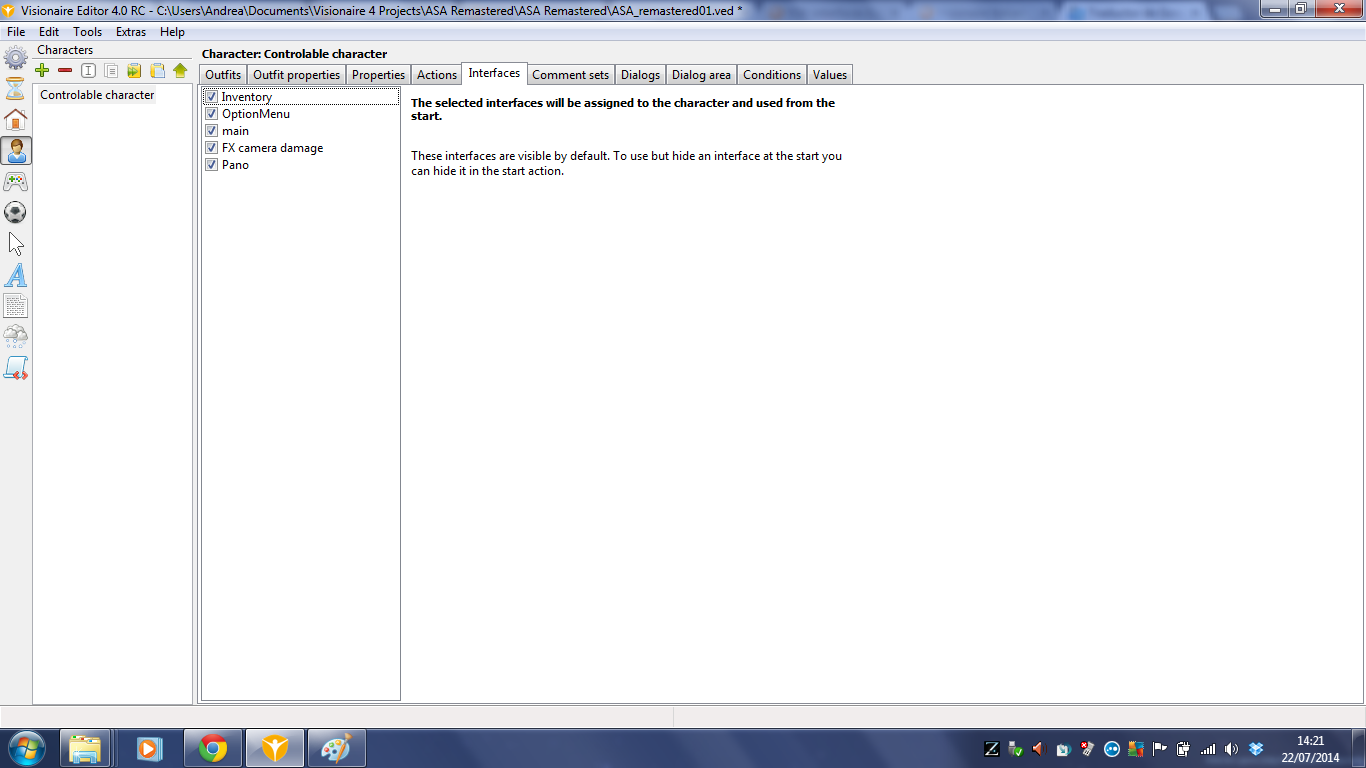
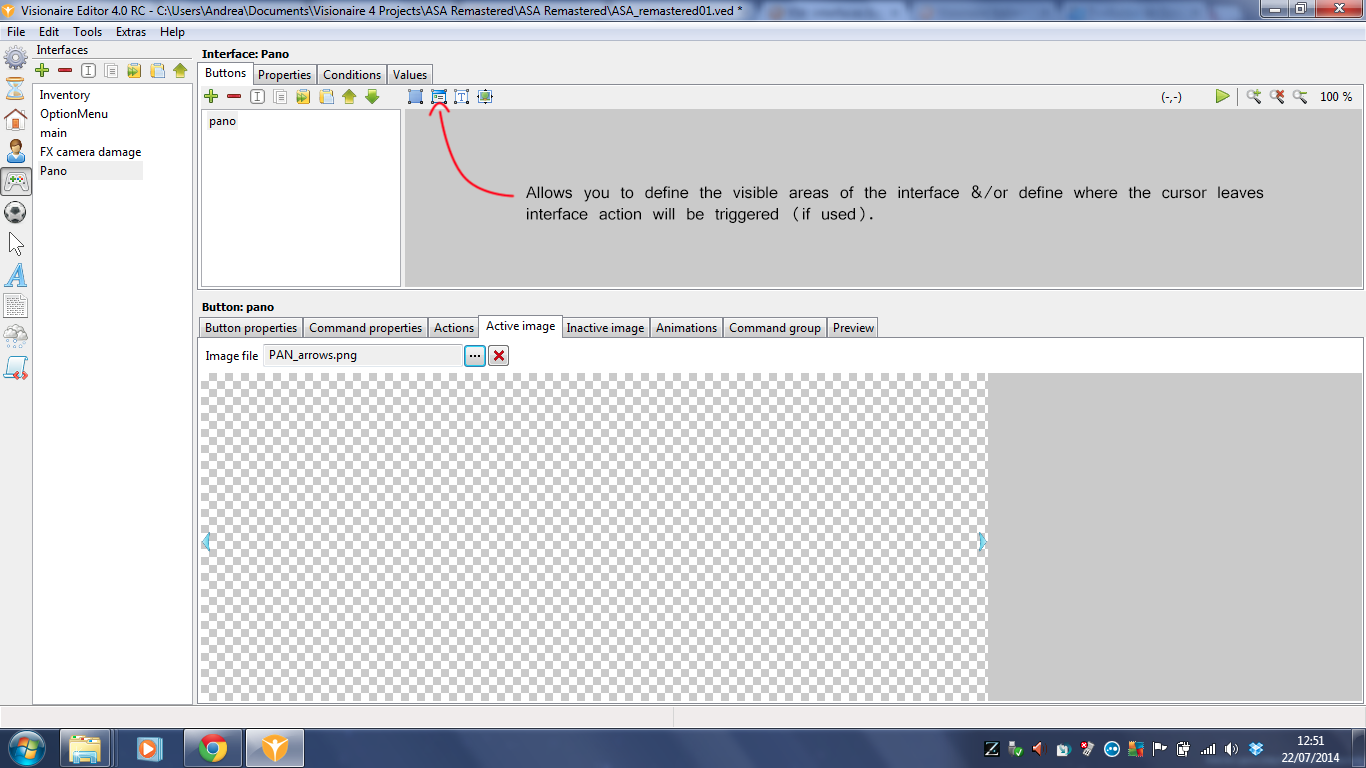
    I assigned the interface to the main character. See screenshot.

    You've defined the interface area? I don't know. How can I do that?

    Thanks.

    Forum Fan

    160 Posts

  • #8, by afrlme Tuesday, 22. July 2014, 15:07 12 years ago Quote
    in the first or third screenshot, do you see the icon next to the object area icon? That allows you to define the interface area/border.

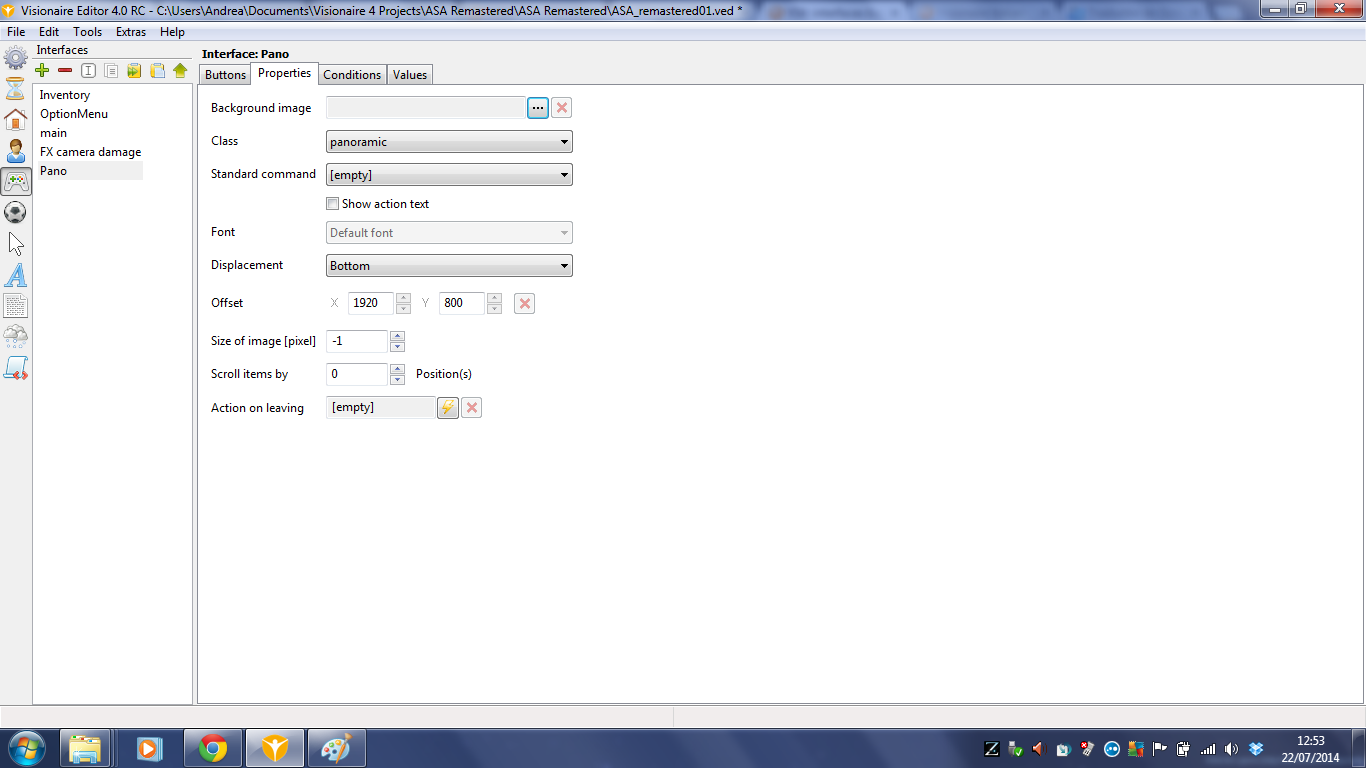
    Quick question: did you add an image via the main properties tab for the interface? It can be a transparent .png, but it has to be the actual size that you want the interface to be. The background image controls the actual size & position of the interface.

    Not defining the interface area means all of the interface will be visible, so it's up to you whether you want to define that.

    P.S: I should have noticed that you hadn't linked a background image to the properties tab. D'oh! Scenes, menus & interfaces etc are all defined by their background image width & height.

    Imperator

    7290 Posts

  • #9, by andy-rinaldi Tuesday, 22. July 2014, 18:21 12 years ago Quote
    Ok, I put the image as background image and set the interface area. Now I can see the interface in game but as background I get a black screen.
    I have a panoramic scene with a wide image (360º view like) and I need to show the arrows (left/right) at the border of screen in order to show to the player where he can go. I have a image 1920x800 (like the game resolution) with these arrows and I need a interface that show them.
    Let me know if you need to gather info.

    Many thanks.

    Forum Fan

    160 Posts

  • #10, by andy-rinaldi Wednesday, 06. August 2014, 11:09 12 years ago Quote
    Any news?

    Forum Fan

    160 Posts

  • #11, by SimonS Wednesday, 06. August 2014, 16:40 12 years ago Quote
    Please set the offset type to absolute, else there is an error, I fix it later.

    Thread Captain

    1622 Posts