
Login / Registrieren
DE EN FR ES IT CZ
Zurück Nach oben

Setup Menu

  • #1, by SDMono 12 years ago Zitieren
    Hi guys.

    Just another short question. smile

    Is there any way to get a setup menu once the game is done? Like the setup you can run for most of the games made in Adventure Game Studio. There you can change the resolution and use 2x, 3x or 4x nearest neighbor, Forced Letterbox Resolution etc.!!!

    ps: Or changing the aspect ratio.
  • #2, by afrlme 12 years ago Zitieren
    Are you talking about a settings menu window that opens up before the game is launched?

    I believe that Nigec wrote/created an app for that a couple years back. You can of course write your own app. It only has to adjust the config.ini after all.

    Resolutions in vs are very specific. If game is run in fullscreen then the resolution is usually set to auto & game will scale up/down & add black borders vertically/horizontally automatically.

    You can set custom resolutions for window mode though I believe.
  • #3, by SDMono 12 years ago Zitieren
    Yeah I was talking about exactly that. Somehow I just feel that there are not a lot of options concerning resolution, forced letterbox and a little fine tuning.

    Yes you can set a custom resolution in window mode. Is there any way to make it a borderless window?

  • #4, by afrlme 12 years ago Zitieren
    I've no idea to be honest. I believe the devs would be better off answering that than me.
  • #5, by BigStans 12 years ago Zitieren
    Windowed was windowed. Fullscreen was fullscreen.
    My default visionaire was scaling up from the game resolution with linear filtering, or you can switch to nearest neighbor.
    Letterboxing was black bars on the side? For example: 16:9 monitor with an 640x480 game resolution?


  • #6, by SDMono 12 years ago Zitieren
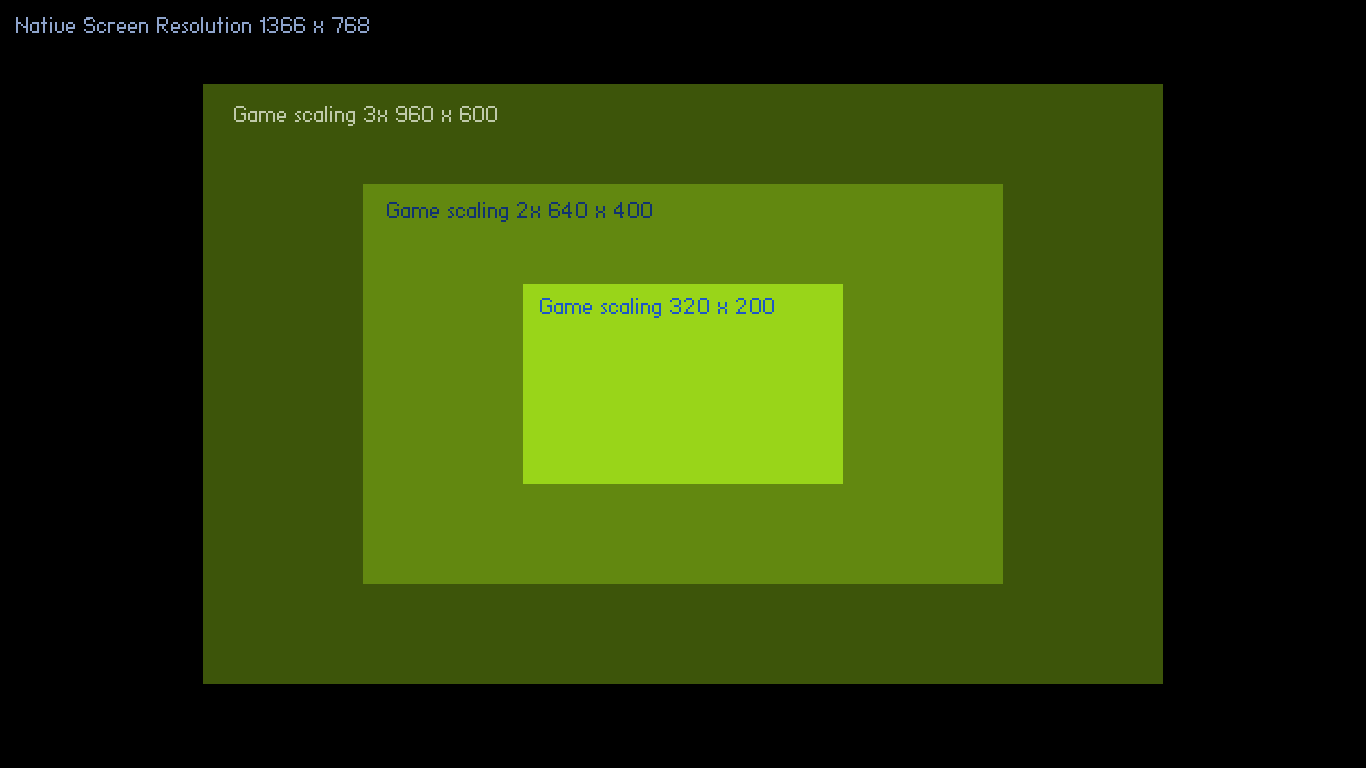
    Yeah... my game is a low res one (320 x 200). On my screen it looks good. It is running at 1920 x 1200 (16:10)... all the pixels are sharp and the scaling seems to work. But when I try to run it on another screen with a resolution of 1366 x 768 the scaling seems off and some of the pixels seem squeezed together. I just wish there would be an option of sorts that keeps the scaling 2x (640x400) 3x (960x600) or 4x (1280x800) etc. and fills in the rest with black bars.

    For example... the max. resolution on my second screen is 1366x768 so I would not be able to scale the game 4x but lets just scale it 3x to 960x600 and fill in the rest with black bars. That way the pixels would not deform.

    Not sure if I make myself clear.
  • #7, by SDMono 12 years ago Zitieren
    I guess what I am talking about is integer scaling a much as possible and make up the rest by adding borders.

    Ps: Is that possible?
  • #8, by SDMono 12 years ago Zitieren
    I am sorry for being so impatient but this is really bugging me. Is it possible to have integer scaling in visionaire? No 1.5x... just 2x 3x 4x 5x scaling etc? cry

    saludos,
    gordon
  • #9, by BigStans 12 years ago Zitieren
    Hm… You can set the player to an Windowed mode and change the resolution from 640x480 to 800x600 or something else smile
    I will have an look now smile Thanks for the clarifying screen smile
  • #10, by SDMono 12 years ago Zitieren
    Thanks BigStans!!! I will be waiting. smilewink
  • #11, by BigStans 12 years ago Zitieren
    Tested something around with letterbox and pillarboxing.
    I added it as an feature request, because it's too close to the next update (4.0.1).
