Login / Registrieren
DE EN FR ES IT CZ
Zurück Nach oben

Some pictures get broken

  • #1, di Harvey horas 14 years ago Zitieren
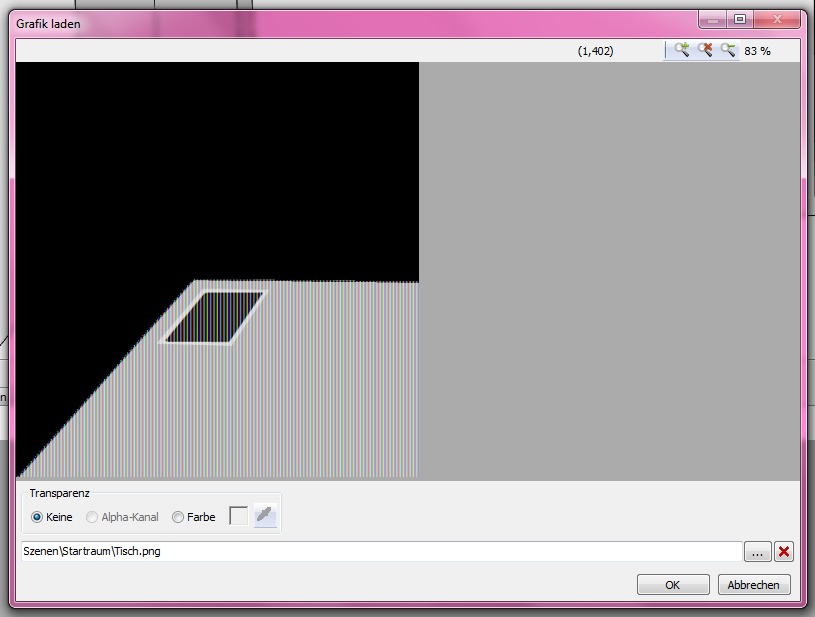
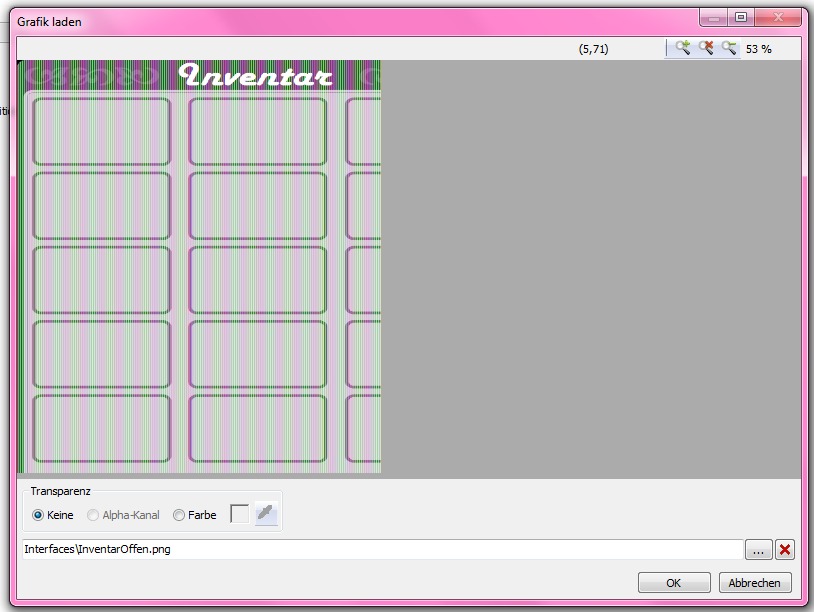
    When i want to do a picture in the game, often stripes appear in the program, and in the game it isn't even there. But sometimes it works. Where is the fault?
  • #2, di afrlme horas 14 years ago Zitieren
    your images should be exported as .png (rgb color mode/ 8bit)
  • #3, di Harvey horas 14 years ago Zitieren
    It didn't work :/ It's still broken.
    I tried it without transparency, (a white background) and then it worked.
    So... It's the color? But a few pictures with transparency worked.
    I'm confused.
  • #4, di afrlme horas 14 years ago Zitieren
    oh you have to have alpha channel selected for pictures with transparent backgrounds!

    none/keine is for solid images (backgrounds & so on that have no transparency)

    farbe: I have no idea if anyone uses that as it's an old blit method.

    ** What application are you making your images with?
    I use photoshop myself.
  • #5, di Harvey horas 14 years ago Zitieren
    It's paint.NET
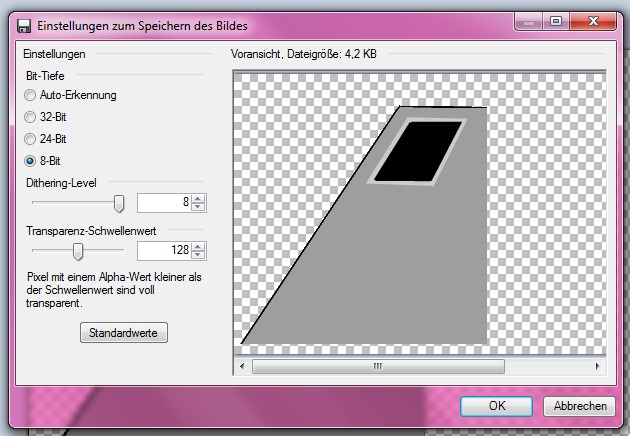
    And sometimes i can't chose "Alpha-Kanal".
    Just like in the first two pictures, i can't click on it.
  • #6, di afrlme horas 14 years ago Zitieren
    hmm I've not used that app so um sorry, but I can't really be of any more help in the matter roll
  • #7, di Harvey horas 14 years ago Zitieren
    Yes, but thank you for the support.
    I tried to get photoshop, but i must pay for it and i can't do this yet (I'm 17)
    So... I think i do other pictures and hope they are some of them which works
  • #8, di afrlme horas 14 years ago Zitieren
    hmm some of older versions of photoshop are free via the adobe website I believe as are some of the other adobe programs wink

    http://www.adobe.com/downloads/cs2_downloads/index.html

    photoshop cs2 & illustrator cs2 are your best bet ...
    photoshop for regular images & illustrator for creating vectors (characters/objects) - if needed.

    illustrator has some issues on running on certain OS though - I used to have illustrator cs2 years ago & it wouldn't run on my old vista machine.
    I use cs3 extended these days for most adobe stuff.
  • #9, di derOesi horas 14 years ago Zitieren
    there is still an ongoing discussion if wether this photoshop version is really free, so i`d take that with a grain of salt. smile the internet says its free, adobe reps say it isnt......

    considering OPs problem, PNG only include alphas in 32bit mode (24bit color + 8bit alpha), VIS seems to have probs (or no support) with 8bit PNGs, so save your PNGs 24bit (or 32bit if you need transparency) only.
  • #10, di afrlme horas 14 years ago Zitieren
    well it just has a warning message saying it's for people who have purchased said product before - but it's the internet & they are a bunch of waldos if they think people will actually bother heeding the message.

    it reminds me of a daw (digital audio workstation) called Reaper which when you download has an unlimited trial (which is fully functional like the freeware version of Visionaire Studio) - older versions used to come with a funny splash screen on application start-up which said something like: "Please consider purchasing Reaper for x dollars or you will just have to put up with this splash screen on load (for 6 seconds) reminding you to generously purchase reaper! grin - something along those lines - I forget & I never bothered with the program.

    see now what you are saying about the 8bit/32bit is confusing.
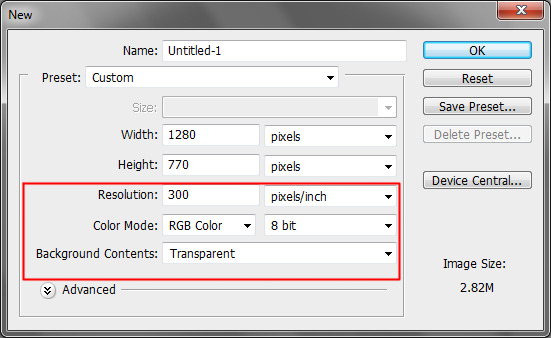
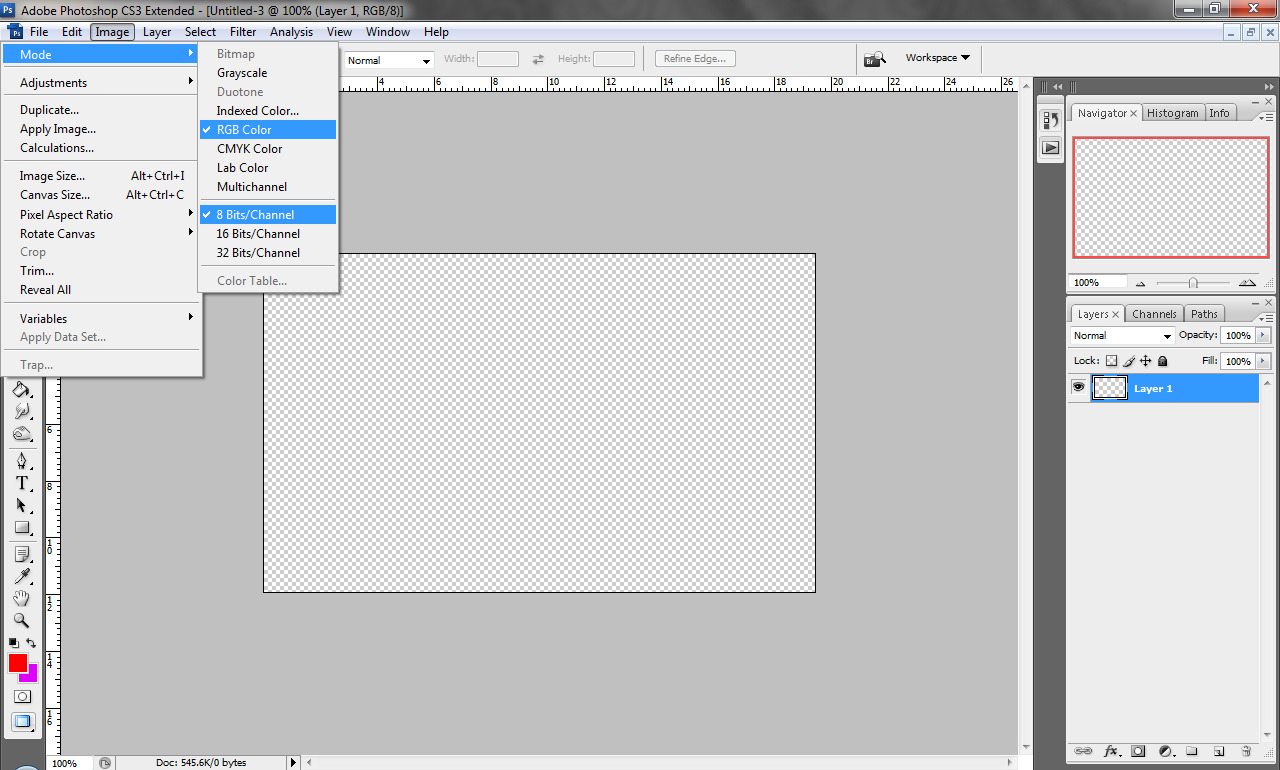
    for me to get .png with transparency to work ok in VS I have to use the settings shown in the attachments I added.

  • #11, di petemq horas 14 years ago Zitieren
    we had that problem once with photoshop pngs just as you described. The curious thin about them was: We just mirrored one image. The image itself didn't work, the mirrored one did. I cannot explain this, but if you just change 1px it sometimes changes the whole thingie