Login / Registrieren
DE EN FR ES IT CZ
Zurück Nach oben

Random animations during 'chase'

  • #1, by Joemcr 11 years ago Zitieren
    I have noticed that a characters random animations don't fire while they are 'chasing' another character. Is there an easy way to make them do this..? or will I have to mess about with random values and if statements in the standing animation...

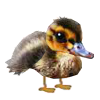
    To clarify, I am trying to make a small duck follow the main character around my entire game for no apparent reason. When the duck stops i want it to randomly cycle a few blink/shake/jump-up-and-down animations...

    Thanks
  • #2, by afrlme 11 years ago Zitieren
    When character stops, have it cancel the chase action, then redo when character starts moving again.

    I believe you will probably need a loop to listen out for changes in your characters state.

    function quackers()
     if game.CurrentCharacter.CharacterState == 3 and Characters["duck"].CharacterFollowCharacter ~= game.CurrentCharacter then
      Characters["duck"].CharacterFollowCharacter = game.CurrentCharacter
      elseif game.CurrentCharacter.CharacterState ~= 3 and not Characters["duck"].CharacterFollowCharacter:isEmpty() then
      Characters["duck"].CharacterFollowCharacter = emptyObject
     end
    end
    
    registerEventHandler("mainLoop", "quackers")


    No guarantee this will work. Written direct from my mind to thread without testing. The idea is that if character is walking & duck follow character isn't set then it should start following the current character else if character isn't walking & duck is still following character then it should reset the follow field back to nil.

    Add script as definition script.
  • #3, by Joemcr 11 years ago Zitieren
    hmm, I think the problem with that would be that the duck is much slower than the main character, so needs time to catch up.

    I seem to have got it working by stopping the chase in the action defined within the action part that starts the chase, then starting the chase on every left click... but this doesn't seem like the most elegant solution...?
  • #4, by afrlme 11 years ago Zitieren
    Did you try it though? You could always have it launch a called by other action which contains a wait until character "duck" stops before executing the stop chase action.

    There's (almost) always a workaround solution to every obstacle.
  • #5, by joemid 11 years ago Zitieren
    Lee, the script works great. Just tested with multiple characters chasing and randomly animating. Thanks! This was something I was just wondering about...
  • #6, by Joemcr 11 years ago Zitieren
    Yeah, it works in terms of getting the random animations to run, but it causes the chasing character stops when the main character stops... Because my chasing character is a lot slower i need him to keep walking, while the main character is stopped, until he catches up...
  • #7, by Joemcr 11 years ago Zitieren
    I don't have the knowledge (i have zero lua/scripting knowledge) to tinker with the script, unfortunately roll
  • #8, by joemid 11 years ago Zitieren
    Yeah, it works in terms of getting the random animations to run, but it causes the chasing character stops when the main character stops... Because my chasing character is a lot slower i need him to keep walking, while the main character is stopped, until he catches up...


    True, just noticed this.
  • #9, by afrlme 11 years ago Zitieren
    I just need you to create a called by other action (anywhere you like) & rename it to end_chase.

    Inside of this called by other action create the following actions...

    1. wait until character 'duck' stops.
    2. character duck stop chasing current character.

    Now add this revised script... (should do the trick for you).

    local distance = 250 -- radius from current character in pixels @ 100%
    local chaser = Characters["duck"]
    local temp_distance -- empty (will be used to calculate new distance based on current characters scale value)
    
    function quackers()
     if game.CurrentCharacter.CharacterState == 3 and chaser.CharacterFollowCharacter ~= game.CurrentCharacter then
      if ActiveActions["end_chase"] ~= nil then stopAction(ActiveActions["end_chase"]) end
      chaser.CharacterFollowCharacter = game.CurrentCharacter; chaser.CharacterFollowReachDistance = 0
      elseif game.CurrentCharacter.CharacterState ~= 3 and not chaser.CharacterFollowCharacter:isEmpty() then
      temp_distance = math.floor( (chaser.CharacterSize / 100) * distance)
      chaser.CharacterFollowReachDistance = temp_distance; startAction("Actions[end_chase]")
     end
    end
    
    registerEventHandler("mainLoop", "quackers")


    * edit #1: revised the script a little bit more. Having a follow distance radius means the chasing character will stop whenever character enters the radius area, so I've set it to 0 while walking to prevent chasing character from stopping, it's then reset back to the value you added to the distance variable on current character stop.

    * edit #2: sorry re-revised the script. now added temp_distance variable which is used to calculate distance based on chaser characters current scale value - makes it a bit more dynamic than having it set chase distance to whatever regardless of size of the characters on the screen.

  • #10, by Joemcr 11 years ago Zitieren
    This is perfect! Thanks. You are some kind of wizard...
  • #11, by afrlme 11 years ago Zitieren
    Yes, yes... heard that all before. roll

    What I'm more interested in knowing is: does the wee duck have a sharp pointy beak, or maybe some sharp pointy teeth hidden under that beak? grin