Game Engine
Learning
References
Licenses
Forum
News & Stories
Downloads
Login
EN ▾
Deutsch
English
Français
Español
Italiano
Čeština
×
Game Engine
Learning
References
Licenses
Forum
News & Stories
Downloads
Login / Registrieren
DE
EN
FR
ES
IT
CZ
PNG Image Problem
1
#1, by
callumHart
Monday, 10. March 2014, 19:28
13 years ago
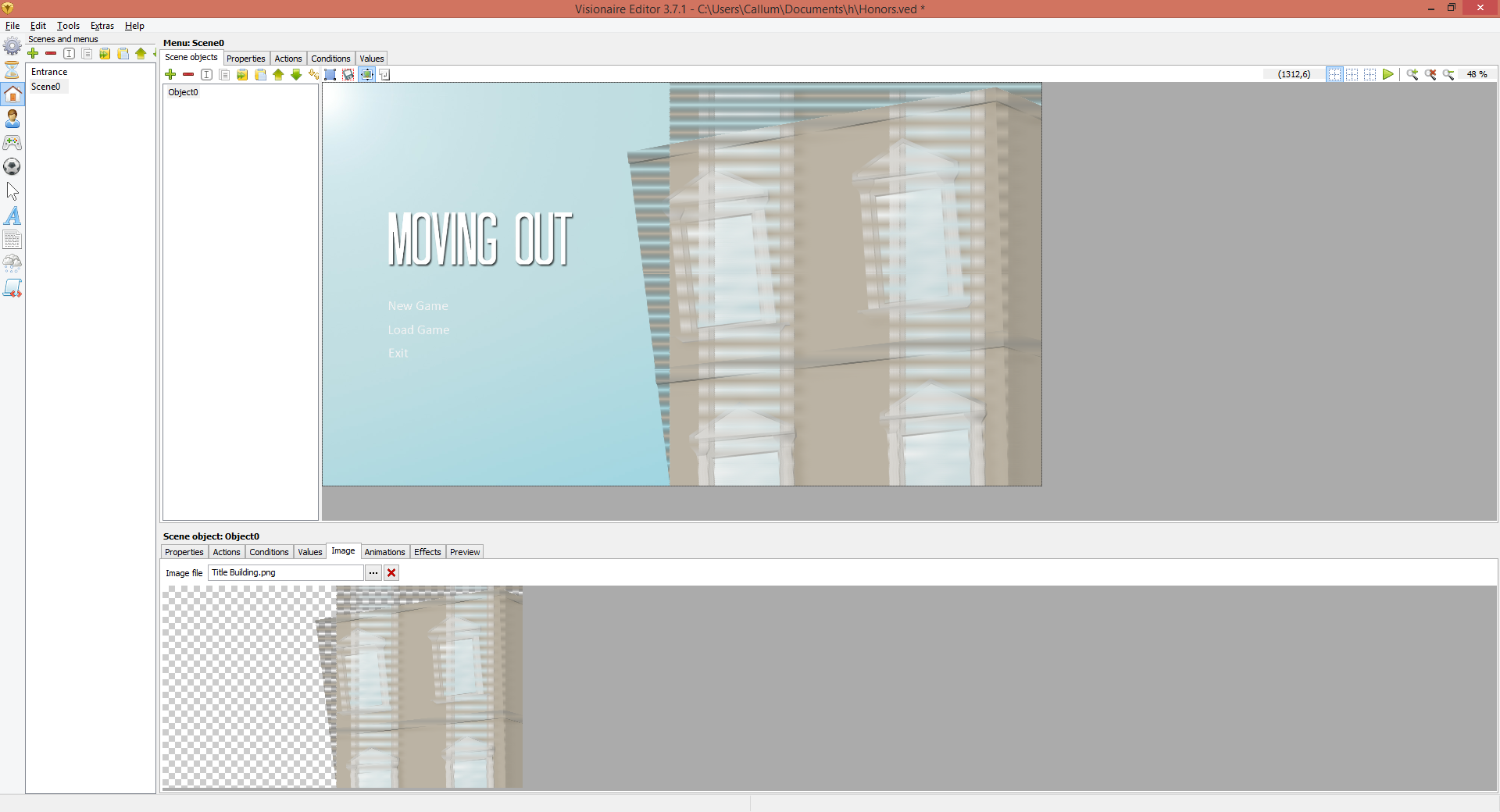
Just started to use the software, and when I try to import a PNG image it has a strange barring effect on it.
Is there something to change for this or another file type I should be saving the images as?
Thanks.
#2, by
afrlme
Monday, 10. March 2014, 19:37
13 years ago
It's down to the color mode/format you export out at. In photoshop for instance I get good results with: Color Mode = RGB Color, 8 bit, Background Contents = transparent.
#3, by
Scubidubi
Monday, 10. March 2014, 20:29
13 years ago
I use inkscape. No problems with transparent images neither
#4, by
Nigec
Tuesday, 11. March 2014, 07:50
13 years ago
It could be video card issues, I had something similar with an Intel chipset which had a very old version of OpenGL
#5, by
callumHart
Tuesday, 11. March 2014, 16:41
13 years ago
Not sure what it is, but if I open the same image in inkscape and save it in there it works. Maybe something wrong with Photoshop.
Thanks for the help!
#6, by
afrlme
Tuesday, 11. March 2014, 18:55
13 years ago
what color mode is your image set up as? or what modes are set in
image
>
mode
?
#7, by
callumHart
Tuesday, 11. March 2014, 19:14
13 years ago
It's set to the same as what you posted, RGB and 8 bit
#8, by
gusty
Tuesday, 11. March 2014, 19:30
13 years ago
It looks like there is something wrong with alpha channels in Photoshop. Try to clear it and resave it.
#9, by
bobby23
Wednesday, 12. March 2014, 18:53
13 years ago
I had the same problem. I resolved it when I started saving the files in photoshop from "Save for Web" and then choose .PNG (or Jpeg)
This fixes it.
1