Login / Registrieren
DE EN FR ES IT CZ
Zurück Nach oben

PNG Font Implementation Problem

  • #1, by wischnik 9 years ago Zitieren
    hello there,

    i have run into a really frustrating problem and can't figure out if it's due to a bug or a personal misunderstanding. i've come to really embrace the possibility to work with self-created png-fonts and loved it so far.

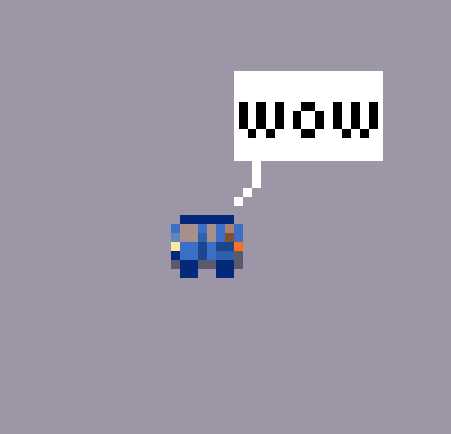
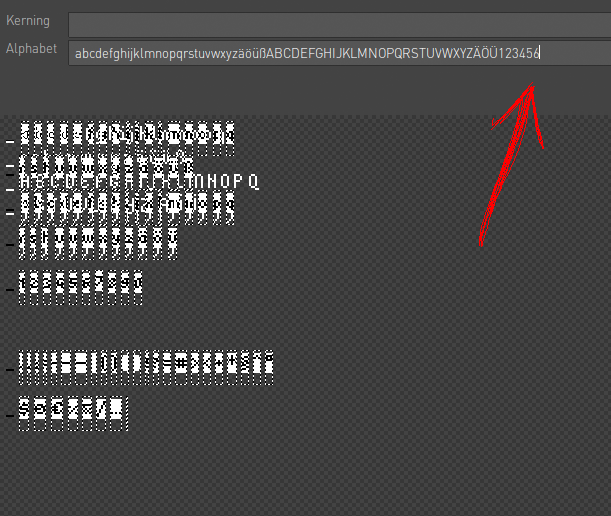
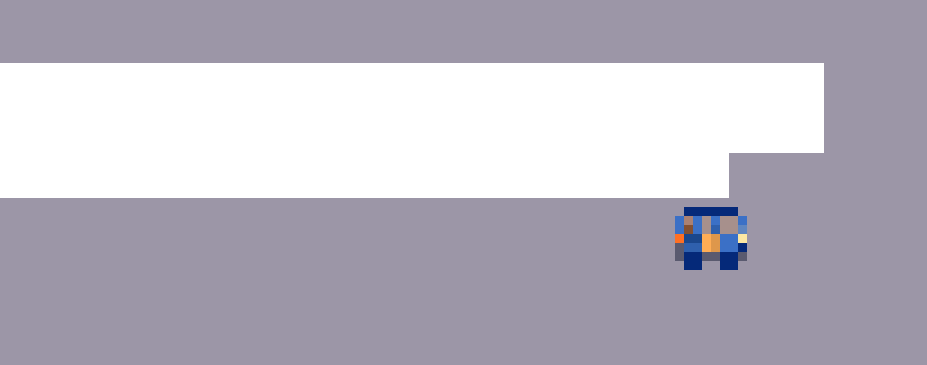
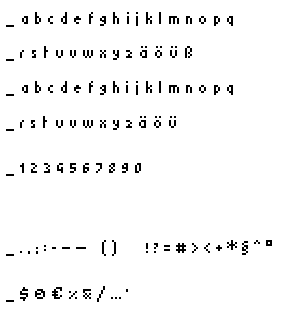
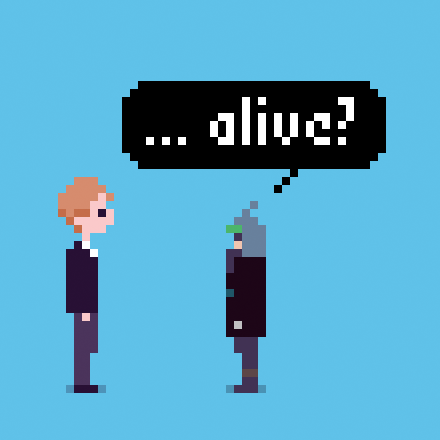
    now i wanted to push a bit further and wanted to create a speech-bubble-font. so far — so good. the problem is, as soon as i reach a certain point in the alphabet (in my case it is the number 7), the font breaks down completly although i'm not even using the letter in question (see pictures).

    what is happening?
    the font-file seems to be fine.
  • #2, by afrlme 9 years ago Zitieren
    Visionaire doesn't like complicated image font-maps. Also the text is tiny.

    * edit: You could try using a regular font, forcing the line break width in the fonts properties & then use Lua script to have a specific sized speech bubble display where the text is. You could count the amount of characters (letters) to determine which speech bubble graphic to show.

    Check this thread out here: https://www.visionaire-studio.net/forum/thread/speech-bubble...
  • #3, by caligarimarte 9 years ago Zitieren
    If you look closely, the 7 is one Pixel further up than the Rest, so I guess that somehow irritates Visionaire.

    (EDIT #1: That is, in the Visionaire-Screenshot, but I cannot recognize that Difference in the other Image of the Font.)

    (EDIT #2: Why and how are there two different Fonts superimposed in that Screenshot?)
  • #4, by wischnik 9 years ago Zitieren
     Visionaire doesn't like complicated image font-maps. Also the text is tiny.

    * edit: You could try using a regular font, forcing the line break width in the fonts properties & then use Lua script to have a specific sized speech bubble display where the text is. You could count the amount of characters (letters) to determine which speech bubble graphic to show.

    Check this thread out here: https://www.visionaire-studio.net/forum/thread/speech-bubble...
    thanks for helping me out. the text is tiny because i have setup a tiny resolution. i tried the speech bubble script and it worked, but it didn't give me the amount of control i wanted to archieve. i found a workaround with pseudo-altering the font-png until the font got fully recognized anyways. couldn't be happier.

    i have run into an other dialog-related problem 'though. is there a way to alter the scroll-distance in the dialog-menu? please say yes. it now scrolls 2 or 3 pixel when hitting the scrollbutton in my setup but i need it to a scroll exactly the height of one dialog option.

    (EDIT: nevermind, i'm stupid. my dialog-option-font had a negative line space. it messed up everything.)
    If you look closely, the 7 is one Pixel further up than the Rest, so I guess that somehow irritates Visionaire.

    (EDIT #1: That is, in the Visionaire-Screenshot, but I cannot recognize that Difference in the other Image of the Font.)

    (EDIT #2: Why and how are there two different Fonts superimposed in that Screenshot?)
    i should really use better screenshots. i lifted up the 7 to see if it influenced the implementation. the two superimposed fonts are a visual bug i think.

  • #5, by afrlme 9 years ago Zitieren
    Ah glad to hear you managed to sort it out. smile