Login / Registrieren
DE EN FR ES IT CZ
Zurück Nach oben

How to test the engine?

  • #1, by cambon 7 years ago Zitieren
    Greets!

    Wantin to create my own adventure/rpg game, i'd like to test VS, but after download and instalation, i can't start it. The two games tools, full and minimal, requires a file that i don't have obviously...

    What to do?
  • #2, by Nigec 7 years ago Zitieren
    What os are you using?
    If its Windows 10 there should be a log file in:
    C:\Users\YOURNAME\AppData\Local\Visionaire Editor\viseditor.log
    It should tell you why its not starting

    It would help if you can give your computer spec, video card etc
  • #3, by cambon 7 years ago Zitieren
    No visionaire editor directory there...

    I'm on win 10 yes, with 6 RAM, intel core i5 2,90Ghz, 64 bit. But maybe the test version only allow to test the tools on the upper tool bar?
  • #4, by Nigec 7 years ago Zitieren
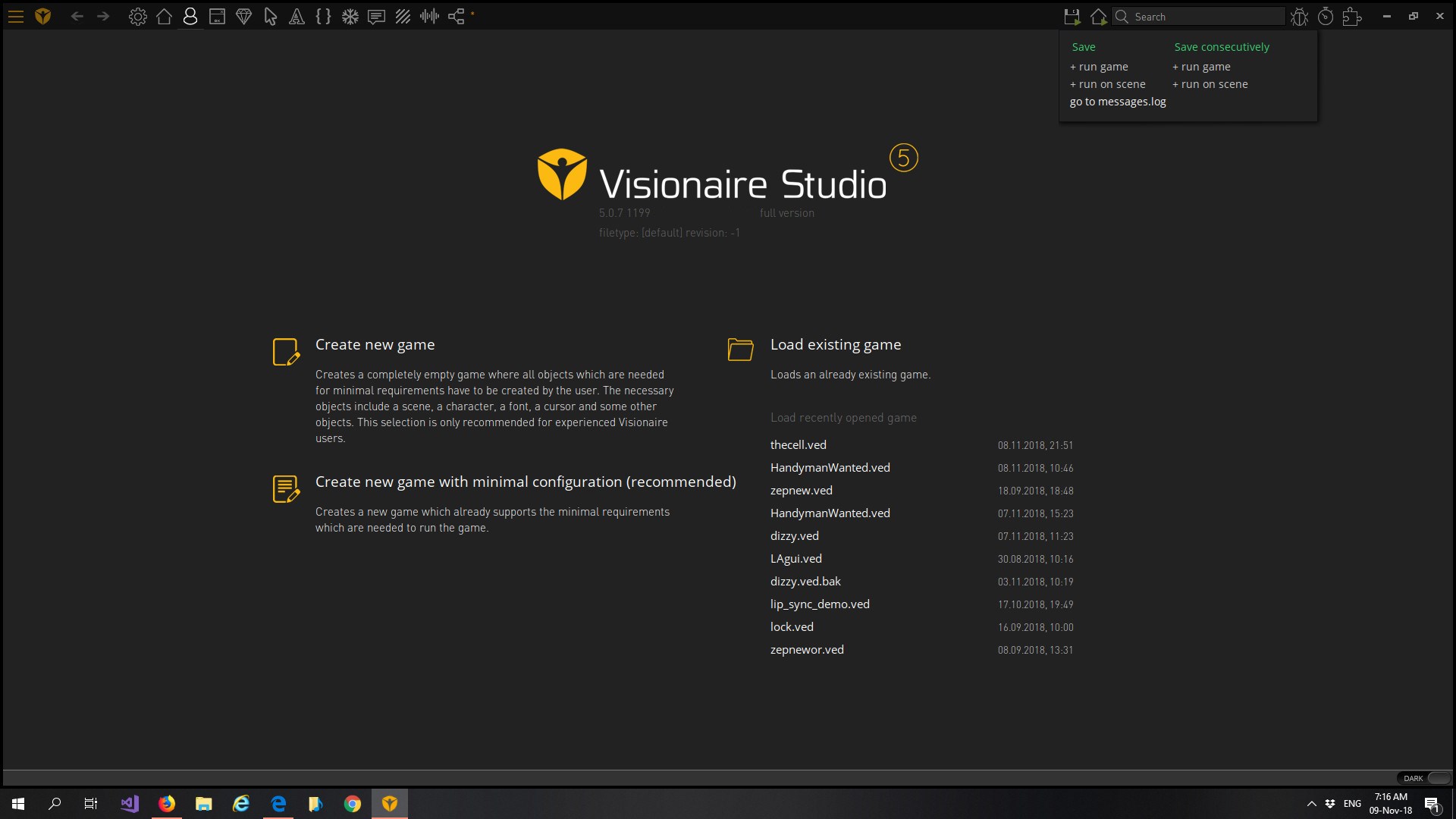
    it should look like this, it doesn't matter if its the trial or full
    If you click on the top like in the picture you should see "message.log", take a look at that, from there you should be able to go back a folder (click local) and find the editor folder
    AppData is a hidden folder, you may need to unhide it

    Try running it as an admin, I had a problem after a Windows update  messing up my Nvidia drivers, I( had to re install them, for me VS would just open amd close

    Intel graphics cards, there maybe a problem

  • #5, by cambon 7 years ago Zitieren
    Thxs but i found the engine needed, dreamed: Unity, with ork framework. All that i could hope for.

    Cheers!