
DE EN FR ES IT CZ
Back Back to top

How to adjust/change the place of the dialog area?

This thread is a few years old. Some details may refer to an earlier version of Visionaire Studio. Current tutorials

  • #1, by AkcayKaraazmak 12 years ago Quote
    Hi guys, another boring questionsmile
    Is it possible to adjust the place/coordinates of the dialog area? It always shows up on the top. But I want it to show it at the bottom of the screen.

    Any ideas mates?smile
  • New to Visionaire Studio?

    Create point and click adventures without coding. The free version covers up to 25 scenes per project. For more scenes or to earn money with your game, you need a license.

    See the Indie Bundle Try it for free
  • #2, by ke4 12 years ago Quote
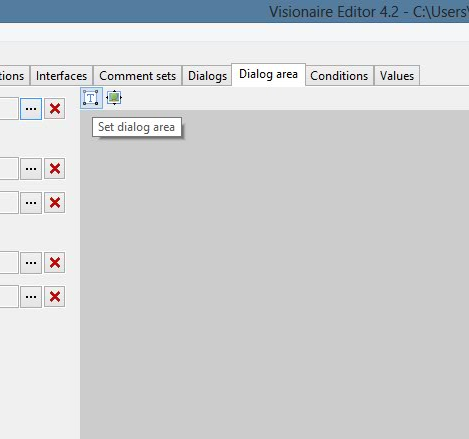
    Guess this might be what you are looking for. It shows the dialog options where you set the area.
  • #3, by AkcayKaraazmak 12 years ago Quote
    Yea mate, I tried to move it down or some other place but after save and run, it always show the dialog area on the top.
  • #4, by AkcayKaraazmak 12 years ago Quote
    I used a dialog area image 1920x1080 and just the bottom has the image and the rest is transparent. And it worked smile
