Login / Registrieren
DE EN FR ES IT CZ
Zurück Nach oben

Default commands and cursors

  • #1, by Jorkz 8 years ago Zitieren
    So I choose to make a game with a Sam&Max cursor (left click for the command, and right to change / scroll cursors (default/arrow , take, examine, talk))

    The problem is when I'm using the cursor take, examine or talk... The soft interpreted these commands like a default command... Then for example when I left click with a talk cursor my current character is walking to the point.

    However I disable "Activate standard command" to "never" in he game properties.

    I wish default command with walking effect will be only actived for the cursor "arrow".

    Thanks.

  • #2, by Jorkz 8 years ago Zitieren
    I now understand what is the point about the "activate standard command" and it has nothing to do with my initial problem. :/

    Cannot anyone help me ?

    Thanks.
  • #3, by afrlme 8 years ago Zitieren
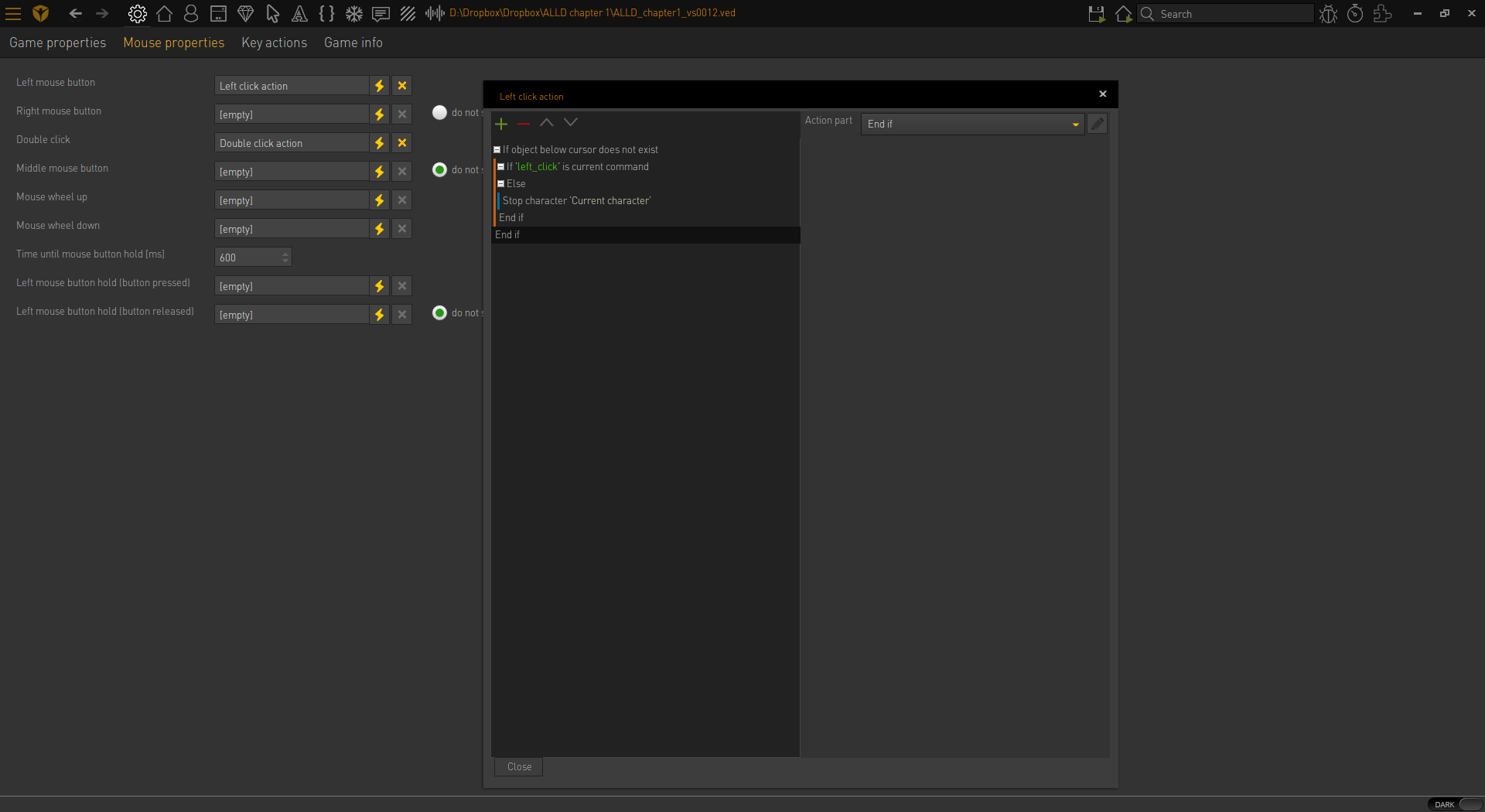
    Try something like this. Link the if current command action part to your walk command action part.

    https://i.gyazo.com/48b79c50b25e7273b1f08c898c063c3b.png

    What we are doing in the screenshot is checking if no item exists under the mouse cursor on click & then checking if the current command isn't walk & if it isn't we are cancelling out the character destination with the stop character action part.
  • #4, by Jorkz 8 years ago Zitieren
    Yeah thank you again !!
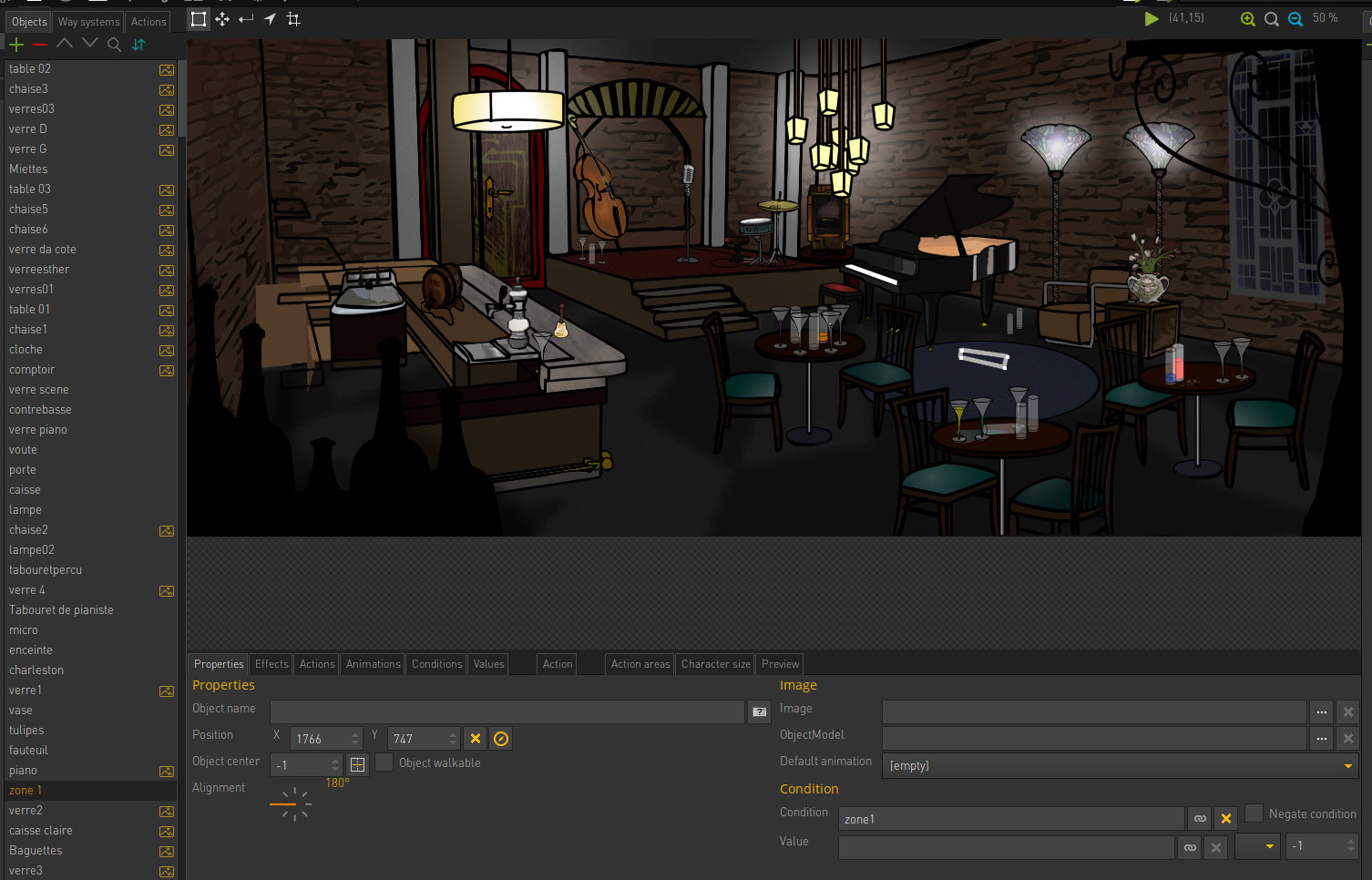
    It works a little bit... because when I'm clicking on an empty object (here, an empty object with a "false" conditon for starting the game at this place) The character even go to the point.
  • #5, by Jorkz 8 years ago Zitieren
    ...and more, the current character is starting the walking animation while a little msecond.
  • #6, by afrlme 8 years ago Zitieren
    Can you post a screenshot please. Only scene objects that you create object area (interaction polygons) for should be detected by the mouse cursor. Anything else except characters should return nil/empty.
  • #7, by Jorkz 8 years ago Zitieren
    test


    EDIT: there is a "error" windows" when I try to send my screenshot here

  • #8, by afrlme 8 years ago Zitieren
    I recommend using something like gyazo for screenshots. https://gyazo.com/
  • #9, by Jorkz 8 years ago Zitieren
  • #10, by Jorkz 8 years ago Zitieren
    Anyway it's the same issue with some "empty" items that are just drawn in the background picture ( only an action aera )...

    For example If I left click on the object with the command "take", the carracter is going to this point...

    Even with your settings.
  • #11, by afrlme 8 years ago Zitieren
    You don't need to define an object area for everything, only for the things you want the player to interact with.