
Login / Registrieren
DE EN FR ES IT CZ
Zurück Nach oben

Cutscene/ “hide cursor” not working? [solved]

  • #1, by linda-adm- 5 years ago Zitieren
    Hello,

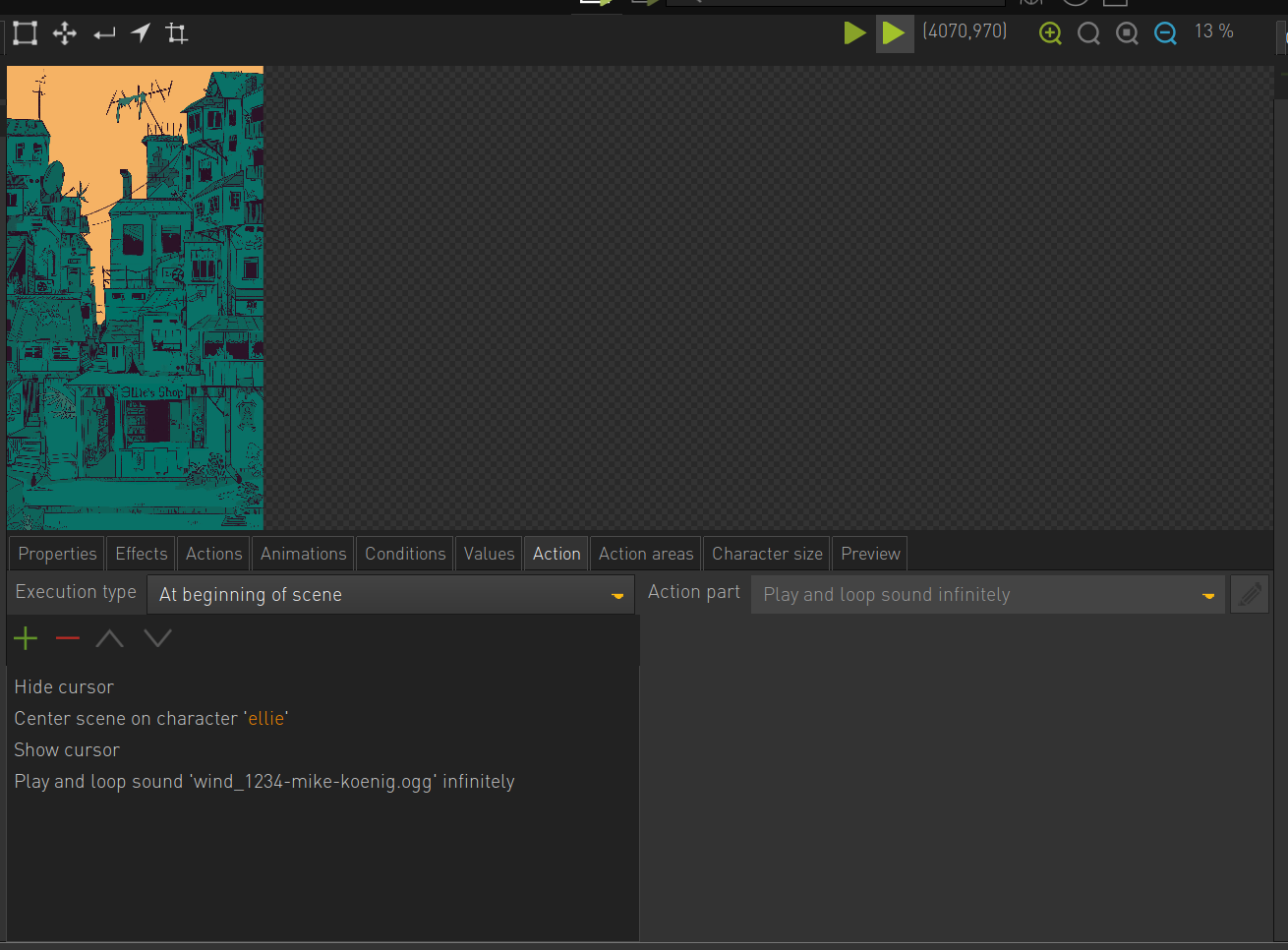
    I am  having some Problems with creating a “cutscene” at the beginning of a scene. 
    My idea is that I want to hide the cursor until the scene has scrolled to and centred on a character.
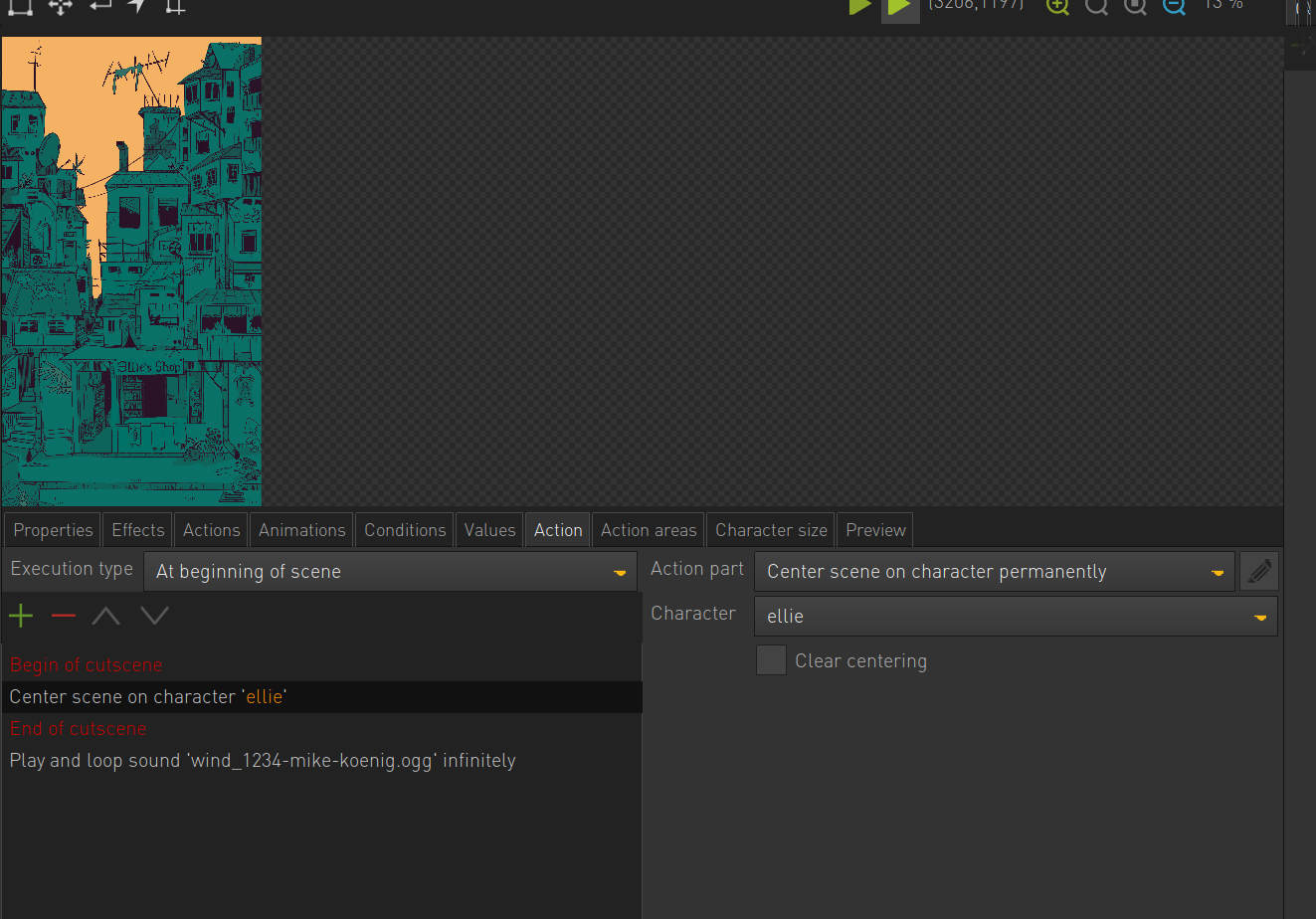
    But whatever way I tried it, using the “hide cursor” and “show cursor” or a cutscene, the cursor is still visible and the player can still interact with the scene before the scrolling stops.

    After trying countless times I really cannot find my error- so any help is greatly appreciated, as I am very new to Visionaire Studio!
     
  • #2, by afrlme 5 years ago Zitieren
    A'llo, quick question. Have you assigned a cursor to the wait cursor drop down menu in the main game settings section of Visionaire? If you have then it will show that cursor whenever a cutscene wrapper is used via begin/end cutscene or hide/show cursor.

    Or the issue could be that the scene hasn't loaded yet, thus the action parts aren't getting executed. Try adding a pause action part at the top of the at begin of scene action block, with a pause value somewhere between 20ms to 100ms & see if that works.
  • #3, by linda-adm- 5 years ago Zitieren
    Thank you for the quick response!
    I am afraid neither of these have worked for me. But after some trial and error I discovered that it somehow works if I put it in a seperate "at beginning of scene"- action block.
    So I just timed it with the scrolling and sound and used a pause inbetween the "hide cursor"-wrappers.

  • #4, by esmeralda 5 years ago Zitieren
    I think the problem is, that the scrolling has no "wait" function.
    So when the engine iterates through the actions it starts the scrolling action and immediately after that starts the show cursor action (or end cutscene) instead of waiting for the scrolling to end.
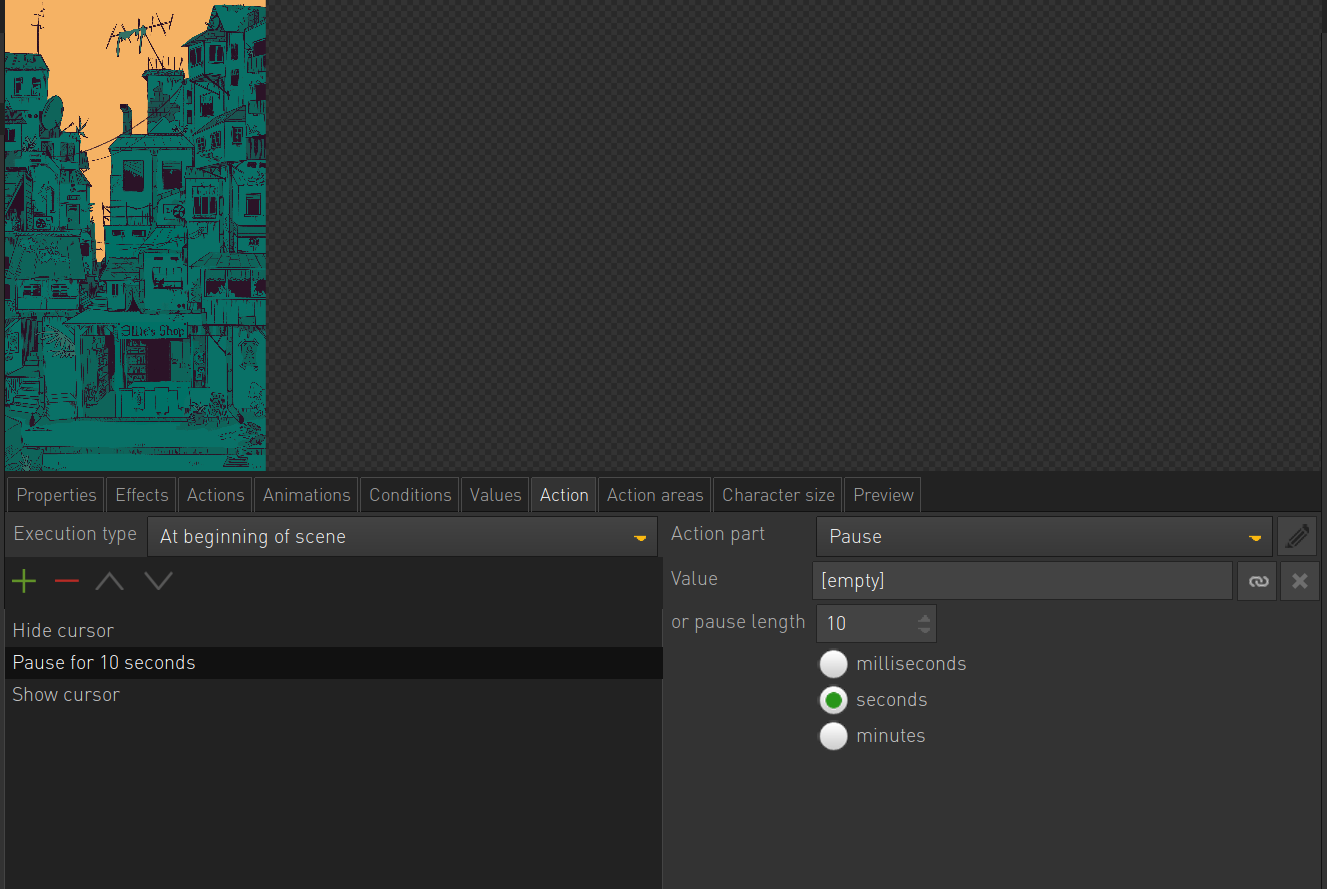
    So you could add the pause inside the same action at the beginning of the scene:

    begin of cutscene
       center scene on character
       pause 10 sec
    end of cutscene


  • #5, by linda-adm- 5 years ago Zitieren
    Ah! That's it, thank you very much for your help.
  • #6, by afrlme 5 years ago Zitieren
    I think the problem is, that the scrolling has no "wait" function.
    So when the engine iterates through the actions it starts the scrolling action and immediately after that starts the show cursor action (or end cutscene) instead of waiting for the scrolling to end.
    So you could add the pause inside the same action at the beginning of the scene:

    begin of cutscene
       center scene on character
       pause 10 sec
    end of cutscene


    Good catch. I missed that as I wasn't paying attention to the action parts in the screenshot.
