License from €75
DE EN FR ES IT CZ

Copy / Paste Scene Object

This thread is a few years old. Some details may refer to an earlier version of Visionaire Studio. Current tutorials

  1. · 12 years ago
    In OSX, when you copy and paste a scene object, it doesn't create a copy but it adds the same object under a different name. So if you delete something like an action or animation from one object, it deletes it from the other. Is that how it is suppose to work? And if so, what situations would you use that in?
  2. Working on a game?

    The free version covers up to 25 scenes per project. For more scenes and to sell your game, you need a license. Forum readers get the Indie Bundle 15 % off with the code FORUM15: €84.15 instead of €99, valid until 31 Dec 2026.

    Get 15 % off Try it for free
  3. · 12 years ago
    Do not use copy/paste in OSX, it is broken, unfortunately, and will lead to the behaviour you just described
  4. · 12 years ago
    Not scene objects only. This affects to all objects in Visionaire. That is the reason why I wait for the new release before I start to build my planned project. This is very frustrating. I have destroyed my first test project with that thing....
  5. · 12 years ago
    Thanks for the info. Normally, I use Duplicate to copy an object. But for some reason I used Copy/Paste this time and was surprised. I hope the new version comes out soon.
  6. · 12 years ago
    Duplicate produce the same problems....
  7. · 12 years ago
    Odd. I thought I tested the duplicate and it didn't do the same thing. I'll check it out just to make sure.
  8. · 12 years ago
    Meanwhile, you can use Visionaire for Windows on your Mac using those solutions :

    - Bootcamp is great but you are not under OSX (free)
    - Wine is the lightest option (free)
    - WineBottler is a easy to use version of Wine and much more (free)
    - Crossover is like Wine with 3D support (50€)
    - VMware to virtualise Windows (60€)
    - Parallel Desktop can virtualise your Bootcamp partition unlike VMware (80€)

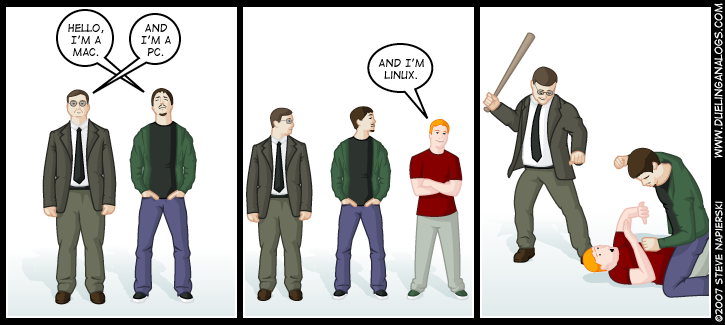
    Pick your weapon !
    • Image in post
  9. · 12 years ago
    I mostly use VMWare Fusion when the Mac version isn't working right.
  10. · 12 years ago
    The free versions of such emulators/translators are working very nice with gui-elements. But if modern directx graphic and shaders come into play, then it is problematic in most cases...
  11. · 12 years ago
    I haven't had too much trouble with VMWare Fusion. However, Bootcamp is not an emulator/Virtual Machine. It is a dual boot way of having Windows run on your Mac. So if you are concerned with native performance, I would go with Bootcamp.

This thread is closed because nobody has replied for more than a year. Feel free to ask your question in a new thread.

New thread

Really delete this post?