Menu
Login
Language
DE EN FR ES IT CZ
Back

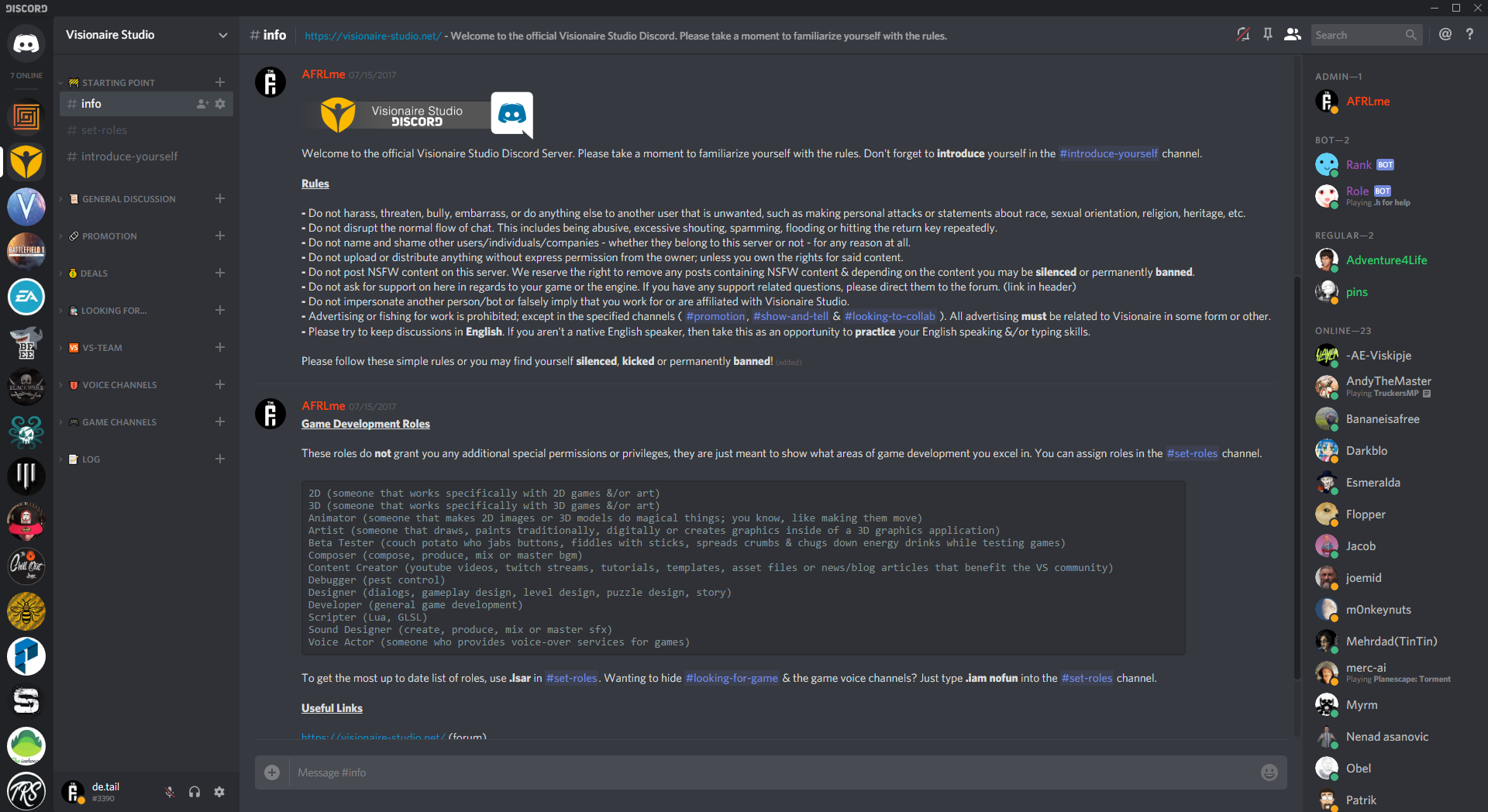
[Reminder] Official Visionaire Studio Discord Server

  • #1, by afrlme Sunday, 23. September 2018, 15:10 7 years ago Quote
    Just a quick reminder for anyone that doesn't yet know. We have our own Discord server with over 100 members. You will often find me, Simon & Sebastian floating around on there, as well as some of the other forum regulars & recent members.

    Feel free to join for general chat, development chat, discuss your game - or other peoples games, showcase screenshots or videos from your game & so on.

    You can join via this invite link, or via the discord logo in the footer (the button to the right of the twitter button).


    * edit: we now have a channel where you can report bugs related to the Visionaire Studio editor & another where we post the changelog for each new release.

    Imperator

    7290 Posts

  • #2, by stothew Sunday, 23. September 2018, 15:25 7 years ago Quote
    count me in, mate smile

    Forum Fan

    127 Posts

  • #3, by afrlme Sunday, 23. September 2018, 15:26 7 years ago Quote
    smile

    Imperator

    7290 Posts

  • #4, by afrlme Thursday, 05. March 2020, 14:03 6 years ago Quote

    Imperator

    7290 Posts

  • #5, by Lebostein Monday, 09. March 2020, 17:33 6 years ago Quote
    What is the recommended way to report Bugs? 

    Key Killer

    621 Posts

  • #6, by afrlme Monday, 09. March 2020, 18:52 6 years ago Quote
    We have a channel dedicated to posting bugs on the discord server. Post about the bug, include screenshots/video, & information about your pc (specs, os, etc).

    Both Simon, myself & various other members are active on there almost every day.

    Imperator

    7290 Posts

  • #7, by Machtnix Wednesday, 11. March 2020, 14:18 6 years ago Quote
    After inviting it wants to install an app. Is this for Android only?

    I use Visionaire on PC only and offline.

    Nach der Einladung möchte die Seite eine Applikation installieren. Ist dieser Server nur für Android?

    Ich benutze Visionaire offline und nur am PC.

    Thread Captain

    1098 Posts

  • #8, by SimonS Wednesday, 11. March 2020, 14:30 6 years ago Quote
    Das ist auch eine Windows-App. 

    Thread Captain

    1621 Posts

  • #9, by afrlme Wednesday, 11. March 2020, 22:58 6 years ago Quote
    You don't have to install anything. You can use discord via whatever web browser you use or you can download the app for windows, mac, linux, ios, or android. It's basically skype, but with chatrooms, voice channels, video conferencing, group/solo chat, etc - oh & you can also screenshare. It was meant for gamers, but millions of people are using it for other things these days.

    Quick note: we are all talking in English on the discord server.

    Imperator

    7290 Posts

  • #10, by Machtnix Thursday, 12. March 2020, 16:32 6 years ago Quote
    If I can use a browser (maybe this Chrome on Android), how? The inviting link wants an installing.
    My English is - without using a translator - a little bit atypical... 

    Thread Captain

    1098 Posts

  • #11, by afrlme Thursday, 12. March 2020, 17:14 6 years ago Quote
    You need to create an account on here: https://discordapp.com/

    I highly recommend using the windows app instead of the browser though - more features, & much less system resources required.

    Firefox with 2 tabs open is currently using about 400MB + & the discord app is using a little over 100MB.

    Don't worry about it mate. Most of the users aren't native English speakers either. If you want to speak to someone in a different language you can send them a private message/direct message - because it's basically a chatroom (consisting of multiple rooms) things would get confusing fast, if people started talking in a bunch of different languages.

    Imperator

    7290 Posts