Login / Registrieren
DE EN FR ES IT CZ
Zurück Nach oben

Zoom-In für Optionen - Hintergrund

  • #10, by Woodylein 11 years ago Zitieren
    Oh god...
    I'm a bit embarrassed...

    Now, it works fine.

    Thank you very much!
  • #11, by afrlme 11 years ago Zitieren
    No problem. smile

    I've updated the shader toolkit page to add note about vs 4.1+ being needed to use the script.
  • #12, by Woodylein 11 years ago Zitieren
    Hello again. Haha...

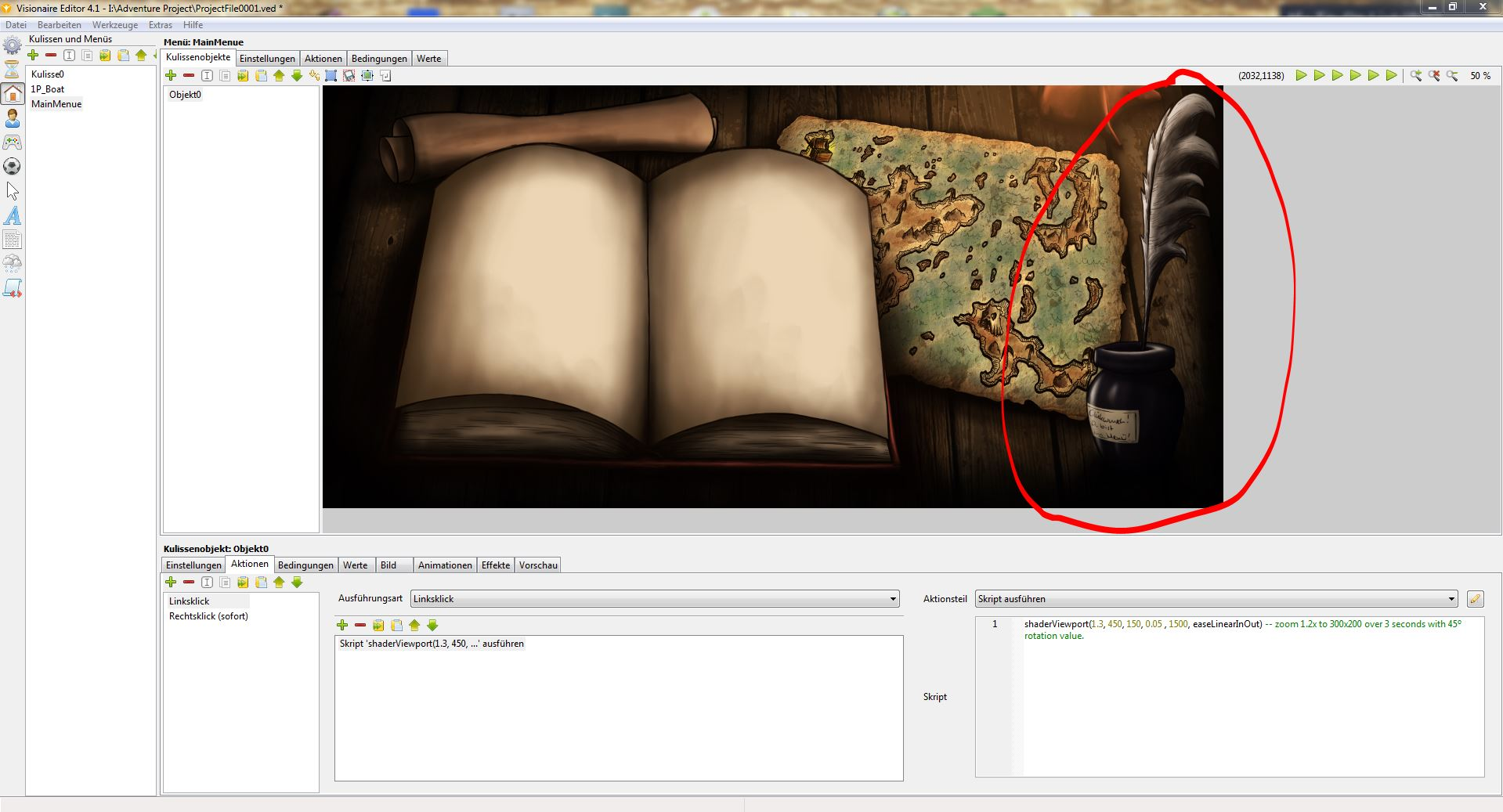
    One more question... It works like I want it with the zoom and so on, but I got still a little problem.
    The picture has been made more bigger to move over the picture.
    So, when it zoom in, the picture got a cut and is black.
    Hope you understand. Any possibility to move the picture with the zoom?

    Had the idea to move it, but the option was not for menues...

    Take a look on the screenshots.

  • #13, by afrlme 11 years ago Zitieren
    That's because of the rotation. At the minute it crops everything outside of the viewport which means that when you rotate something, anything outside the viewport was already cropped.

    I have spoken to Simon about the cropping issue before in regards to rotating objects. He said he would sort it out, but I don't know if he meant for the next update or not. For now, it might be a better idea to not rotate - set rotation value to 0.
  • #14, by Woodylein 11 years ago Zitieren
    Oh... not pretty good.
    What a pity.

    What when I make it as a scene and not as a menu?
    Probably I can move it then, right?
  • #15, by afrlme 11 years ago Zitieren
    The cropping occurs in all scenes / menus in the current public build. Technically you can reposition the viewport but it will still end up with the black bits in the corners if you rotate.
  • #16, by Woodylein 11 years ago Zitieren
    Alright. Thank you again!