Login / Registrieren
DE EN FR ES IT CZ
Zurück Nach oben

VS 4.2 for Mac: fonts and memory leaks

  • #1, by Rum_Rogers 11 years ago Zitieren
    Hi everybody,
    I'm considering buying the full version of VS but first I wanted to try if it fits my needs.
    The engine seems to be pretty solid, but I'm puzzled by some problems:
    first of all, TT fonts are not displayed correctly in-game with the mac version (although the same project runs in Windows 8.1 with no problems);
    secondly, when I run the Windows version with Parallels (or natively), I get "out of memory" messages after a few minutes.
    I really want to buy VS but I must know if these problems are gonna be fixed.
    Thanks for your time!
  • #2, by SimonS 11 years ago Zitieren
    Hi, TTFs with border aren't working at the time, we'll adress this as quickly as possible. For the mean time turning off the border should work.
    Windows in parallels is a problem, you never know if it runs or not, because it has a rudimentary implementation of OpenGL. You're talking about the editor or the player ? Issues with the editor are known.
  • #3, by Rum_Rogers 11 years ago Zitieren
    Yeah, I was talking about the editor smile
    BTW I get out of memory errors even when I use VS on Windows natively on a dedicated partition in my mac. Is this an expected issue too?
  • #4, by SimonS 11 years ago Zitieren
    Does the player work correctly ? Then it will get better with updates, because we are upgrading our gui system. It's really problematic to fix that in the current system, because some systems have that error, some don't and I can't find one, that has grin
  • #5, by Rum_Rogers 11 years ago Zitieren
    Haha yeah the player does work properly, but I have to reboot the machine pretty often and it's frustrating to work like this smile
    OK, I guess I'm buying it now! Thx for your replies! wink
  • #6, by BigStans 11 years ago Zitieren
    Hm… I never have an out of memory, and i have an mac with parallels too.
    Sure, we have no leaks, because we analyze this every time.
    But it's possible that you use an function which leaks. Can you upload your project for us to show what's going on. An little vis with instructions was ok smile
  • #7, by Rum_Rogers 11 years ago Zitieren
    I don't think it might be useful because I didn't even start scripting in LUA, so there is no way I could invoke a function which causes leaks grin It's really a test project with a single scene and one scene object!
    If you still want to check it out, I have no problem uploading it though wink
  • #8, by unreal 11 years ago Zitieren
    @Rum_Rogers

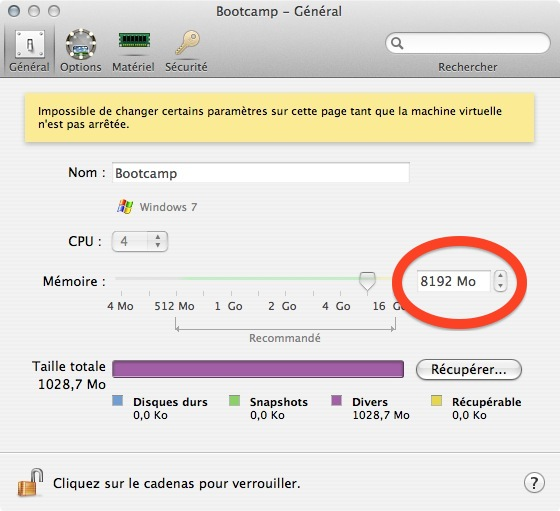
    Maybe you should add more RAM allocated to your virtualized Windows in Parallel Tools ("Virtual Machine" Menu).
  • #9, by Rum_Rogers 11 years ago Zitieren
    Already tried that, still getting leaks! roll
    Thanks though!
  • #10, by BigStans 11 years ago Zitieren
    I've 4 GB Allocated with Parallels… Every time.
    Well, it can be much, i can you upload your project? An .vis was enough.