Menu
Login
Language
DE EN FR ES IT CZ
Back

Visionaire Studio 4.1 Released!

  • #10, by vectracoco Tuesday, 30. September 2014, 14:07 12 years ago Quote
    Thanks Visionaires!!

    Newbie

    19 Posts

  • #11, by SDMono Tuesday, 30. September 2014, 21:18 12 years ago Quote
    Hi guys. Thanks for the update but RIGHT CLICK AND EXECUTE AT DESTINATION is still not working. cry

    Forum Fan

    148 Posts

  • #12, by Alex Wednesday, 01. October 2014, 00:53 12 years ago Quote
    Hi guys. Thanks for the update but RIGHT CLICK AND EXECUTE AT DESTINATION is still not working. cry

    have you set the appropriate settings for the right mouse button?
    go to Game - Mouse properties - Right mouse button
    and activate the radio button 'send character to cursor', then it should work.

    Great Poster

    378 Posts

  • #13, by SDMono Wednesday, 01. October 2014, 02:43 12 years ago Quote
    @Alex

    Thank you Alex... never saw that!!! grin

    Forum Fan

    148 Posts

  • #14, by le_bastion Wednesday, 01. October 2014, 12:59 12 years ago Quote
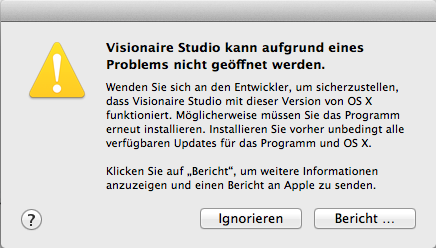
    I downloaded 4.1 for mac but it doesn't seem to start.
    Anyone else got the problem?
    I have OS X 10.9.5

    Newbie

    3 Posts

  • #15, by BigStans Wednesday, 01. October 2014, 15:15 12 years ago Quote
    Did you download the Freeware or Fullversion 4 mac ? Did you see an error screen on the mac?

    Great Poster

    361 Posts

  • #16, by BigStans Wednesday, 01. October 2014, 15:30 12 years ago Quote
    Ah… Got it. It's Gatekeeper v2.
    So, if you downloaded the DMG, open System Preferences -> Gatekeeper and click on "Open this app".
    Or disable gatekeeper… At the moment wink

    Great Poster

    361 Posts

  • #17, by le_bastion Wednesday, 01. October 2014, 15:33 12 years ago Quote
    The full version.
    I attached the error message, it's in German.

    Newbie

    3 Posts

  • #18, by BigStans Wednesday, 01. October 2014, 15:57 12 years ago Quote
    Then please click on "Bericht …". And give me the result from the text. Strange.

    Great Poster

    361 Posts

  • #19, by le_bastion Wednesday, 01. October 2014, 16:05 12 years ago Quote
    Here it goes:

    Process: Visionaire Studio [895]
    Path: /Applications/Visionaire Studio.app/Contents/MacOS/Visionaire Studio
    Identifier: net.visionaire-studio.Visionaire-Studio
    Version: ???
    Code Type: X86-64 (Native)
    Parent Process: launchd [161]
    Responsible: Visionaire Studio [895]
    User ID: 501

    Date/Time: 2014-10-01 16:04:45.994 +0200
    OS Version: Mac OS X 10.9.5 (13F34)
    Report Version: 11
    Anonymous UUID: 081A5B03-4F83-456B-7E4F-DB0A4261BA9F


    Crashed Thread: 0

    Exception Type: EXC_BREAKPOINT (SIGTRAP)
    Exception Codes: 0x0000000000000002, 0x0000000000000000

    Application Specific Information:
    dyld: launch, loading dependent libraries

    Dyld Error Message:
    Library not loaded: /opt/ffmpeg/lib/libavcodec.56.dylib
    Referenced from: /Applications/Visionaire Studio.app/Contents/MacOS/Visionaire Studio
    Reason: image not found

    Binary Images:
    0x7fff6f434000 - 0x7fff6f467817 dyld (239.4) <7AD43B9B-5CEA-3C7E-9836-A06909F9CA56> /usr/lib/dyld

    Newbie

    3 Posts

  • #20, by BigStans Wednesday, 01. October 2014, 16:13 12 years ago Quote
    Got it. I will re-upload the broken version 4.1 for mac in few mins. Sorry for the mistake.

    Great Poster

    361 Posts