


Have you chosen "immediate execution" for your command?Hey Esmaralda, my PlayerCharacter is visible. But the NPC is acually a phone that will become visible after combining two items, then I want to interact with the phone (its a character, I thought that would makes things easier). But it's not working. I wonder if I maybe set up my NPC wrong. And yes, I chose for immediate execution (I tried both).
And I guess your PlayerCharacter is invisible, not the NPC, right?
Ah, I thought you were doing a 1st-person game (like above).I did. Now I noticed that I also cannot do a 'simple' display text on the NPC. So I guess the problem is not in the dialogue itself but rather the NPC?
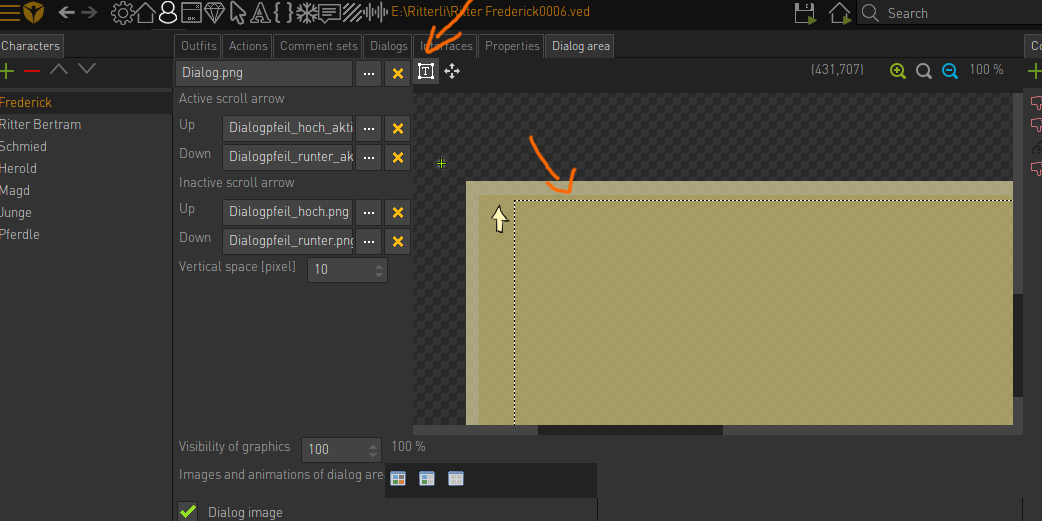
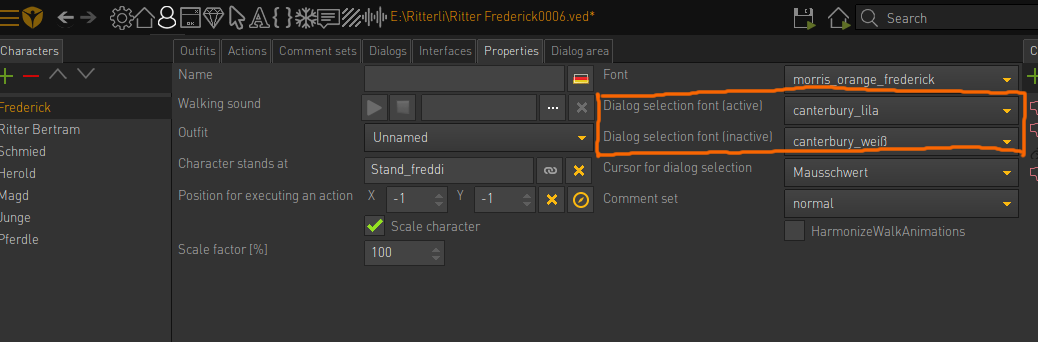
You have to set up the dialog area and the dialog fonts in your main character, not the NPC. The dialogs themselves can be stored in the tab of your NPC.
Have you set up a dialog area with a text area?
And the fonts for the dialog?
(see images)
Hm... And you followed the tips above?I'll send you a private message.
- command is usable for characters and objects
- font for NPC
I can't think of anything else. If you are willing to share some screenshots or your .ved, I would offer to take a look.
The culprit is the object area around the object pos_npc. You click on the object, not the character positioned there. Delete the object area of pos_npc and the dialog will start.Haha, you predicted my next problem. Very Nice. Thx Esmeralda!
By the way, setting the character's visibility to 0 does not prevent it from being clicked. If you want to prevent this, do not specify a starting point in the properties and set the NCP to the pos_npc position with an action part (set character to position), if you want it to appear.
If I do that, the walkie talkie will already be visible from the beginning. I put the action right after the combining of the battery and the walkie talkie.The culprit is the object area around the object pos_npc. You click on the object, not the character positioned there. Delete the object area of pos_npc and the dialog will start.Haha, you predicted my next problem. Very Nice. Thx Esmeralda!
By the way, setting the character's visibility to 0 does not prevent it from being clicked. If you want to prevent this, do not specify a starting point in the properties and set the NCP to the pos_npc position with an action part (set character to position), if you want it to appear.
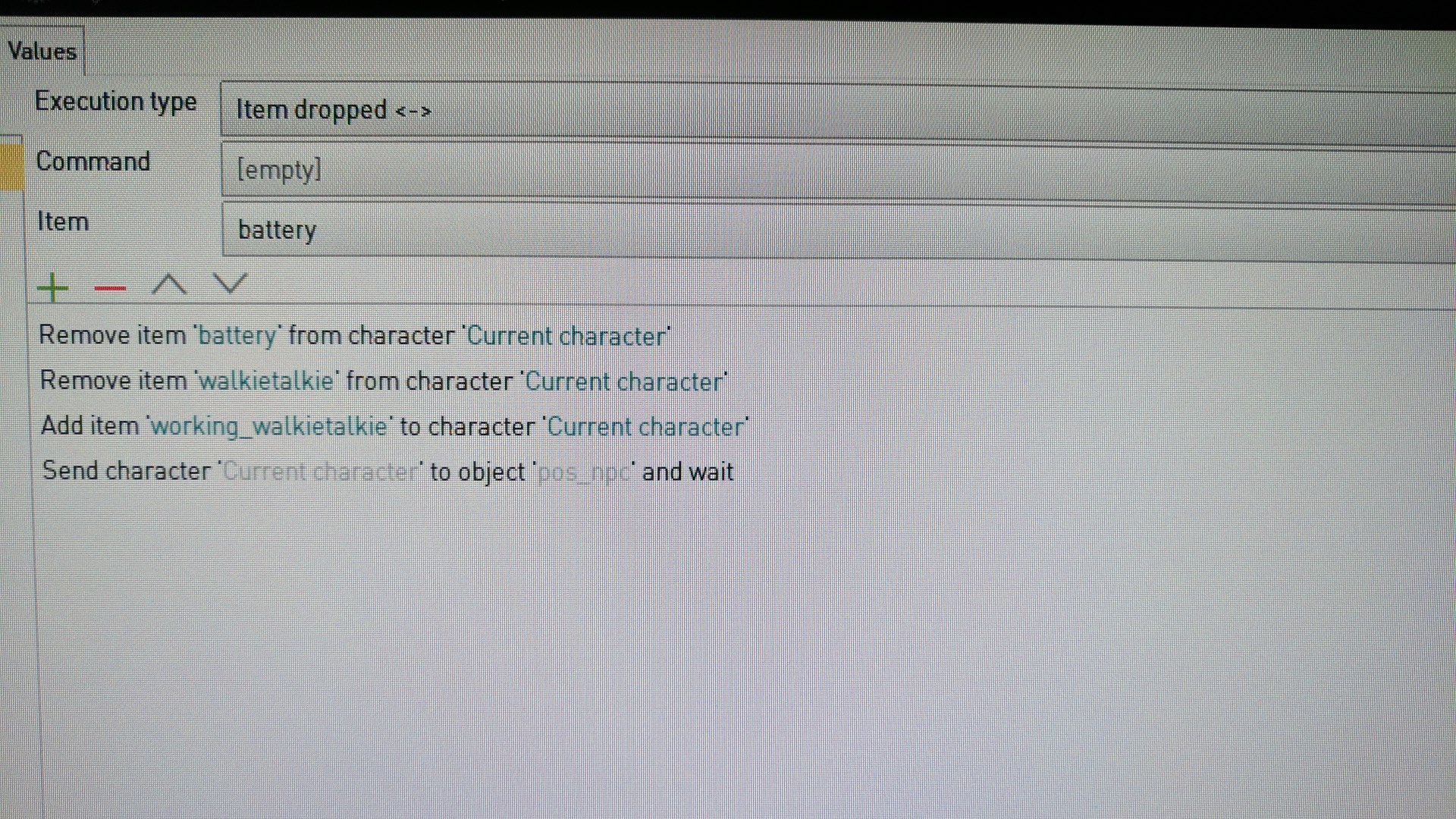
If I do that, the walkie talkie will already be visible from the beginning.Did you delete the starting point (character stands at) in the properties tab of your NPC? The NPC shouldn't be visible if you leave empty the field for the starting point.





