Menu
Login
Language
DE EN FR ES IT CZ
Back

shaderViewport movement isn't straight

  • #1, by ke4 Saturday, 06. May 2017, 14:00 9 years ago Quote
    Hi,

    I'm having this kind of issue. I zoomed through the shaderViewport into a scene. Now i want a slow camera zoom out effect. The problem is that the zoom out isn't straight movement - it goes to the right and back while zooming out which doesn't make any sense to me.

    Setting the zoom:
    shaderViewport(1.5, 315, 95, 0, 0, easeLinearInOut)


    When i want the zoom out:
    shaderViewport(1, 0, 0, 0, 2500, easeLinearInOut)
    Btw how do i matematically calc the offset that the camera needs in a 16:9 scene if i want to zoom exactly to the center? I don't want to guess it grin

    Key Killer

    810 Posts

  • #2, by SimonS Saturday, 06. May 2017, 14:04 9 years ago Quote
    If you're using the newest version, there is a function
    function shaderViewportInterpolationPoint(x,y) 
    

    You can set it to 0.5,0.5, which will interpolate through the center position, default is 0,0 meaning the left top position.

    Thread Captain

    1621 Posts

  • #3, by ke4 Saturday, 06. May 2017, 14:09 9 years ago Quote
    Thanks Simon, works great!

    Key Killer

    810 Posts

  • #4, by genaticstudio Saturday, 18. January 2020, 15:04 6 years ago Quote
    How to use function?
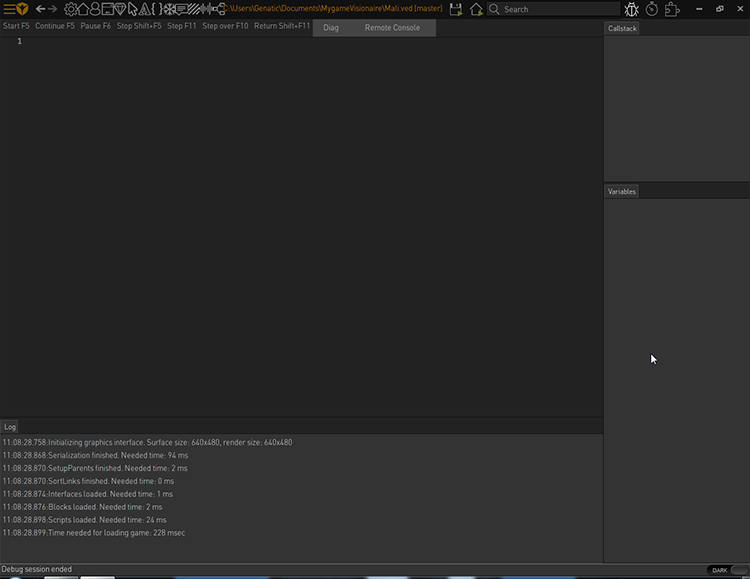
    I use it but nothing happens.

    Newbie

    20 Posts

  • #5, by SimonS Saturday, 18. January 2020, 16:07 6 years ago Quote
    Check the log or press tab and check lua errors.

    Thread Captain

    1621 Posts

  • #6, by genaticstudio Saturday, 18. January 2020, 18:07 6 years ago Quote
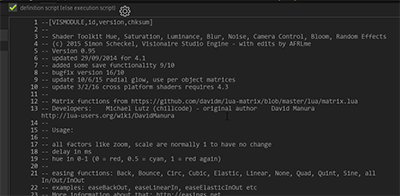
    I copied from " Shader Toolkit". Why doesn't it work?
    Can you recommend a solution?

    Newbie

    20 Posts

  • #7, by afrlme Saturday, 18. January 2020, 18:11 6 years ago Quote
    Where did you get the shader toolkit script from? The one on the wiki is out of date. The up to date one is here.

    Imperator

    7290 Posts

  • #8, by esmeralda Saturday, 18. January 2020, 21:25 6 years ago Quote
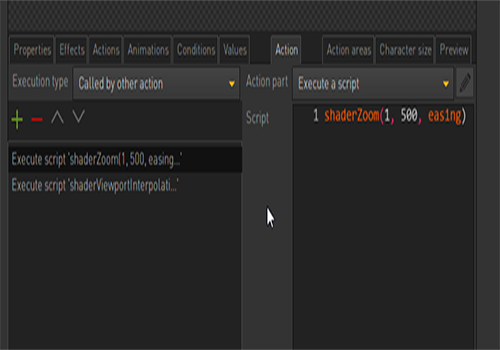
    In the screenshot the execute script is: shaderZoom(1, 500, easing)
    Shoudn't the easing be specified? Like easeLinarIn, easeQintOut ...
    Could that be the problem?

    Key Killer

    567 Posts

  • #9, by genaticstudio Monday, 20. January 2020, 05:21 6 years ago Quote
    OK."Shader Toolkit"No problem.    Why doesn't it work?
    Am I using the wrong function? 
    i use fuction at begine of scene.

    Newbie

    20 Posts

  • #10, by afrlme Monday, 20. January 2020, 11:56 6 years ago Quote
    Check your spellings mate. easeLinarIn > easeLinearIn.

    @Esmeralda: tsk tsk, I see it was you that told them the incorrect spellings. grin

    Easings can be found here: https://easings.net/en but In, Out, InOut goes on the end & not where it says on that page. For example: easeInSine would be easeSineIn in Visionaire.

    Imperator

    7290 Posts

  • #11, by genaticstudio Monday, 20. January 2020, 14:35 6 years ago Quote
    Thank you so much .
    I didn't notice and interpret.
    OK, it works.

    Newbie

    20 Posts