Login / Registrieren
DE EN FR ES IT CZ
Zurück Nach oben

Resolution problem

  • #1, by SDMono 12 years ago Zitieren
    Hi everyone.

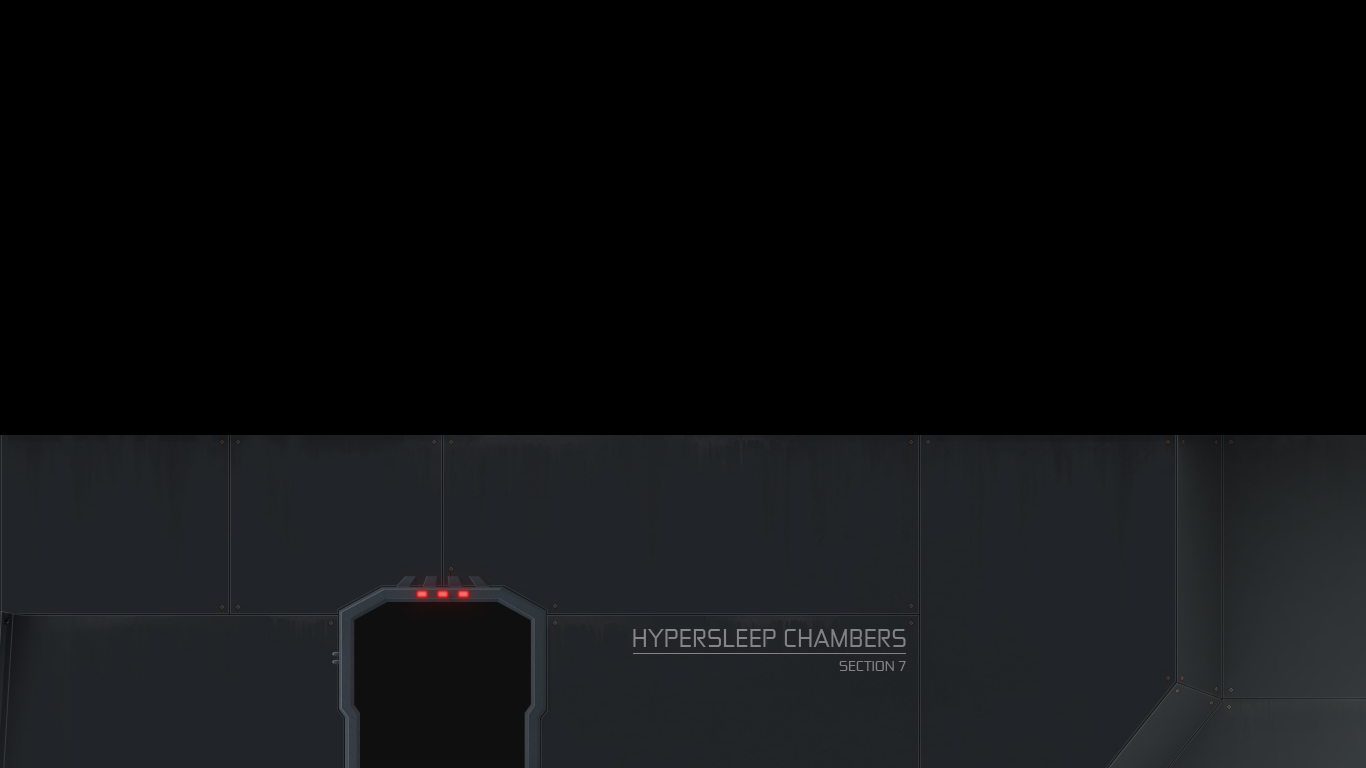
    Small problem here on my side. My game looks like it should on my computer in 1920 x 1080 (black bars on top and bottom because my desktop runs at 1920 x 1200). With the version 3.7.1. I made a build to try my game on my girlfriends computer which runs at 1366 x 768 (notebook). Everything worked fine. Now I made a new build to try it on her notebook (visionaire 4.0RC) and things are getting weird. The scaling seems to work fine but somehow the whole screen is getting pushed down so that the game looks cut. I post a screen so you know what I mean.

    Any ideas to why this could be happening?

    Saludos,
    Gordon
  • #2, by SDMono 12 years ago Zitieren
    Ok I just tried a build from the Visionaire 4.0 Beta and there it works. So I guess there is a problem with the RC version. hmmm
  • #3, by BigStans 12 years ago Zitieren
    Then it was an bug… again. Thanks for test it with 2 versions smile
  • #4, by SDMono 12 years ago Zitieren
    Update Update!!! hehehe grin
  • #5, by BigStans 12 years ago Zitieren
    Can you post you're config.ini from the game directory and hardware specs (CPU & GPU).
    Thanks smile
  • #6, by SDMono 12 years ago Zitieren
    the config.ini:

    FILE = gos.vis
    #
    # FULLSCREEN = {yes|no}
    # yes - starts the game in fullscreen
    # no - starts the game in a window
    FULLSCREEN = yes
    #
    # RESOLUTION = {Auto|Desktop|Game}
    # Auto - wide-screen support is activated if a wide-screen display is detected
    # Desktop - current desktop resolution is used when game is started in full screen mode
    # Game - game is initialized with the resolution specified in the game
    RESOLUTION = auto
    #
    # INTRO = {yes|no}
    # yes - Show the intro movie on start-up
    # no - Don't show the intro movie
    #
    # LANGUAGE = {German|English|...}
    #
    # LOGLEVEL = {Info|Warning|Error}
    LOGLEVEL = error


    I guess you want the specs of the computer where it doesn't work. Its a Dell XPS Notebook, i7, windows 7, 8 gb ram. video card... Nvidia GeForce GT 540M.

    Oh and I tried setting the resolution to desktop... nothing changes. It still gets pushed down and cut.

  • #7, by BigStans 12 years ago Zitieren
    Stelle mal die RESOLUTION auf Desktop. Wir haben das wegen solchen Problemen umgestellt smile
  • #8, by SDMono 12 years ago Zitieren
    Macht keinen Unterschied. It still gets pushed down and cut. roll
  • #9, by BigStans 12 years ago Zitieren
    Danke für den Test. Wir versuchen das ganze irgendwie zu reproduzieren und wissen noch gar nicht genau woran es liegt.
  • #10, by SDMono 12 years ago Zitieren
    Let me know if you have any news please. wink
