Login / Registrieren
DE EN FR ES IT CZ
Zurück Nach oben

Mouse disappears after quickload

  • #1, by Gingetsuryuu 13 years ago Zitieren
    Hi,

    Simple problem, whenever I execute a quick load, all the interfaces disappear.

    Regards,
    Johan van Wyk
  • #2, by afrlme 13 years ago Zitieren
    interfaces are only available if they are assigned to a character on a scene & if it's a menu scene then only the default mouse cursor will be visible.

    have you tried creating a new project file & seeing if this problem still happens?
    it could be due to some corruption of sorts (maybe the project file or maybe the data in the quicksave (bookmark x .dat file)
  • #3, by Gingetsuryuu 13 years ago Zitieren
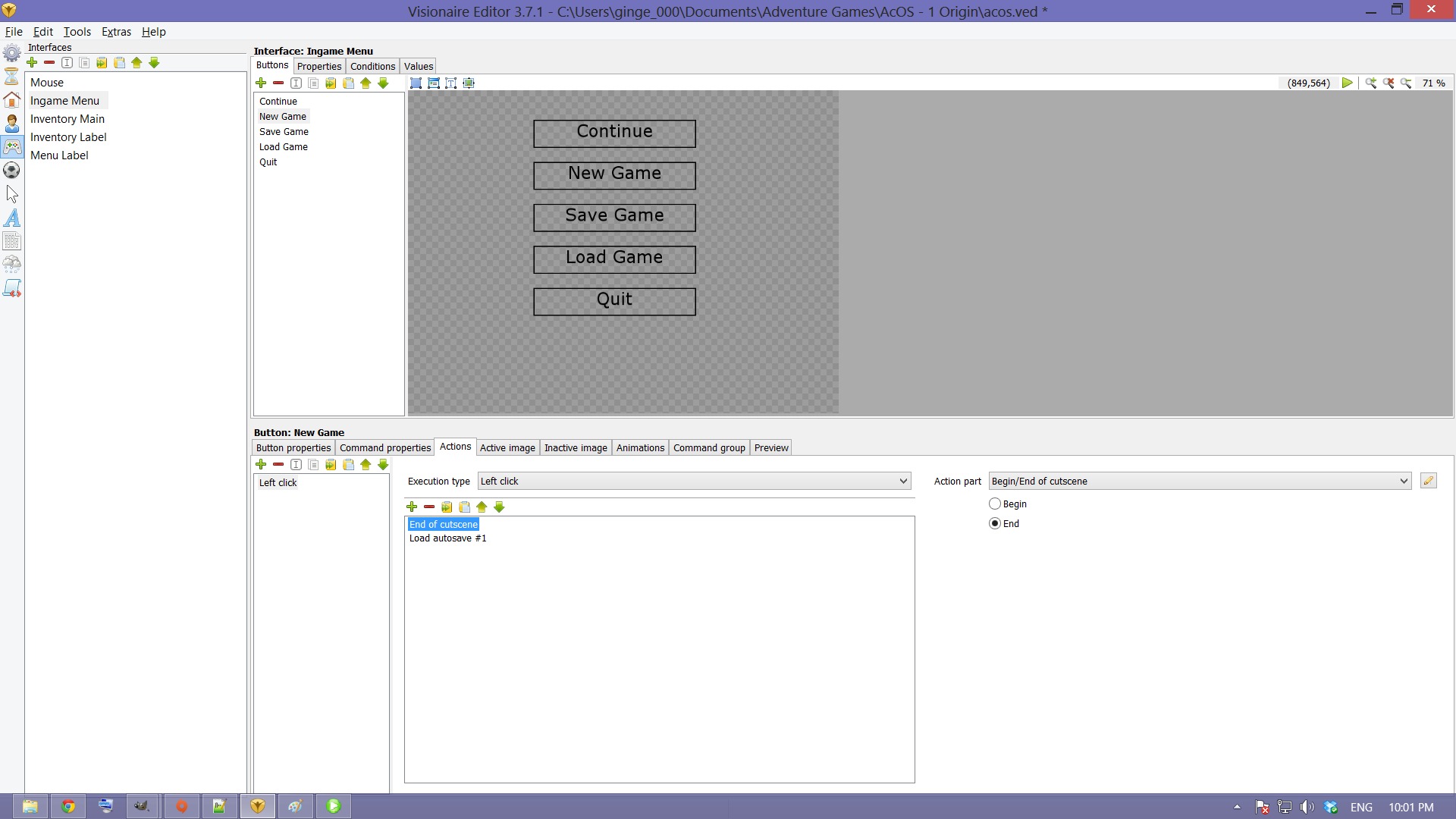
    I have a bit more on the issue. I checked the logs and it says "A cutscene was started in action "Ingame Menu: New Game: Left click" (data id: 34) but was not terminated"

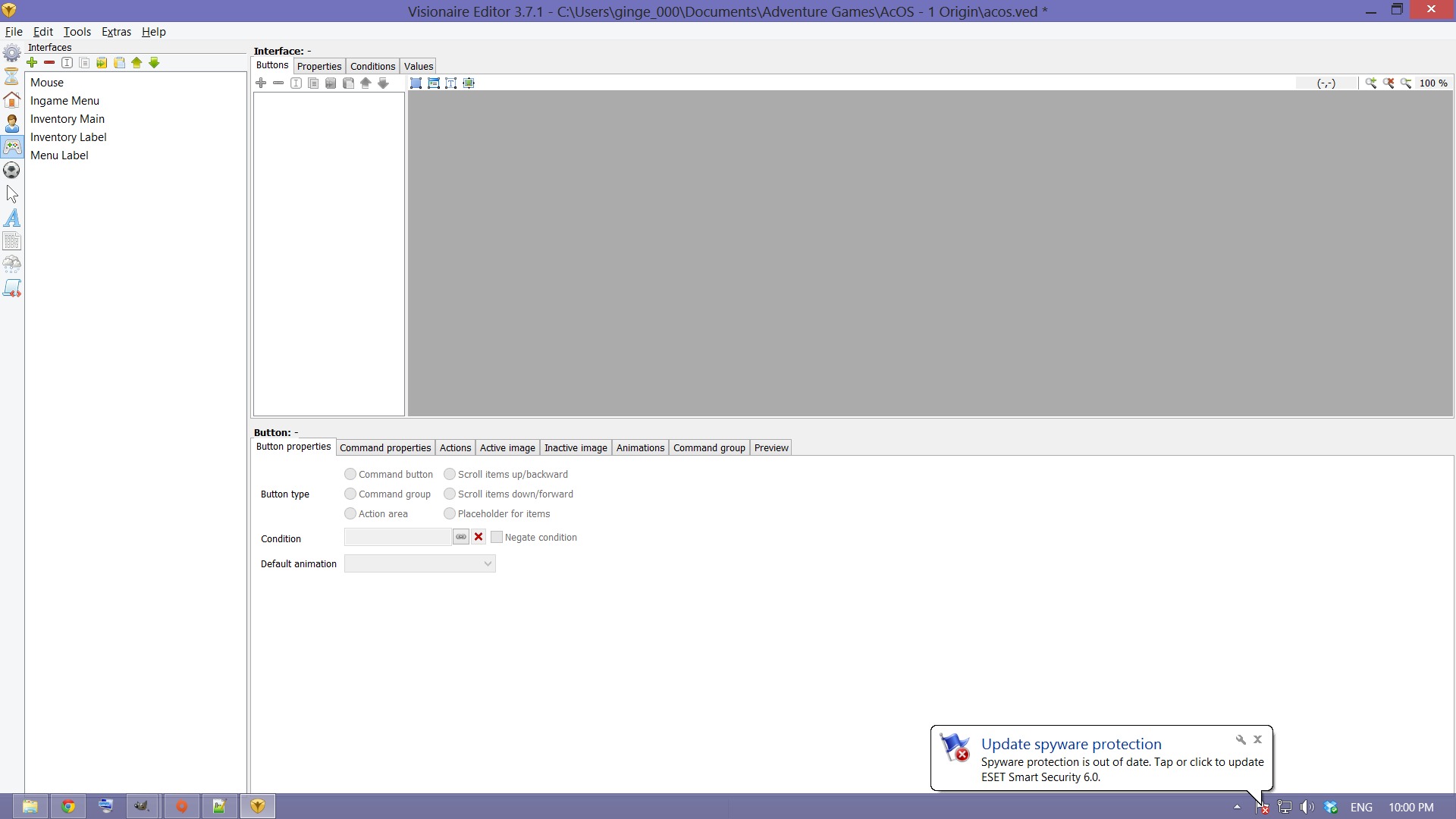
    I also checked the number of interfaces on the character drops from 5 to 3
  • #4, by afrlme 13 years ago Zitieren
    the error usually shows up if you use the "at begin of scene" action after loading/quick loading - as far as I'm aware it doesn't actually cause any errors other than printing the message to the log.

    interfaces drop from 5 to 3?

    could you provide some screenshots of your interfaces & setup etc please?
    does the visedit.txt log file display any errors & or is a .dmp file created when you try running the game?
  • #5, by Gingetsuryuu 13 years ago Zitieren
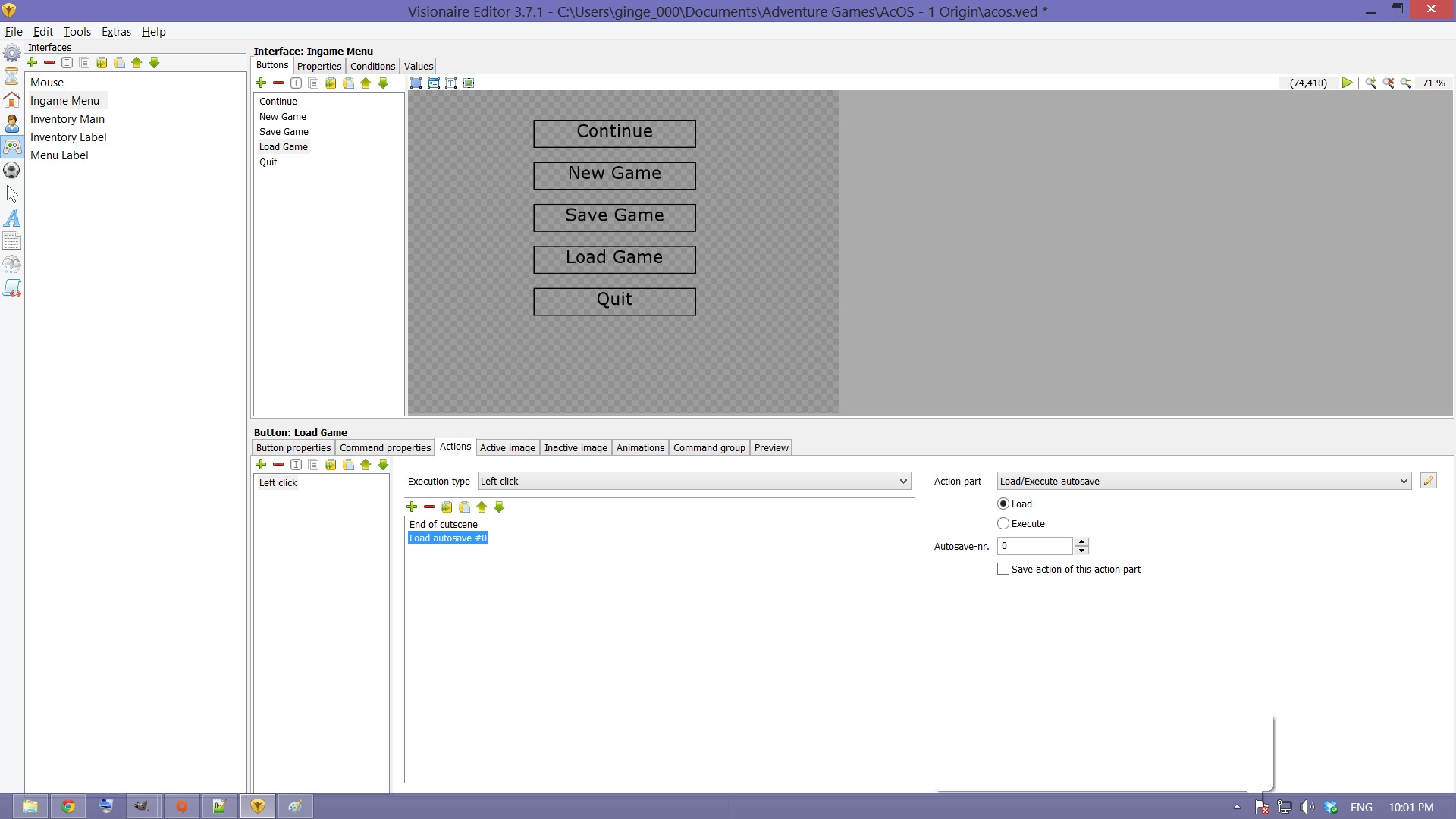
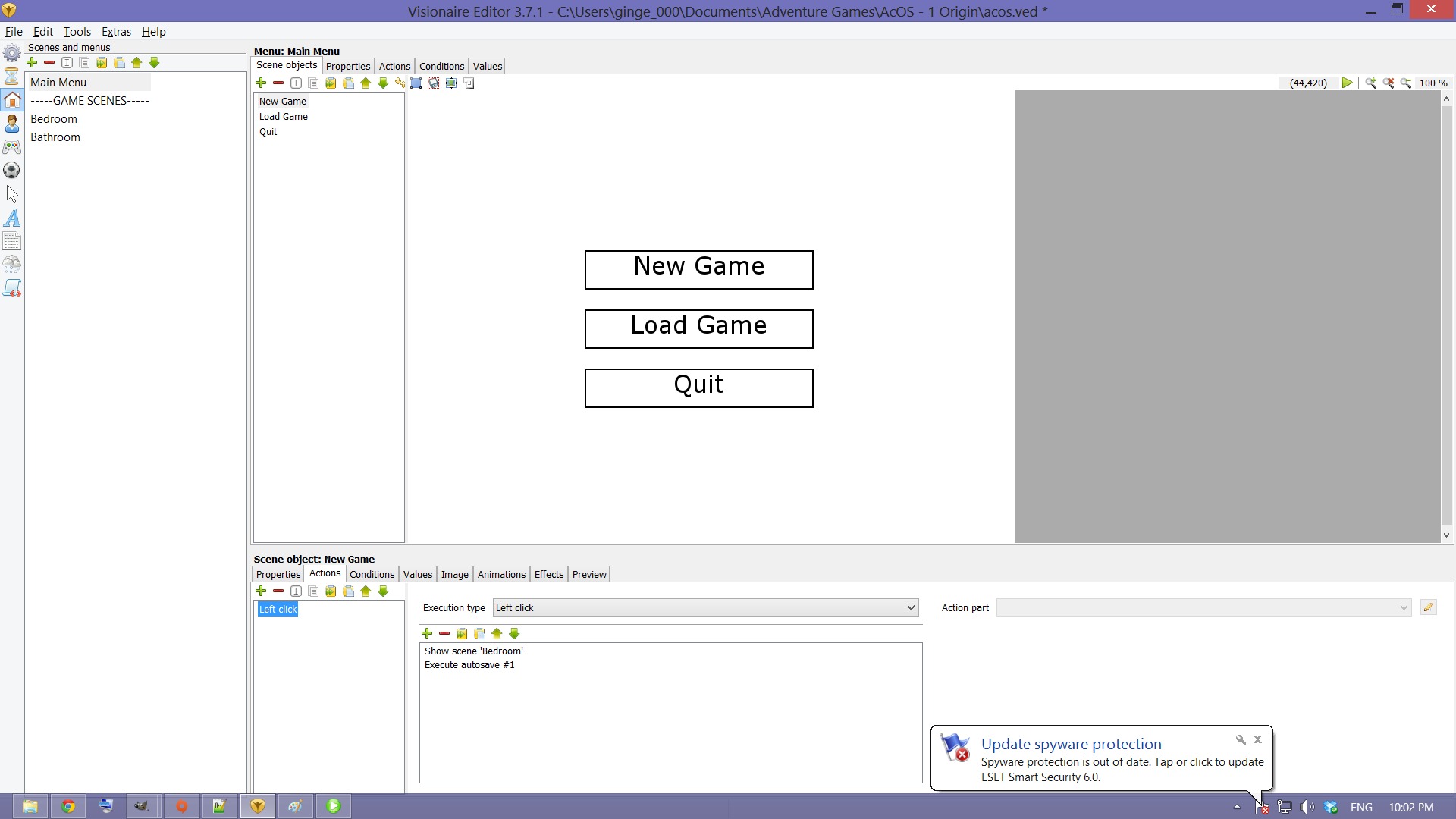
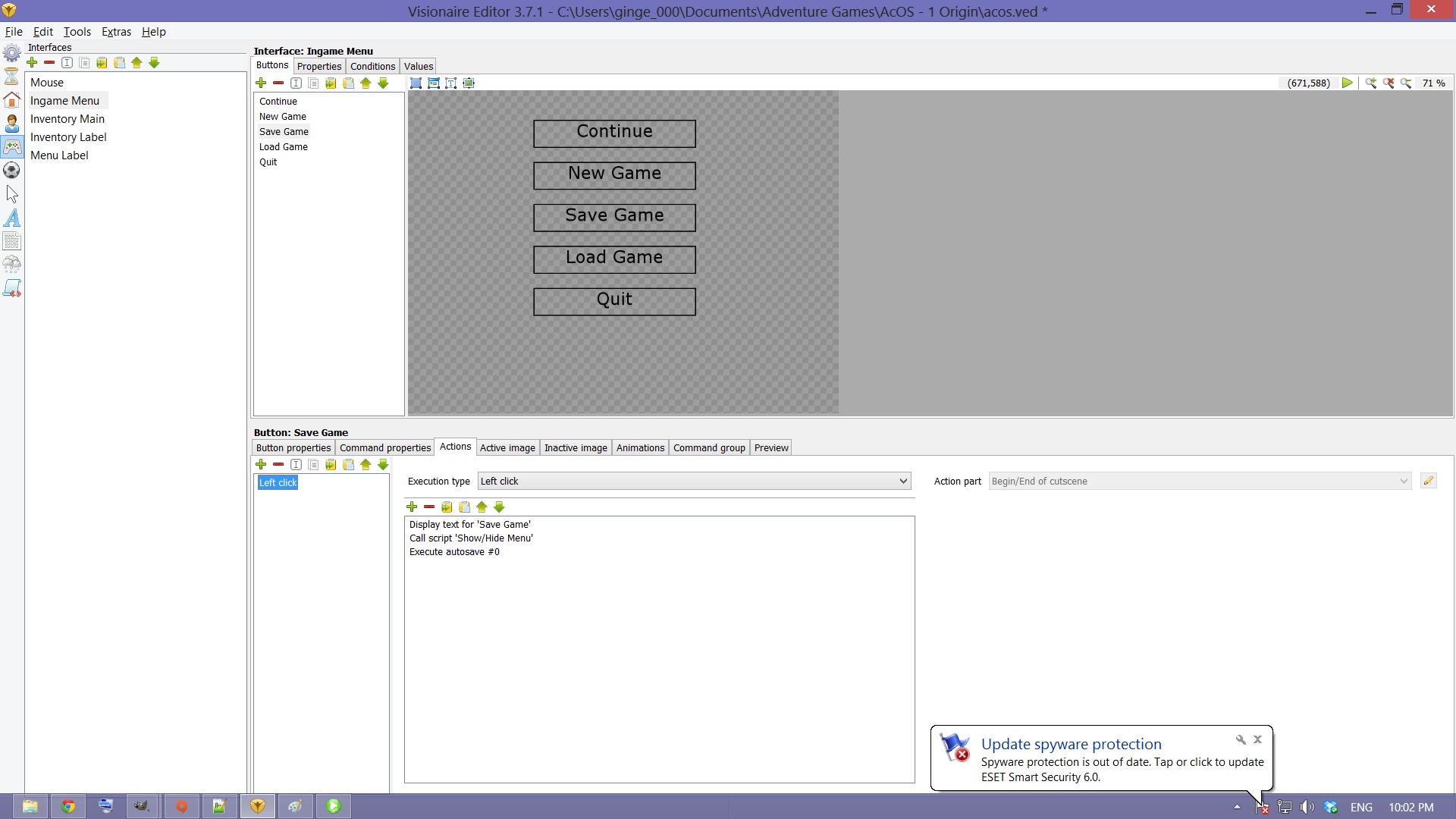
    No dump files or errors, I've managed to get some of the interface working by moving the mouse interface to the top. Now my problem is that both New Game and Save Game use the quicksave feature, while New Game from the grey menu and Load game use the quickload function, only the New Game works, the Save/Load Game still messes around.

  • #6, by afrlme 13 years ago Zitieren
    hmm ...

    you could technically build your own save menu system out of the quick save - I'm not sure about displaying the pictures like the normal save menu though - although might be possible with Lua (not sure)

    as for the autosave # 0 which you are using for your new game or continue ... I would have it do that at the beginning of each scene in a begin of scene action & I would save it again before opening main menu - just in case the user decides to quit the game.

    do all of your interfaces have different classes?

    & why have you added a end cutscene to some of the left click actions?