Login / Registrieren
DE EN FR ES IT CZ
Zurück Nach oben

languages for beginners

  • #1, by blano 8 years ago Zitieren
    Hello friends!
    can anyone explain me step by stem how to add a new language? i'd like some tutorial from start to end 'cause i can't find any around the web!

    i can erase the topic when solved, if needed, but i think a little tutorial can help noobs like me! XD
  • #2, by esmeralda 8 years ago Zitieren
    Sebastian explained it in his tutorials, but they are in german.

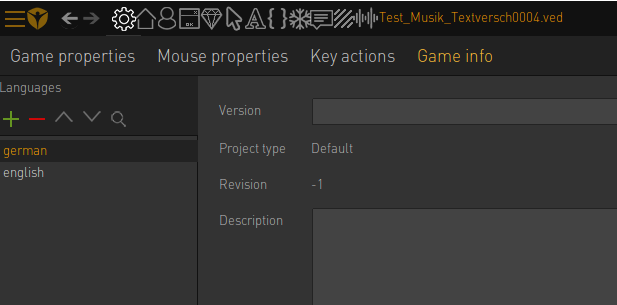
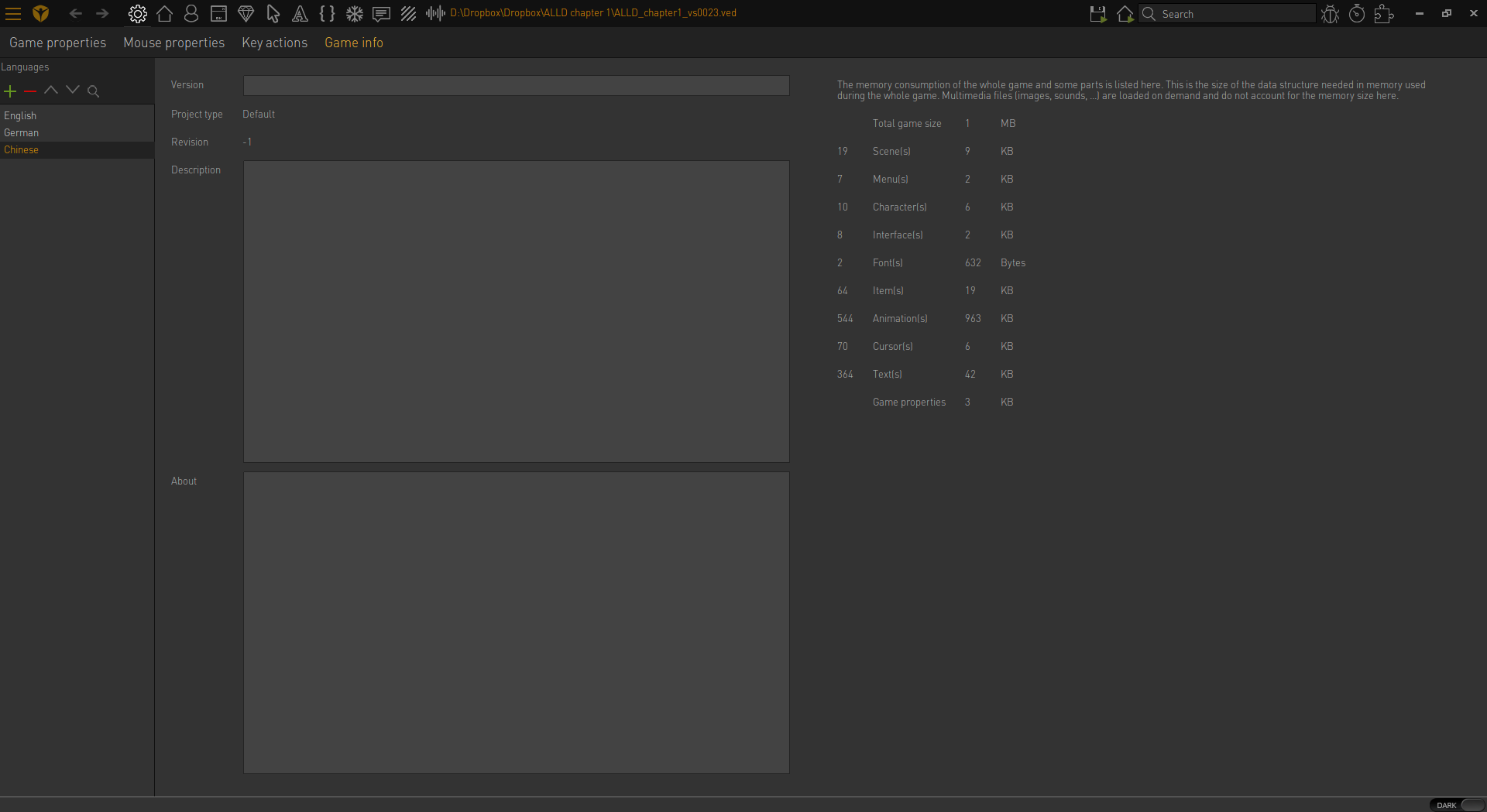
    First you go to the "game info" tab. There you can add languages. (see image) 

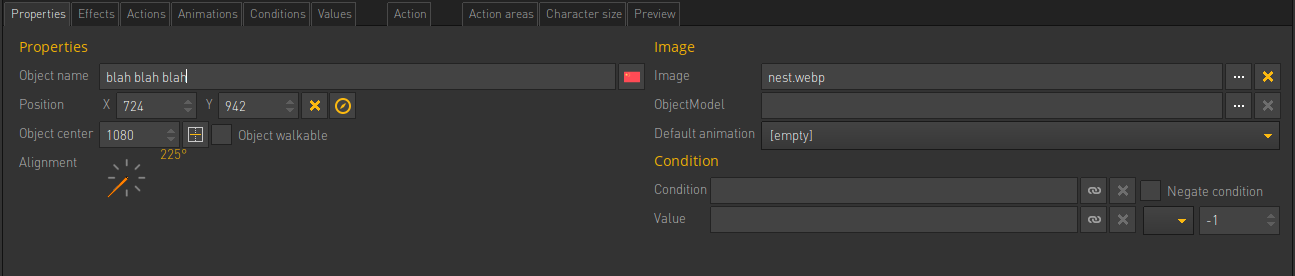
    When writing text for your characters you can then choose the language via the little flag. (image) Or you can translate the texts via the "texts"tab.

    And you need a button for the player to change the language. Create a button for each language in a menu or interface. Put an action there. Like: action "leftclick" - action part "change language to" [german] (image)

    That's it.

    If you want to change some objects when changing the language (like menu buttons) you can do this by creating a condition or value that you change when switching the language.

  • #3, by blano 8 years ago Zitieren
    Thank you Esmeralda!! super helpful!! thank u again

    edit: why i can't see the little flag icons whe i set different language? i see just a gray flag with "?" on it
  • #4, by afrlme 8 years ago Zitieren
    depends on the language you add & how you name it. they haven't included flags for each language - only the most common ones. language names should be written in English, like so... English, German, French, Spanish, Italian, Chinese, Russian, etc.
  • #5, by esmeralda 8 years ago Zitieren
    There seems to be flags only for english, german, french and spanish as far as I can see...
  • #6, by esmeralda 8 years ago Zitieren
    oops.. double post
  • #7, by blano 8 years ago Zitieren
    ok just details, understood now! thank you guys!
  • #8, by afrlme 8 years ago Zitieren
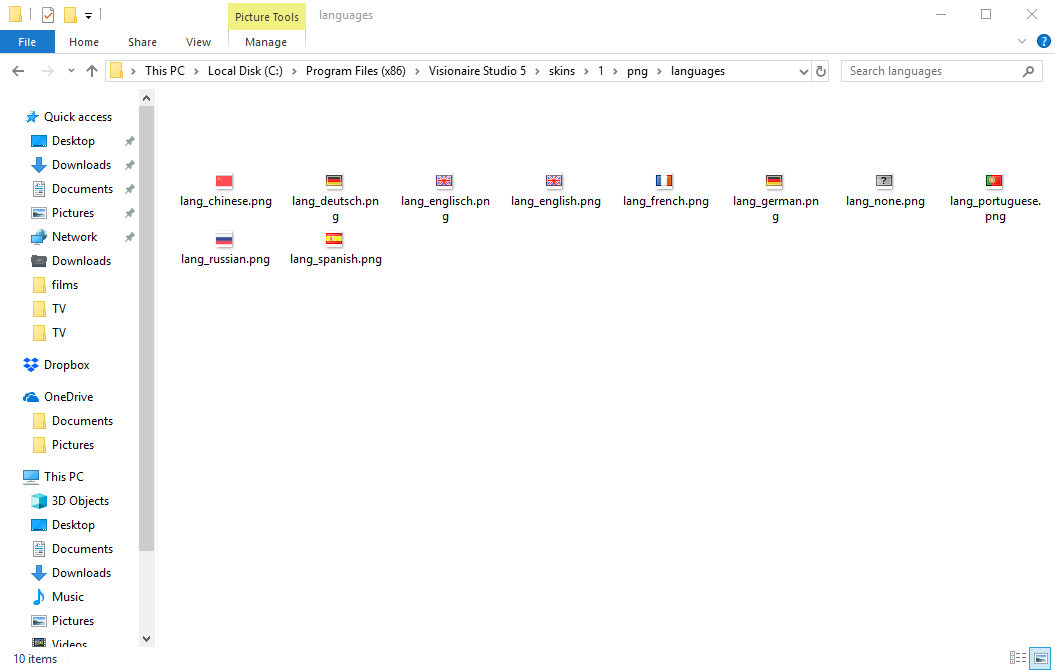
    You can actually add more flags if you like. You just need to add 16x16px png files to program files (x86) > skins > 1 (& 2) > png > languages folders. They should be named like so: lang_chinese.png, lang_russian.png. The engine seems to automatically select the correct flag based on the name you give the language, so if you create a language & call it chinese or Chinese, then it should automatically display the correct flag providing you added one for that language.


  • #9, by sebastian 8 years ago Zitieren
    You can actually add more flags if you like. You just need to add 16x16px png files to program files (x86) > skins > 1 (& 2) > png > languages folders. They should be named like so: lang_chinese.png, lang_russian.png. The engine seems to automatically select the correct flag based on the name you give the language, so if you create a language & call it chinese or Chinese, then it should automatically display the correct flag providing you added one for that language.


    cool, didn't know this smile

  • #10, by afrlme 8 years ago Zitieren
    Me either, but I tested it earlier & it worked.