Login / Registrieren
DE EN FR ES IT CZ
Zurück Nach oben

Language with "poedit"

  • #1, by blablo_101 11 years ago Zitieren
    Hi,
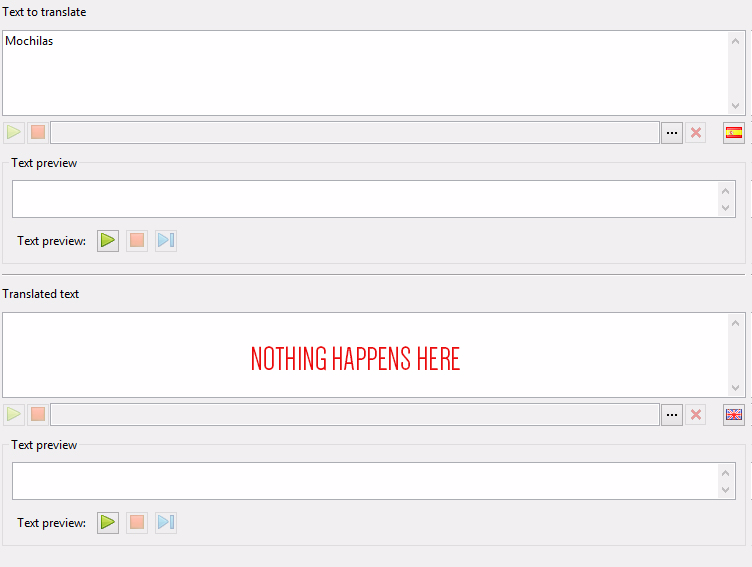
    I have a little problem. I want to translate my game to english and I can do in Visionaire word by word with the english flag button... But is a hard work (and I have many texts).

    I want to export the texts to a .po and edit it with "poedit", a great tool for translation.

    In Visionaire I have an "export text" option in the "Extras menu". All fine at this point. I can edit the exported file in PoEdit...

    But I can Import back in Visionaire :_ (

    I have the .po file in my computer, all translated. Then I can choose "import text" from "Extas". Visionaire lunch a pop up windows telling me "Successfully imported"... but nothing happens! I can't found my translated text in visionaire...

    Am I doing something wrong?

  • #2, by Machtnix 11 years ago Zitieren
    I think, you have to create a second language in Vis first.

    Btw: you can't edit the source language in Poedit - maybe you found a mistake to correct you can't -, so I prefer the Vis language editor. But of course Poedit is a good tool.
  • #3, by ke4 11 years ago Zitieren
    I had the exact same problem i needed to translate my game into English but it's not much comfortable to do that in Vis. And The .Po unfortunetely doesn't work and you need to export it into .CSV but you can't find a similar tool for editing CSV files as .Po so i just created my own software in python for that. So maybe i can send you that?
  • #4, by Machtnix 11 years ago Zitieren
    What's the advantage difference between the Poedit and the Vis-Language-Editor? In Vis you have all texts in a list at the left side. Right, on the top you have the source language, at the button you can write the translation. OK. you must click on every textline, but you have to do this in Poedit too. There is only a layout difference: Poedit up-down, Vis: left-right...
  • #5, by ke4 11 years ago Zitieren
    You can immediately see in Poedit which texts are translated and which are not as you can just scroll and see all text text in the same time. You can also order the texts by that.
    The biggest advantage i think is that you can translate text and hit enter which moves you automatically to the next translation. Vis is not bad, but it's still a lot faster in Poedit.

    Plus you can see how much of the texts are already translated, useless but nice thing grin
  • #6, by blablo_101 11 years ago Zitieren
    but you can't find a similar tool for editing CSV files as .Po so i just created my own software in python for that. So maybe i can send you that?


    Thank you very very much, Ke4. It has been very helpful.
    The posibility of using the CSV file is interesting. I didn't think about that before...

    I would be very grateful if you can send me your app (If you dont't mind, of course). My email is piritastudio.games@gmail.com.

    I'm going to investigate my options, now that I know I can`t import the .po

    What's the advantage difference between the Poedit and the Vis-Language-Editor?

    There is one more feature that Po offer versus VS... If you need to hire a translation service, they would work with PoEdit... No with Visionaire ^__^

  • #7, by ke4 11 years ago Zitieren
    I'll just send you a PM here instead ok? smile
  • #8, by Lebostein 11 years ago Zitieren
    Is it possible with PoEdit to translate identical strings (for example if I have 20 strings with "Hello, my name is Guybrush." in the list) with one task?
  • #9, by blablo_101 11 years ago Zitieren
    I'll just send you a PM here instead ok?

    Really really thank you! I hope it will help to avoid VS translation.

    Is it possible with PoEdit to translate identical strings (for example if I have 20 strings with "Hello, my name is Guybrush." in the list) with one task?

    Sort of... PoEdit has a fast way to do that.
    Once you have translated one line, the program remember it. But you need to confirm the action pushing Control + 1 (line by line).
    It's an easy way, but is not totally automatic.