Login / Registrieren
DE EN FR ES IT CZ
Zurück Nach oben

How to remove the
from action script?

  • #1, by omri-gilat 6 years ago Zitieren
    Hi all.
    New to Visionaire and am facing a silly problem which I couldn't find a solution for in the Wiki/Forum.
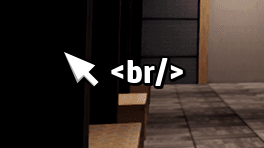
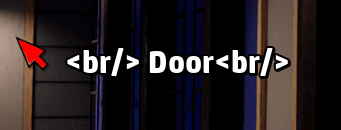
    The object text (I think called Action Text in Visionaire) keeps showing </br> on the sides of the object name.
    (Added examples as images)

    I'm sure there is a simple solution for this but I can't seem to find it...
    Any help would be very much appreciated...
    Thanks!

  • #2, by Machtnix 6 years ago Zitieren
    I have the same error.
  • #3, by esmeralda 6 years ago Zitieren
    the <br/> means you have pressed the enter key (line break)
    Not always visible in the engine and happens easily when you want to end your input with hitting enter.
    just delete anything before or after the object text (even if there doesn't seem to be anything), that should clear the <br/>

    if the <br/> appears even if you didn't define an object text my guess would be that you hit enter in the textbox of your command
  • #4, by Machtnix 6 years ago Zitieren
    I know "break" means "enter". But there isn't a break to delete. It's object text only.

    In Open Office or Word you can switch on formatting characters. It would help to see if there is nothing or not... wink wink
  • #5, by esmeralda 6 years ago Zitieren
    just try deleting everything in every possible textbox. In the object text or in the text (name) for the commands

  • #6, by omri-gilat 6 years ago Zitieren
    just try deleting everything in every possible textbox. In the object text or in the text (name) for the commands

    That did the trick. 
    Thank you!!