
Login / Registrieren
DE EN FR ES IT CZ
Zurück Nach oben

Having a piece of dialog go back and forth between characters

  • #1, by trepn 8 years ago Zitieren
    Hey, probably something very simple but I cant seem to figure it out. I want to know how I can have to characters converse back and forth several times without having to select and answer from the interface. How can this be achieved?
  • #2, by esmeralda 8 years ago Zitieren
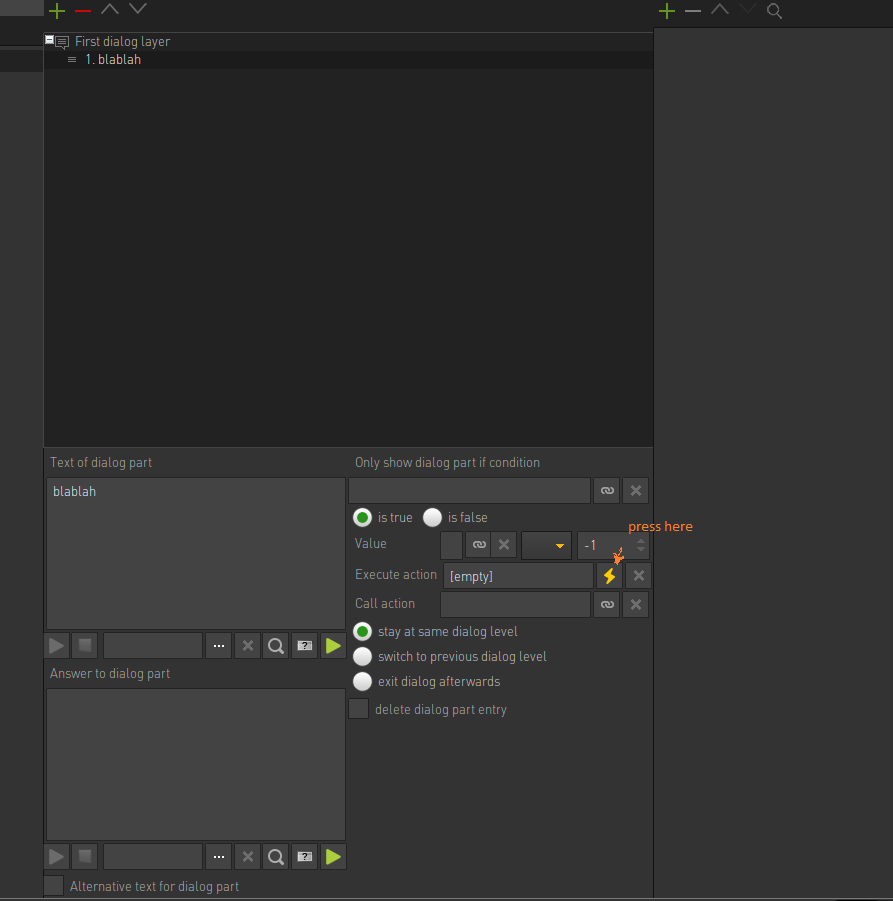
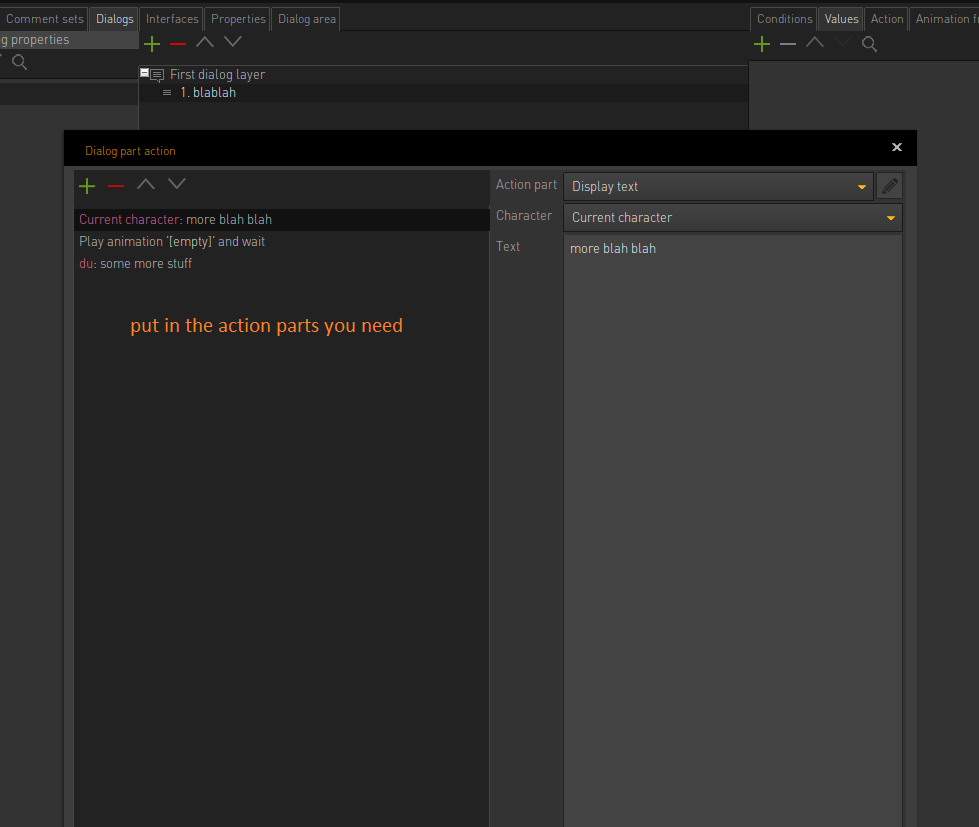
    There is a possibility to execute an action next to the dialog parts. (lightning bolt)
    You can put in whatever you want - as many display text actions parts as you want or animations or...
  • #3, by trepn 8 years ago Zitieren
    There is a possibility to execute an action next to the dialog parts. (lightning bolt)
    You can put in whatever you want - as many display text actions parts as you want or animations or...


    So if I understand correctly I just script the dialog outside the dialog editor and switch back after the piece of dialog from the script is done?
  • #4, by sebastian 8 years ago Zitieren
    the dialog options will continue after the action parts inside the action are through
  • #5, by esmeralda 8 years ago Zitieren
    not really outside the dialog editor, it is a part of it. And like sebastians said, the dialog will continue afterwards.


  • #6, by trepn 8 years ago Zitieren
    Tnx you two! I got it.

    And if you want to have an intro to a dialog, you do these show texts in the chatacter action tab and start the dialog after that?
  • #7, by sebastian 8 years ago Zitieren
    yes. 
  • #8, by afrlme 8 years ago Zitieren
    Tnx you two! I got it.

    And if you want to have an intro to a dialog, you do these show texts in the chatacter action tab and start the dialog after that?
    Aye. If you tick the box for setting "alternative text for dialog part" & leave both the answer & alternative text input boxes empty then it will automatically switch to the action parts as soon as the dialog option is selected; providing you have created some.

  • #9, by trepn 8 years ago Zitieren
    Aye. If you tick the box for setting "alternative text for dialog part" & leave both the answer & alternative text input boxes empty then it will automatically switch to the action parts as soon as the dialog option is selected; providing you have created some.



    Ah nice, that way it's more contained in one place. Tnx!