Hi everyone,
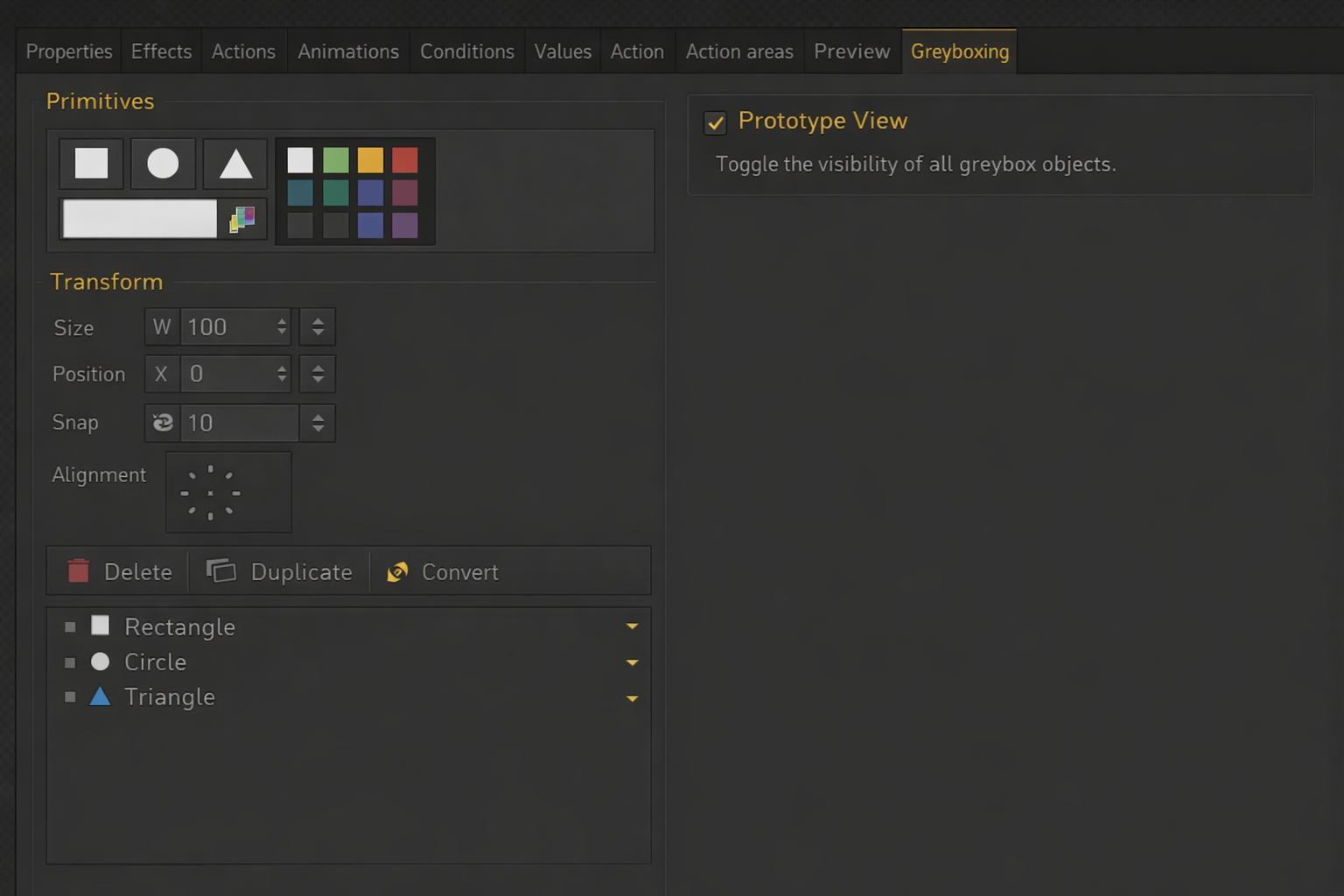
I’d like to suggest a feature that could significantly improve the prototyping workflow in Visionaire Studio 5: basic greyboxing / color-boxing tools directly inside the engine (see picture).
Right now, when I design scenes, I often want to quickly prototype layouts, compositions, and interactions. However, I’m slowed down by the need to switch to an external program like Photoshop or Krita just to block out simple shapes.
My current workflow looks like this:
- Sketch or block a scene in Photoshop/Krita
- Export assets
- Import them into Visionaire
- Later replace or adjust everything again when refining the scene
This back-and-forth makes rapid iteration difficult (complex multipart-objects in scenes), especially in early design phases.
It would be extremely helpful to have a lightweight in-engine toolset that allows:
- Creating simple primitive shapes (e.g. rectangles, circles, triangles)
- Resizing and positioning them directly in the scene
- Assigning basic colors (fill + maybe outline)
- Treating them like temporary scene objects
This would allow quick “whiteboxing” or “greyboxing” of scenes without leaving the engine.
___________________________________________________________________________________
Sure you could just create a standard folder of colored placeholder shapes - but, how lame is that?
For me personally, this would make the workflow in Visionaire Studio much more efficient and enjoyable - Faster iteration during early design, better focus on layout, composition, and gameplay flow, less dependency on external tools for simple tasks, more fluid creative process overall
You could add also a toggle between “prototype view” and final assets, simple snapping / alignment tools
Ability to later replace primitives with real assets
Thanks for considering this! I’d love to hear if others feel the same or have similar workflows.