
Menu
Login
Language
DE EN FR ES IT CZ
Back

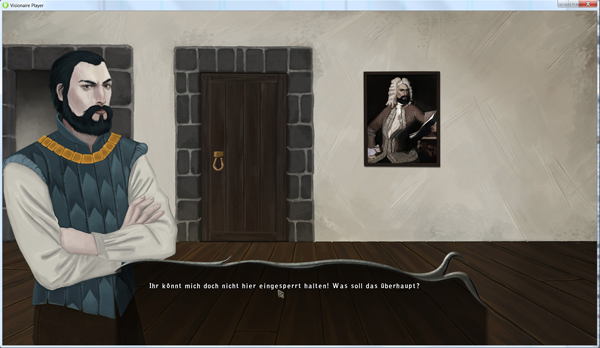
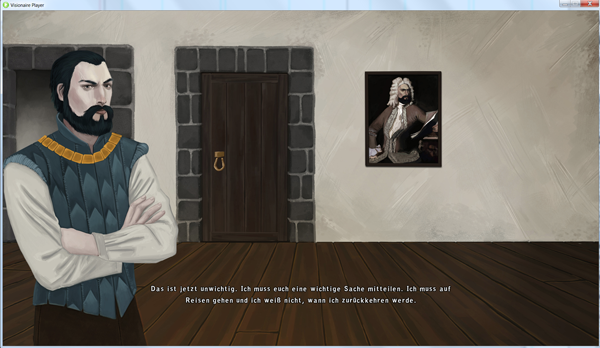
Dialogbereich für den gesamten Text des Dialogs sichtbar - all dialogue text displayed in dialogue box/image

  • #1, by flavia Thursday, 23. January 2014, 14:56 12 years ago Quote
    Deutsch:
    Moin!
    Ich habe einen Dialogbereich für den Hauptcharakter festgelegt und dort wird auch die Auswahl an Dialogptionen angezeigt.
    Jedoch möchte ich, dass der Dialogbereich die gesamte Zeit über angezeigt wird und nicht immer zwischendurch verschwindet, wenn die Personen reden.
    hat jemand eine Ahnung, wie man dies bewerkstelligen könnte?

    English:
    Hi!
    I have set up a dialogue box for the main character with an image. The dialogue options are displayed there but i want all the text during the dialogues to be displayed inside of this box/image.
    Does someone know how to do this?

    Newbie

    7 Posts

  • #2, by afrlme Thursday, 23. January 2014, 22:53 12 years ago Quote
    try creating the dialog background as a blank png & instead add the dialog background to an interface instead & make it display/fade in/out as needed. I'm not sure why it hides the dialog background... there should really be an option to keep it displayed - I'll see if one of the devs will be willing to add an option for it, in a future update.

    Imperator

    7290 Posts

  • #3, by flavia Friday, 24. January 2014, 00:23 12 years ago Quote
    hey,
    thanks. it works that way, still would be nice if the option were there..

    Newbie

    7 Posts

  • #4, by afrlme Friday, 24. January 2014, 12:34 12 years ago Quote
    wecome wink

    I'll ask David about an option for it, later on; if I speak to him.

    Imperator

    7290 Posts

  • #5, by Yug_Etsap Monday, 27. January 2014, 10:46 12 years ago Quote
    Hello,

    Could you please tell me how you managed to get the dialog text to display at the bottom of the screen? I used a script for narrative text, but I'd really like to be able to use the internal dialog feature of Visionaire and still get all the text to appear at the bottom.

    Newbie

    12 Posts

  • #6, by flavia Monday, 27. January 2014, 11:16 12 years ago Quote
    I used a script, too. With the x and y values you can position the text on the screen.

    
    registerHookFunction('setTextPosition', 'setTextPosHook')
    
    function setTextPosHook(text)
      local owner = text:getLink(VTextOwner)
      if owner:getId().tableId == eCharacters and owner:getName() == '' then
        local pos = owner:getPoint(VCharacterPosition)
        text:setValue(VTextPosition, {x=960, y=600})
        return true
    else text:setValue(VTextPosition, {x=960, y=600})
    
        return true
      end
      return false
    end


    Newbie

    7 Posts

  • #7, by Yug_Etsap Monday, 27. January 2014, 11:31 12 years ago Quote
    Thank you, that works great, except for one rather big problem. It messes up the object text on the screen. I have an interface with stats on-screen and once the script runs, their position is completely screwed up.

    Do you have any idea how that could be fixed?

    Newbie

    12 Posts

  • #8, by flavia Monday, 27. January 2014, 15:00 12 years ago Quote
    I have set the text alignment to centered and the text for the objects and actions to "not displayed" (i don't know the english equivalent). I have a text box included in my main interface where the text for objects and actions is displayed.

    Newbie

    7 Posts
