
Login / Registrieren
DE EN FR ES IT CZ
Zurück Nach oben

Chosen icon file doesn't appear when making a build

  • #1, by shiritoru 4 years ago Zitieren
     Hello everyone. 
    So I created *.ico file, transparent background, 84x84 px size.  When building a game I trying to select this *.ico file as the icon option for the build. Build going well, no errors, but I can't see chosen icon as the result. Wrong size\anything else? The *.ico file is in the game folder. 
    Will appreciate any suggestions. Thanks in advance.
  • #2, by SimonS 4 years ago Zitieren
    The engine expects a png or a readable format, because it needs to be resized, also 84x84 is not useful, windows wants 16x16, 32x32, 48x48 and 256x256. So better use a png and let the engine do it.
  • #3, by shiritoru 4 years ago Zitieren
    The engine expects a png or a readable format, because it needs to be resized, also 84x84 is not useful, windows wants 16x16, 32x32, 48x48 and 256x256. So better use a png and let the engine do it.

       Thank you so much! Tried to find out exactly this information. 
  • #4, by shiritoru 4 years ago Zitieren
     Ok, I've tried 256x256 and 48x48 PNG's both on solid and transparent backgrounds. 
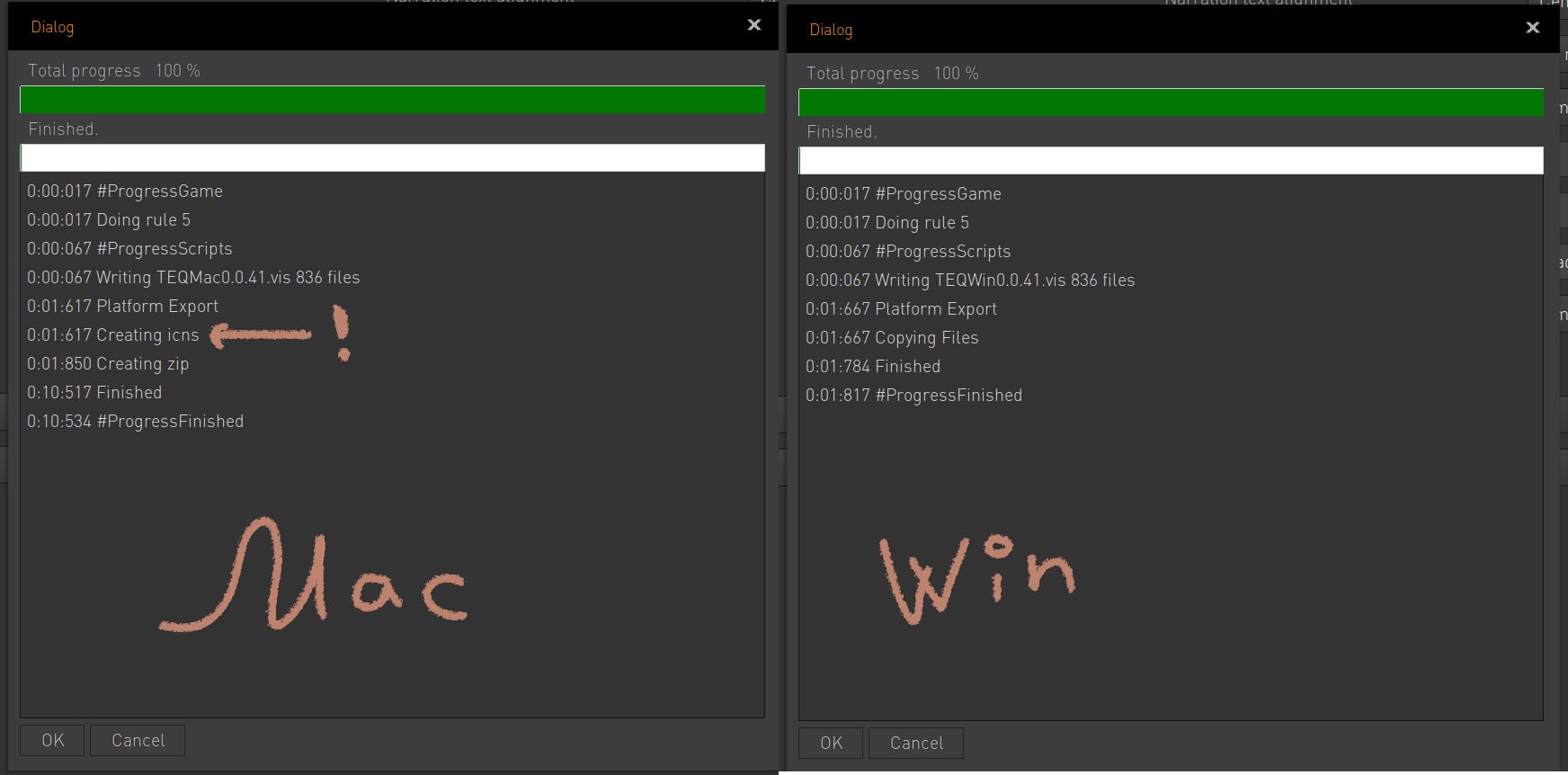
    Looks like Mac build trying to make icon, (possibly, succeeded, I can't tell as I currently have no access to Mac). But Windows build doesn't even tried (please see my sloppy screenshot). No icon as the result. 
  • #5, by shiritoru 4 years ago Zitieren
     Ok, I've tried 256x256 and 48x48 PNG's both on solid and transparent backgrounds. 
    Looks like Mac build trying to make icon, (possibly, succeeded, I can't tell as I currently have no access to Mac). But Windows build doesn't even tried (please see my sloppy screenshot). No icon as the result. 
  • #6, by SimonS 4 years ago Zitieren
    Is "change icon" checked ?
  • #7, by shiritoru 4 years ago Zitieren
    Is "change icon" checked ?

     It wasn't. smile
    Thank you, fixed. smile
