Login / Registrieren
DE EN FR ES IT CZ
Back

can't set the default language

  • #1, von georg-he Thursday, 11. December 2025, 23:08 A month ago
    Hi, I am new, and have the full licenced version of Visionare Studio 5 (Version 5.3.5 ... ) 

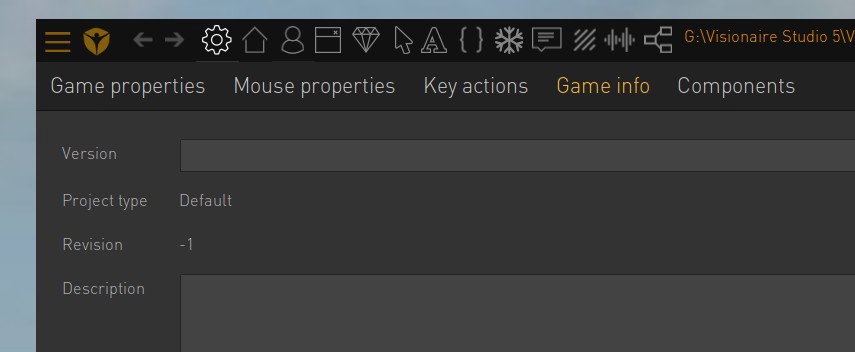
    I am following along some Tutorial videos, and find the interface has changed. "Game Properties" are now in three columns. 
    There is no Tab for "languages" as I saw in some videos. When I go into "Game Info", I dont have an option I have as in "mouse properties" at the left. 
    There is only the window with Version, Project type, Revision etc. 
    There in that section I should set the defaut language  -- but how??  see picture.

    in "Game Properties" I have only [empty]and unnamed. 

    Please help. I reinstalled the program, tried several things. 

    Thanks Georg Henrich

    georg-he


    Newbie

    2 Posts

  • #2, von SimonS Thursday, 11. December 2025, 23:13 A month ago
    Hi, the languages are in game properties on the left, you might need to scroll down.

    SimonS


    Thread Captain

    1623 Posts

  • #3, von georg-he Thursday, 11. December 2025, 23:24 A month ago
    Hi, the languages are in game properties on the left, you might need to scroll down.
    I am feeling dumb, and old -well I am over 60 anyway. I just saw it. Thank you. Just starting 


    georg-he


    Newbie

    2 Posts

Write post