Login / Registrieren
DE EN FR ES IT CZ
Zurück Nach oben

Can you have more then one inventory?

  • #10, by nerd 7 years ago Zitieren
    Tomorrow I'm gonna check it out. It could be also the interface image is full screen so "excecute immediate" doesn't work, this is probably the reason.
  • #11, by nerd 7 years ago Zitieren
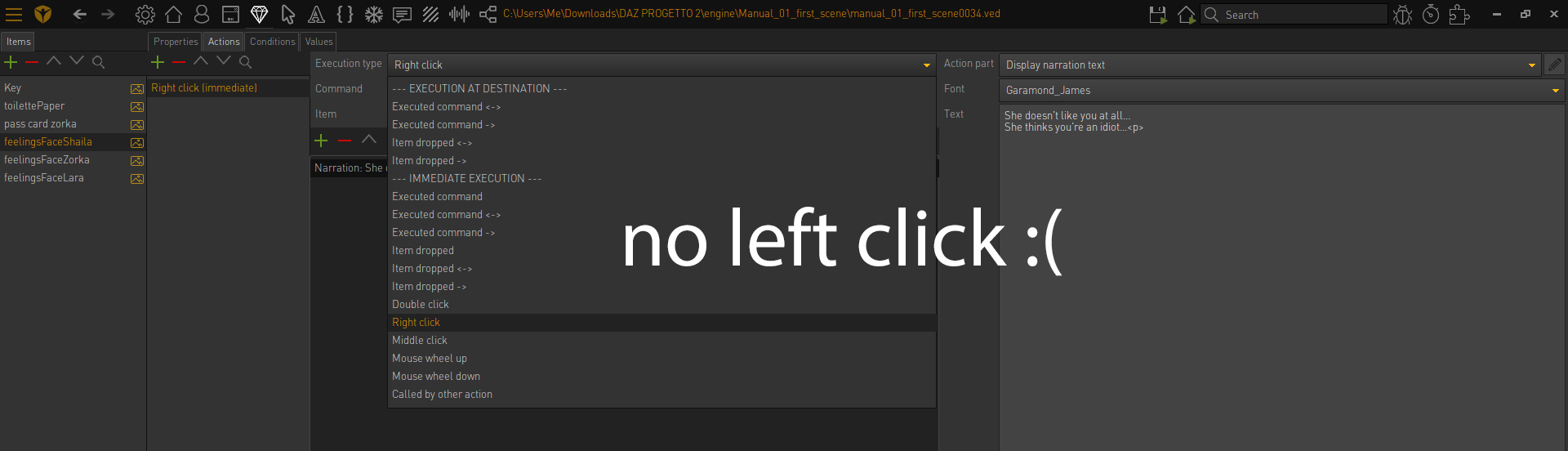
    The double inventory works. The problem is that no matter what "left click" on the items/portraits won't show the description under them, right now I'm using "right click" but I don't like it it's weird roll
  • #12, by nerd 7 years ago Zitieren
    I tried any combination. Any idea? roll
  • #13, by afrlme 7 years ago Zitieren
    why is left clicking not working? have you tried setting the relevant command when you swap characters, or on mouse over of the item?
  • #14, by nerd 7 years ago Zitieren
    The portraits in the inventory are items and unfortunately they don't have a mouse hover option roll

  • #15, by afrlme 7 years ago Zitieren
    Aye I forgot they don't have a mouse over option - strange that, no? you would think they would have the option just like every other visobj that allows you to create an object area/interaction polygon.

    Having said that, you could use Lua script with a loop to check if the object below the cursor is an item.
    function checkItm()
    
     if game.CurrentObject.IsItem and game.ActiveCommand ~= Interfaces["example"].StandardCommand then
    
       game.CurrentCommand = Interfaces["example"].StandardCommand
    
     end
    
    end


    registerEventHandler("mainLoop", "checkItm")

    replace "example" with the name of the interface. add this script to the script section of the editor as a definition type script. I have no idea whether or not it will work.
  • #16, by nerd 7 years ago Zitieren
    Thank you! I'll try it out! smile
  • #17, by nerd 7 years ago Zitieren
    Just a question how do I add this script as a definition type script? What does it mean?
  • #18, by afrlme 7 years ago Zitieren
    I mean create a script in the script section of the editor. add the script. leave it as the default script type, which just so happens to be "definition".

    There are 3 script types in VS.

    Definition: script will be executed on game launch - mostly used for registering functions, variables, & event handlers/listeners.

    Execution: has to be manually called - mostly used for small scripts that don't require functions or input arguments.

    Execute a script: inline code that can be used the same as "execution" type script - mostly for small scripts or for accessing/updating functions/variables that you have created inside of "definition" type scripts.

  • #19, by nerd 7 years ago Zitieren
    Thank you for the explanation smile