Menu
Login
Language
DE EN FR ES IT CZ
Back

After the update , I encountered a problem

  • #1, by genaticstudio Monday, 02. March 2020, 12:58 6 years ago Quote
    After the update , I encountered a problem
    Please help me.

    1. comman can not use on character.
    2.display object text is not show
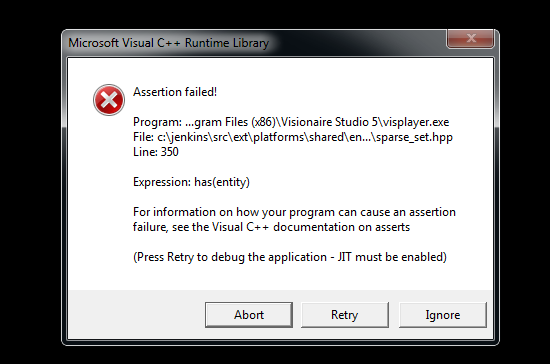
    3.I  Use  "Runmanu"  and   Sometimes this error   (screen shot) but I use  is  debug OK   


    Thank you.


    Newbie

    20 Posts

  • #2, by SimonS Monday, 02. March 2020, 12:59 6 years ago Quote
    Please check again for an update. I updated this today.

    Thread Captain

    1622 Posts

  • #3, by genaticstudio Monday, 02. March 2020, 13:02 6 years ago Quote
    Just a moment I updated   (About 10 minutes ago)

    Newbie

    20 Posts

  • #4, by genaticstudio Monday, 02. March 2020, 13:45 6 years ago Quote
    I'm sorry .  
    I wrote it wrong, I mean  " dispaly object text"  is not show

    Newbie

    20 Posts

  • #5, by SimonS Monday, 02. March 2020, 14:31 6 years ago Quote
    I can't get any of this.
    I see object texts, check if there's a condition.
    Commandos work on the character.
    For the last thing, please select Retry and then send me a dump. 

    Thread Captain

    1622 Posts

  • #6, by genaticstudio Monday, 02. March 2020, 17:01 6 years ago Quote
    I know the problem But I can not fix it

    1.comman can not use on character.      
    because  ,   If I set the screen to 640 * 480 but my background is the size 1280*960  comman can not use    (this oldversion is can use)
    2.display object text is not show 
    because,   Normally, older versions can use commands as in the picture.
    ( I space for position TEXT)
    Text Appear at the edge of the screen . The new version does not work with error  
    Article 3    



    Newbie

    20 Posts

  • #7, by SimonS Friday, 06. March 2020, 09:40 6 years ago Quote
    I released an update could you check if it fixes it ?

    Thread Captain

    1622 Posts

  • #8, by michael-daniel-vamvakas-1 Friday, 06. March 2020, 11:53 6 years ago Quote
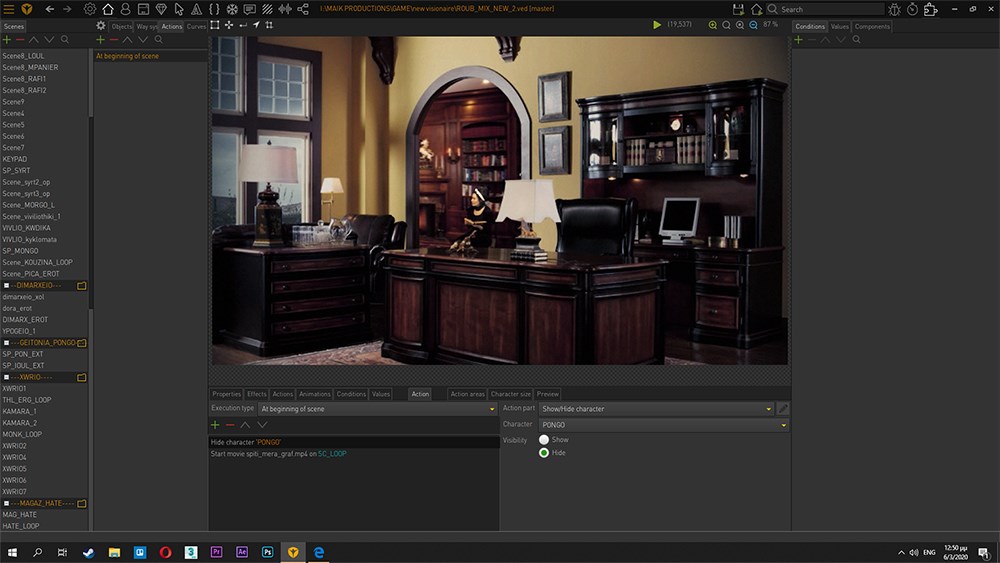
    Hello guys. I found today that the program can't play mp4 loop videos. I use the Object Movies plugin 
  • #9, by SimonS Friday, 06. March 2020, 11:54 6 years ago Quote
    Please redo them with the movie component. The plugin is not yet updated.

    Thread Captain

    1622 Posts

  • #10, by michael-daniel-vamvakas-1 Friday, 06. March 2020, 12:07 6 years ago Quote
    Please redo them with the movie component. The plugin is not yet updated.

    Thanks for your answer Simon. smile
    I have all backgrounds with that plugin and I don't know programming roll ... but i give it a try. Where can i find the method for the "movie component" in visionaire? 
  • #11, by SimonS Friday, 06. March 2020, 12:08 6 years ago Quote
    no programming needed, just click components in the upper right, select your object on the left and add a movie component.

    Thread Captain

    1622 Posts