Menu
Login
Language
DE EN FR ES IT CZ
Back

3d character

  • #1, by blano Thursday, 02. March 2023, 16:26 3 years ago Quote
    i have 2 questions
    1 how adjust camera height?
    2 is it possible to import in vs the shaders, texture ecc..??

    Newbie

    69 Posts

  • #2, by Nigec Friday, 03. March 2023, 00:25 3 years ago Quote
    I did a tutorial for Makehuman to Blender then Visionaire
    The 3D in Visionaire is very limited it's totally reliant on how the model is exported,  if the camera is to low it's usually the axis that's wrong in the modeller


    Key Killer

    640 Posts

  • #3, by blano Friday, 03. March 2023, 11:08 3 years ago Quote
    my question, specifically, is if I can change the view to isometric?
    Thank you Nigec for your response, it was really helpful

    Newbie

    69 Posts

  • #4, by Nigec Friday, 03. March 2023, 12:19 3 years ago Quote
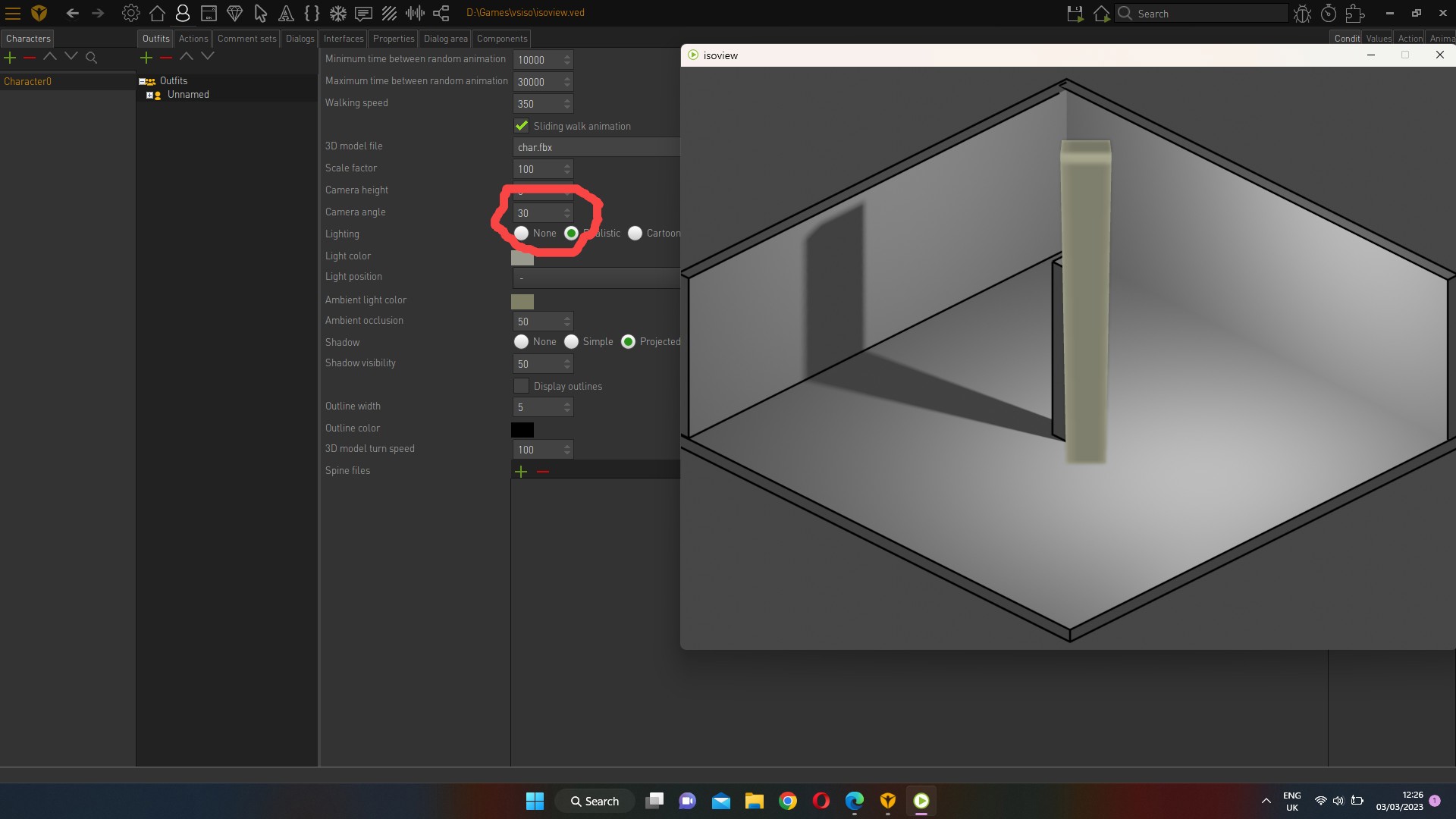
    it the characters outfit settings the angle would around 30 degrees..  or what ever the camera angle is 

    Key Killer

    640 Posts

  • #5, by Nigec Friday, 03. March 2023, 13:44 3 years ago Quote
    the issue is the camera isn't orthographic so you have to compromise

    Key Killer

    640 Posts

  • #6, by blano Friday, 03. March 2023, 18:51 3 years ago Quote
    last thing:
    how can i assign more animation to the same mesh? is it possible?

    Newbie

    69 Posts

  • #7, by Nigec Saturday, 04. March 2023, 08:24 3 years ago Quote
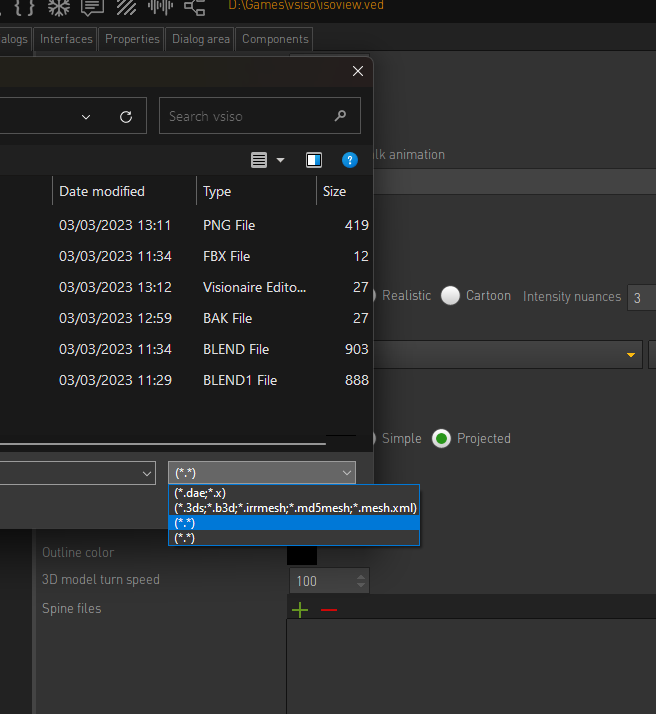
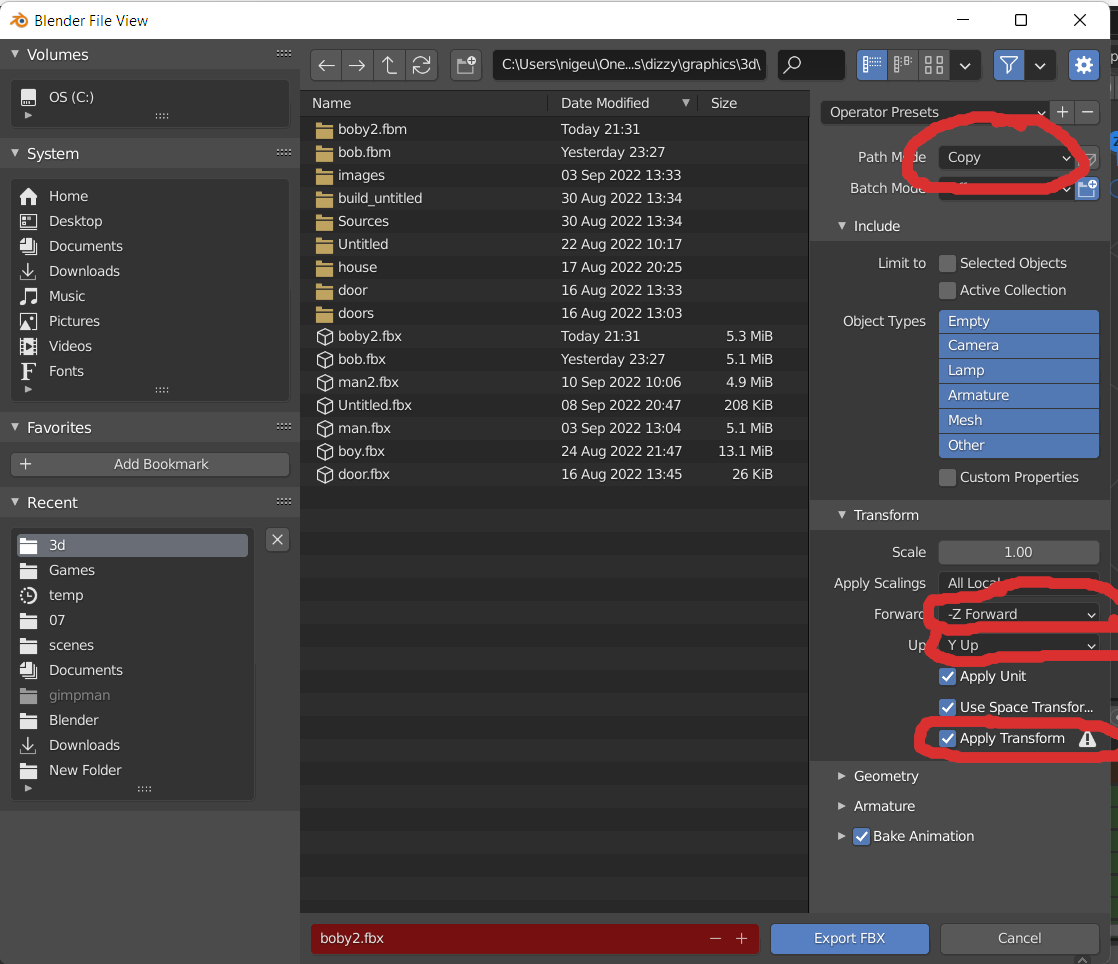
    use fbx, when you load a model, in the file dialog, set the filter to *.*, you can then see fbx files.
    Here's  the Blender export setting that work for me.


    Key Killer

    640 Posts

  • #8, by Nigec Saturday, 04. March 2023, 08:28 3 years ago Quote
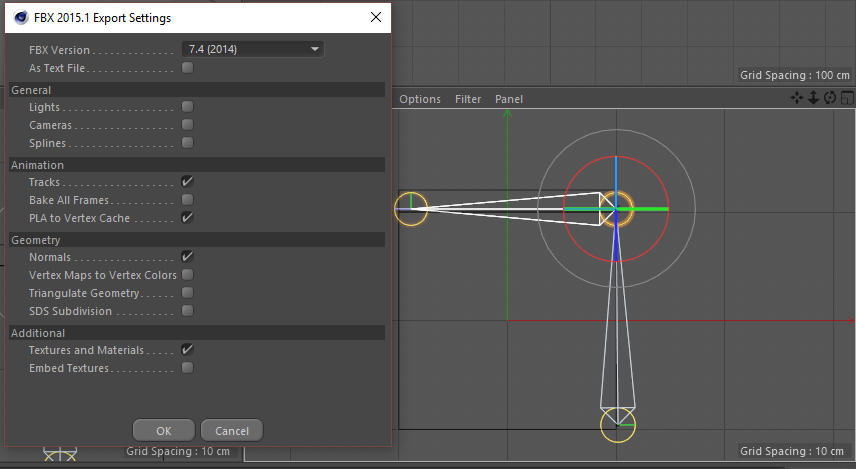
    C4D settings
    the fbx example has talk, walk and idle... the animation isn't very good lol

    Key Killer

    640 Posts

  • #9, by blano Saturday, 04. March 2023, 11:08 3 years ago Quote
    hello Nigec, thank you for your patience,
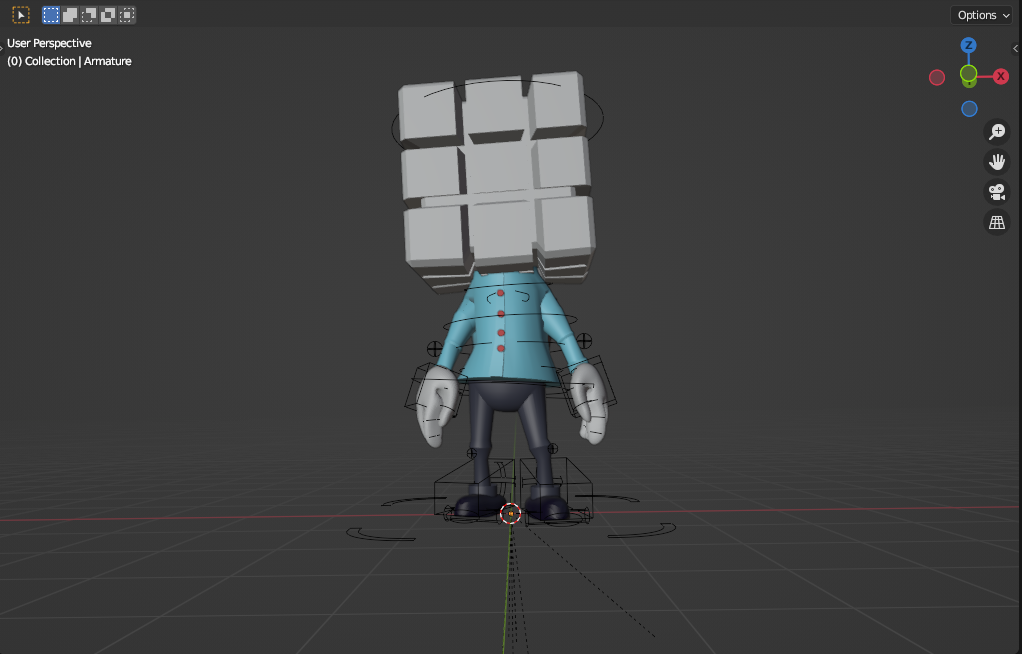
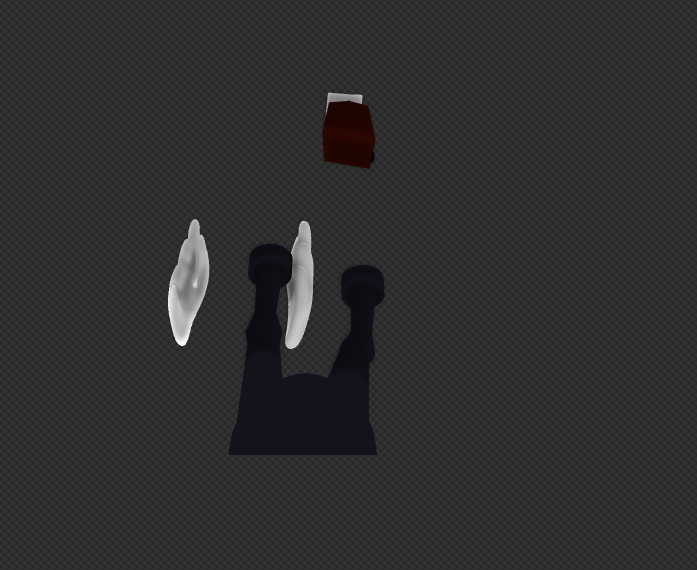
    i'm having this issues with my mesh in visionaire

    just have to say is not joined in one mesh

    one is how i see my pg in blender, the other how i see in VS

    do you know what can be the cause?

    ps. i'm using mixamo for animations, think is great if you never tried it

    Newbie

    69 Posts

  • #10, by Nigec Sunday, 05. March 2023, 09:42 3 years ago Quote
    have you tried applying transitions?
    If there's bones but no actions it can screw up, I usually just do a place holder action with a keyframe attached to all

    Key Killer

    640 Posts