Login / Registrieren
DE EN FR ES IT CZ
Zurück Nach oben

[SOLVED] set cursor in lua is not possible?

  • #1, de PanS ver 7 years ago Zitieren
    its there no way to set the cursor in a lua script?

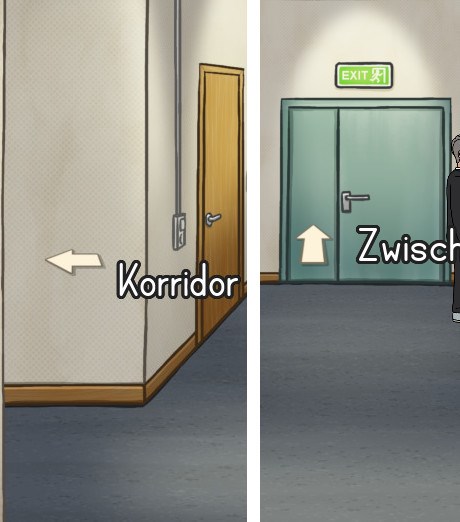
    i am working on a script set the cursor depending on the direction of an object. so i want to have an arrow showing north if mouse is over an exit area leading north for example. checking the direction isn a problem, but setting a cursor in the same script is apparently not possible right (even according to the wiki)?
  • #2, de afrlme ver 7 years ago Zitieren
    Aye, you can set the cursor via Lua script. Has been possible for quite a while now...
    game.Cursor = Cursors["example"]
  • #3, de PanS ver 7 years ago Zitieren
    That was what I tried but it didn't work. Nothing happens. No Error Log or something. Doesnt matter with or without the quotation marks.

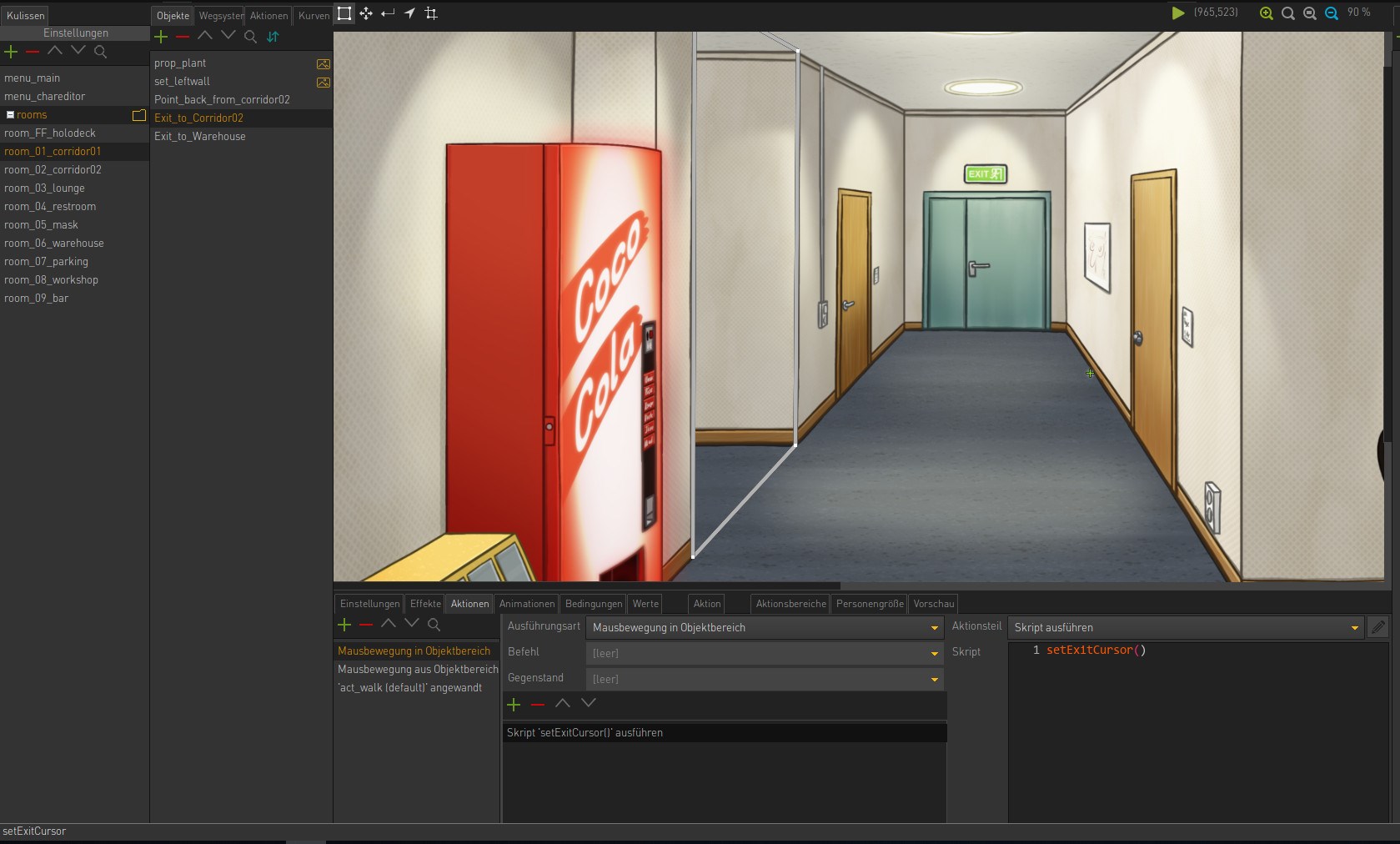
    Thats the function to test setting cursor. It will be executed when mouse is over the object (scene change):
    function setExitCursor()
      if game.CurrentObject then
        --print(game.CurrentObject.Direction)
        
        game.Cursor = Cursors["cur_exit_n"]
      end
    end
    
  • #4, de afrlme ver 7 years ago Zitieren
    Sorry, my bad. It's actually system.cursor, not game.Cursor.

    system.cursor = Cursors["example"]
  • #5, de PanS ver 7 years ago Zitieren
    If I'm not doing anything wrong it will not work. :-/
  • #6, de afrlme ver 7 years ago Zitieren
    are you actually calling the function? can you share some screenshots of how you have set it up please?
  • #7, de PanS ver 7 years ago Zitieren
    The function is called by a mouse over
  • #8, de PanS ver 7 years ago Zitieren
    wtf. now it works. maybe there was a typo in the lines I havent seen till I rewrote the small script.

    Edit: maybe I wrote system.Cursor instead of system.cursor

    Thx Guys! grin

    Edit2: Thats my working script now:
    local t_arrowdirection = {"cur_exit_e","cur_exit_ne","cur_exit_n","cur_exit_nw","cur_exit_w","cur_exit_sw","cur_exit_s","cur_exit_ne"}
    
    function setExitCursor()
      if game.CurrentObject then  --maybe a check for string "exit_to_"
        --print(game.CurrentObject.Direction) 
        local curDir = math.floor((game.CurrentObject.Direction / 45) + 1 )
        system.cursor = Cursors[t_arrowdirection[curDir]]
      end
    end
  • #9, de afrlme ver 7 years ago Zitieren
    Very good. I would probably use some string.find or string.match thing myself, maybe with a table to iterate through. I would also use the Lua mouse event handler, so I didn't have to create mouse enter/leaves action parts for each exit - though I suppose there's probably not that much work involved in creating some mouse enters/leaves action blocks for a few exits.

    I made the same mistake with system.Cursor too. I replaced game with system, but forgot to lowercase the capital C of cursor. Easy mistake considering almost everything in the data structure uses the camelCase naming convention.