Login / Registrieren
DE EN FR ES IT CZ
Zurück Nach oben

[SOLVED] Hiding certain parts of the dialog on screen

  • #1, by SanSamba 10 years ago Zitieren
    Hey there,

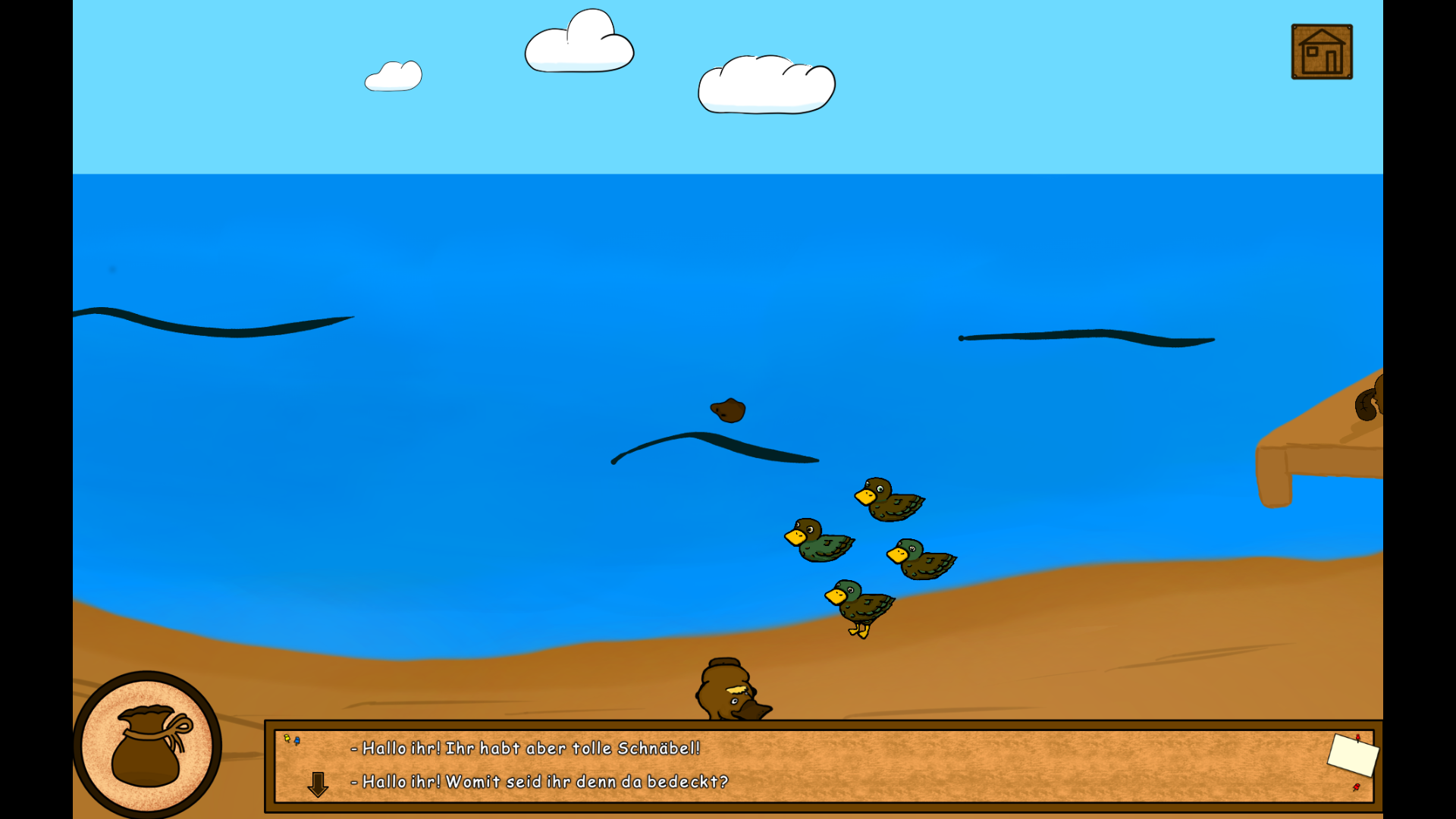
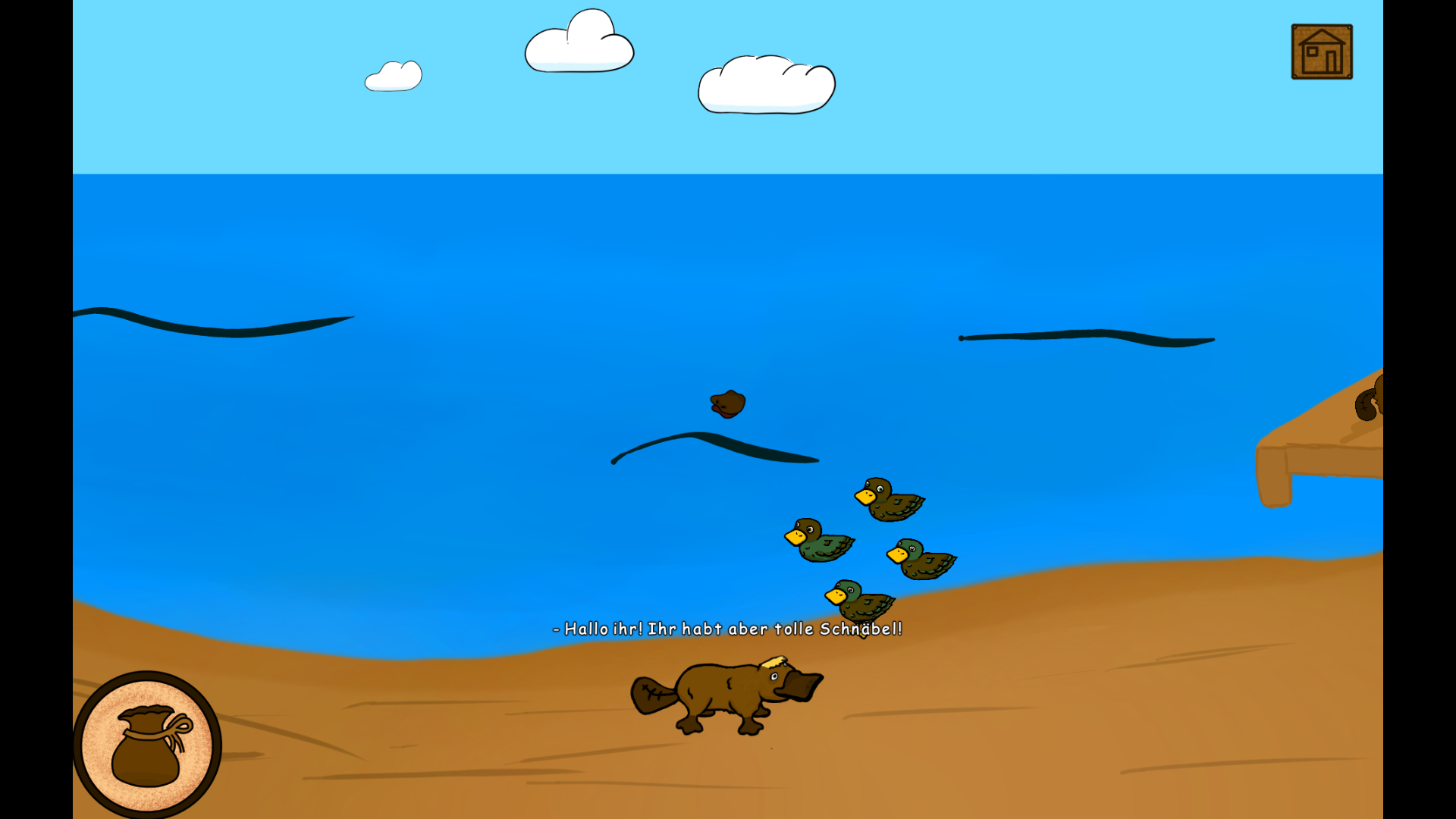
    Is there a possibility to show a certain dialogoption text in the dialog area, but let the the char speak something completly different on screen? F.e.: i want the player to see a "-" in the dialog area, in front of the option. But the main character should not say this "-". Down below are some screenshots, to specify what i mean. Help would be much appreciated!
  • #2, by sebastian 10 years ago Zitieren
    isnt that the default behaviour?
  • #3, by sebastian 10 years ago Zitieren
    ah.. you mean the dialogbox itself, right?
    yeah you could make the dialogarea background invisible and use an interface instead which you show/hide when needed
  • #4, by SanSamba 10 years ago Zitieren
    I realized, that i wrote pretty confusing in my first commit - sorry for that confuse
    I edited it.^^ Hope, that it's more understandable this time.
  • #5, by SanSamba 10 years ago Zitieren
    I'm using the active/ inactive dialog font now. As adressed in this thread:

    http://www.visionaire-studio.net/forum/thread/-solved-highli...

    P.S. (if mod thinks, my thread is impractical, i don't mind deleting it. But if someone else is searching for the function described above...)
  • #6, by afrlme 10 years ago Zitieren
    Not sure what your initial question/post has to do with this. I didn't come away with dialog option highlighting, I came away with the same conclusion as Sebastian.

    P.S: the thread link you have provided is incorrect somehow as it's showing the correct link in the thread, but the actual url is linking back to this thread.
  • #7, by SanSamba 10 years ago Zitieren
    I searched for a way to accentuate the different dialogoptions.
    I thought, that some players might mistake the various dialogoptions for one, since the dialogarea looked pretty cramped with text.
    So i wanted to use the "-" as a obvious stylistic device, to differntiate. But as it was also shown on screen while char's talking...

    I'll edit the post above even further to clarify this and i'm sorry for this confusing mess.

    P.S.: couldn't fix the hyperlink, so i removed it

    *edit: of course it works now, after i removed the url function of the forum grin sometimes life just wants to ridicule you. and yes, i know that i'm at fault

  • #8, by afrlme 10 years ago Zitieren
    Yeah this website has autoparsing for urls, images & youtube videos. You can manually add urls with custom link name with [ url = http:example.com ] some text [ /url ].

    Ah right... in the dialog options for each dialog option you create is a field to enter "alternative text for dialog part" you can make the character say something completely different from whatever the dialog option says.
  • #9, by SanSamba 10 years ago Zitieren
    That's devastatingly easy and obvious. Way too overworked atm. Gonna cry myself to sleep now. Thanks anyway.

    P.S.: @AFRLme i used ur sliding puzzle, edited speechertext position and move object script. ofc with credit. thank you, for ur work
  • #10, by afrlme 10 years ago Zitieren
    No problem at all mate. wink