Login / Registrieren
DE EN FR ES IT CZ
Zurück Nach oben

[SOLVED] getCursorPos() and moveObj()

  • #10, by andy-rinaldi 12 years ago Zitieren
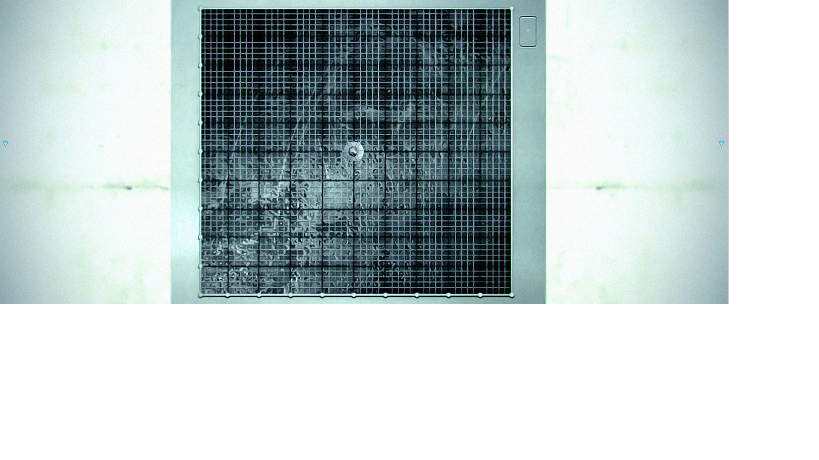
    It's very simple, I have a hotspot as a square (see attachment). In this hotspot I want click in any position and when I do this, the image (in center in the attachment) should move to coordinates where I have clicked with the mouse. The Alex script is working but when I click on 531,21 coordinates, the image is moved to 1455,423 for example, or click on 700,50 and the image move to 1700,450 etc I always have about 1000,400 of difference. You know what I mean?

    Lee, lo que quiero es hacer click con el ratón en cualquier posición dentro de ese cuadrado y haciendo eso mover la imagen a la posición donde haya clickado con el ratón. Es un sistema de navegación, con el click del ratón doy las coordinadas y la imagen debe seguir el click del ratón.

  • #11, by afrlme 12 years ago Zitieren
    That's because Alex script is calculating the current position against the new position instead of just sending the object to the new position.

    haha I actually understood what you wrote in Spanish too, but er my native language is English.

    What .ved name/version is this under in google drive thing?
  • #12, by Alex 12 years ago Zitieren
    The Alex script is working but when I click on 531,21 coordinates, the image is moved to 1455,423 for example


    that's because you have not set the object position (-> scene object -> Properties tab -> Position) to the center of the image where it is originally positioned. I thought you wanted to have the script working for all objects (that's why I included the object position).

    I just saw that this only works in playable scenes and cannot be used in menus because there is no object position. So maybe its better to just ignore the object position and place the image to position 0,0 in the editor. change the function line to
      startObjectTween(obj, VObjectOffset, obj:getPoint(VObjectOffset), {x = x, y = y}, delay, easing)


    and you should be fine.
  • #13, by andy-rinaldi 12 years ago Zitieren
    ok guys, I solved it modifing the following function:

    function moveObj(obj, x, y, delay, easing)
      local objPos = obj:getPoint(VObjectPosition)
      startObjectTween(obj, VObjectOffset, obj:getPoint(VObjectOffset), {x = x - objPos.x , y = y - objPos.y}, delay, easing)
    end


    I replaced {x = x + objPos.x , y = y + objPos.y} with {x = x - objPos.x , y = y - objPos.y}
    I use it just in a playable scene.
  • #14, by afrlme 12 years ago Zitieren
    I am still confused as to why my original workflow function needed to be modified; period.

    Also I am interested in knowing what this grid thing actually does...