Dieses Thema ist schon älter. Manche Angaben beziehen sich vielleicht auf eine frühere Version von Visionaire Studio. Aktuelle Anleitungen
Die kostenlose Version reicht für bis zu 25 Szenen pro Projekt. Für mehr Szenen und den Verkauf deines Spiels brauchst du eine Lizenz. Hier im Forum bekommst du das Indie Bundle mit dem Code FORUM15 15 % günstiger: 84,15 € statt 99 €, gültig bis 31.12.2026.Black Friday: Bis 01.12.2026 gibt es das Indie Bundle 30 % günstiger, 69,30 € statt 99 €. Der Code BLACKFRIDAY ist schon eingetragen.
15 % Rabatt sichern Kostenlos testenHi again! I've since learned how the layering issue is and how to combine objects and they are even draggable from my inventory! However, if I want to use an object on something else, how would that work?Check out my screenshot (below).For example:In the first scene I combine a book and an inkwell to make a key, which then you need to use to "unlock" the door and change to the next scene. However, I'm stumped as to how you can then use the key on the door like which actions I need or conditions?In the second scene, I want to be able to use a spear that's made from combining a rock and a stick to interact with a tree so the player will receive a key in the inventory.Sorry if this is vague!
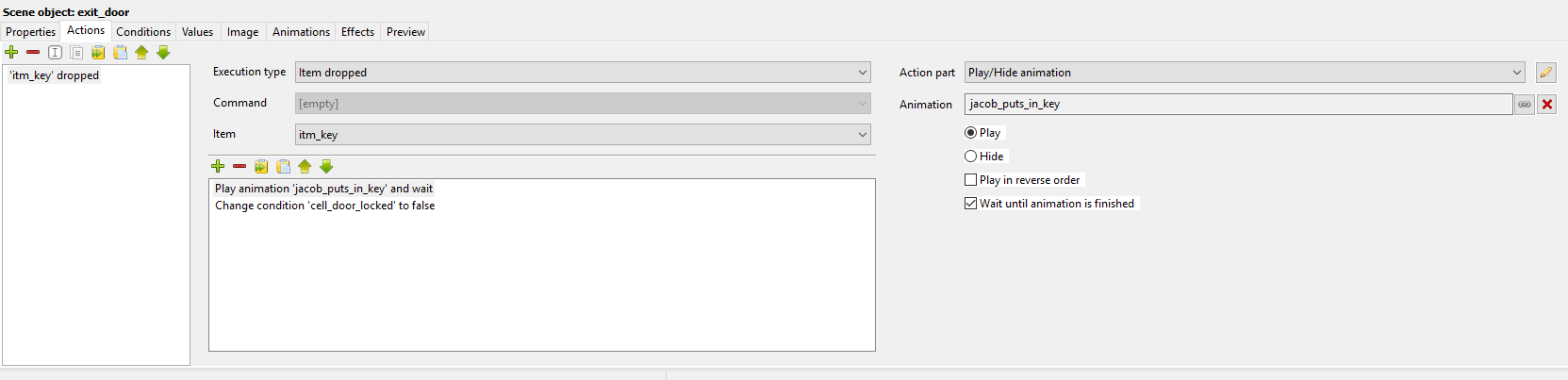

@AFRLmehaha. No worries mate. I'm always here - well, not always... but, my post count probably begs to differ.I just wanted to let you know all of your explanations were a success and I really loved the outcome of my video game! It wouldn't have had the same mechanics/feel without it. Thank you so much for the quick, thorough replies and I hope you'll be here in the future if I ever run into anymore issues

Dieses Thema ist geschlossen, weil hier seit über einem Jahr niemand geantwortet hat. Stell deine Frage gern in einem neuen Thema.
Neues ThemaDeponia, The Whispered World und über 160 weitere Spiele sind mit Visionaire Studio entstanden. Die kostenlose Version reicht für bis zu 25 Szenen. Für mehr Szenen gibt es Visionaire Studio PRO ab 75 €, für den Verkauf deines Spiels das Indie Bundle für 99 €.
Bis 01.12.: das Indie Bundle mit dem Code BLACKFRIDAY 30 % günstiger, 69,30 € statt 99 €.

Erwecke deine Geschichten zum Leben.


